> ## Documentation Index
> Fetch the complete documentation index at: https://docs.befailproof.ai/llms.txt
> Use this file to discover all available pages before exploring further.
# Administration
> Operate access, usage, organizations, and security without mixing them into the reliability workflow.
Administration contains the controls needed to run Failproof AI across a team. Most readers can stay in Sessions, Audits, and Policies; administrators use this section to manage access and operating boundaries.
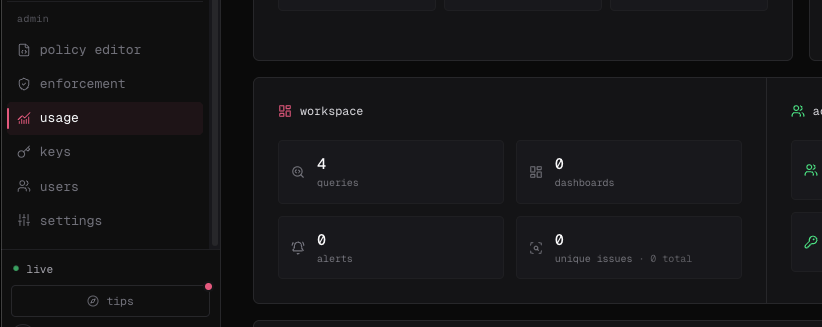
Use the Cloud sidebar's **Admin** section for **policy editor**, **enforcement**, **usage**, **keys**, **users**, and **settings**. A locked item shows that your account is missing its read permission.
 ```bash theme={null}
fp whoami
fp orgs current
fp orgs perms
fp usage
```
Put global options before the command, for example `fp --org reliability-team --json usage`.
Inspect billing windows and organization consumption.
Give machines and automation only the permissions they require.
Manage membership, defaults, and organization boundaries.
Configure operational settings, data handling, and deployment security.
```bash theme={null}
fp whoami
fp orgs current
fp orgs perms
fp usage
```
Put global options before the command, for example `fp --org reliability-team --json usage`.
Inspect billing windows and organization consumption.
Give machines and automation only the permissions they require.
Manage membership, defaults, and organization boundaries.
Configure operational settings, data handling, and deployment security.