> ## Documentation Index
> Fetch the complete documentation index at: https://docs.befailproof.ai/llms.txt
> Use this file to discover all available pages before exploring further.
# Audit cadence
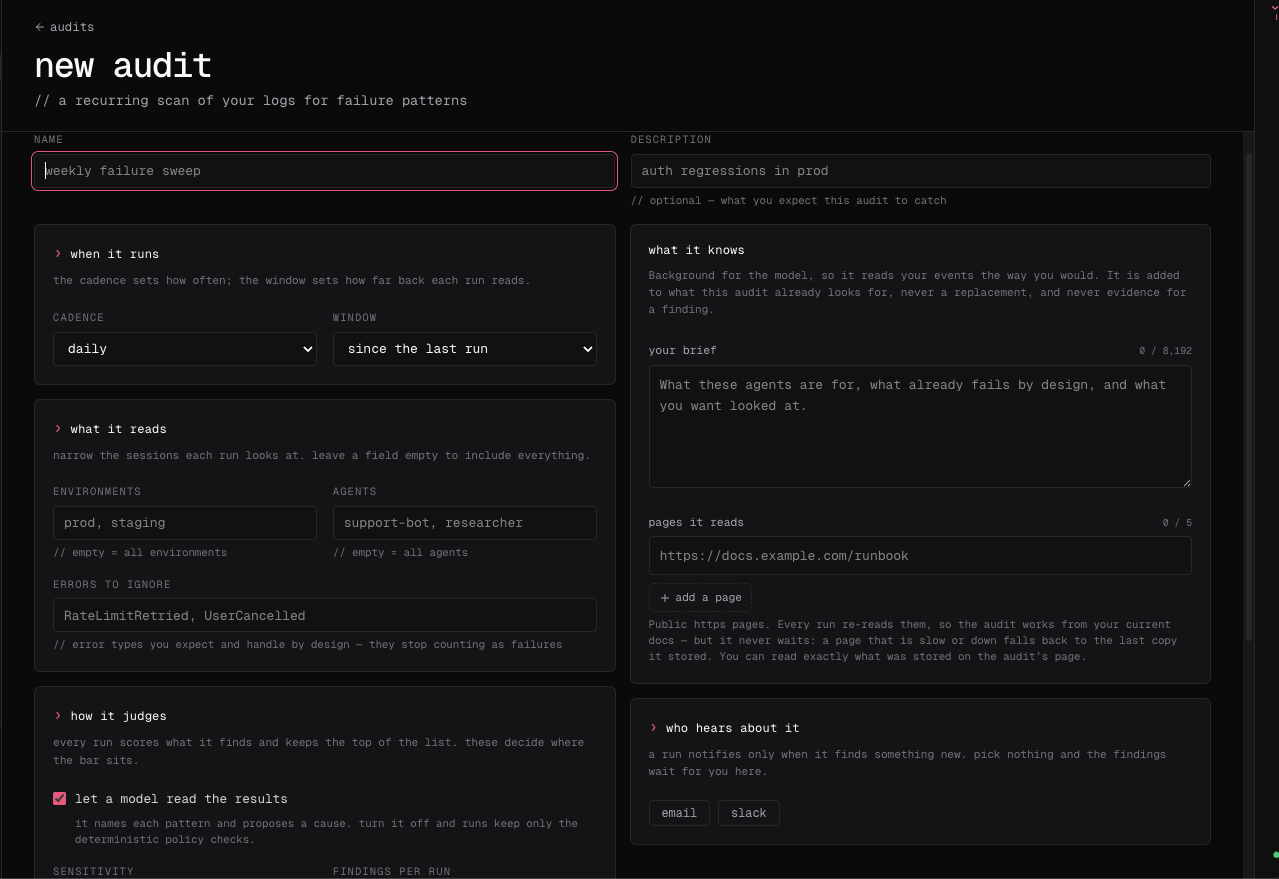
> Choose when recurring audits run and how much data they review.
Use recurring audits for failure modes that can return as agents, prompts, tools, and models change.
## Change the schedule
1. Go to **Analyze → Audits** and open the audit.
2. Open its settings and change the enabled state, interval, UTC anchor, window mode, or lookback.
3. Save the audit and confirm the next-run time on the audit card.
4. Use **run now** once after a major scope or context change.
 ```bash theme={null}
fp audits edit checkout-reliability \
--schedule-interval-secs 86400 \
--schedule-anchor 2026-08-15T09:00:00Z \
--lookback-window-secs 86400 \
--yes
fp audits edit checkout-reliability --disabled --yes
fp audits edit checkout-reliability --enabled --yes
```
See the [`fp audits` reference](/reference/cloud-cli#audits) for schedule bounds, window behavior, and all audit commands.
Choose cadence from the speed and cost of the risk:
| Risk pattern | Starting cadence |
| ------------------------------ | ---------------- |
| High-impact production action | Daily |
| Workflow or model regression | Weekly |
| Governance or access review | Monthly |
| One-time release investigation | Run once |
Align the lookback window with the cadence so runs neither leave gaps nor repeatedly examine an unnecessarily large population. After changing an audit's goal or context, run it manually once before relying on the next scheduled result.
Local scheduled audits are configured on the machine and scan local agent history. Cloud audit schedules operate on Cloud sessions. Treat their results and ownership separately.
```bash theme={null}
fp audits edit checkout-reliability \
--schedule-interval-secs 86400 \
--schedule-anchor 2026-08-15T09:00:00Z \
--lookback-window-secs 86400 \
--yes
fp audits edit checkout-reliability --disabled --yes
fp audits edit checkout-reliability --enabled --yes
```
See the [`fp audits` reference](/reference/cloud-cli#audits) for schedule bounds, window behavior, and all audit commands.
Choose cadence from the speed and cost of the risk:
| Risk pattern | Starting cadence |
| ------------------------------ | ---------------- |
| High-impact production action | Daily |
| Workflow or model regression | Weekly |
| Governance or access review | Monthly |
| One-time release investigation | Run once |
Align the lookback window with the cadence so runs neither leave gaps nor repeatedly examine an unnecessarily large population. After changing an audit's goal or context, run it manually once before relying on the next scheduled result.
Local scheduled audits are configured on the machine and scan local agent history. Cloud audit schedules operate on Cloud sessions. Treat their results and ownership separately.