> ## Documentation Index
> Fetch the complete documentation index at: https://docs.befailproof.ai/llms.txt
> Use this file to discover all available pages before exploring further.
# Audit recipes
> Starting goals for common agent failure investigations.
Use these as starting goals, then add your agent, environment, and expected workflow.
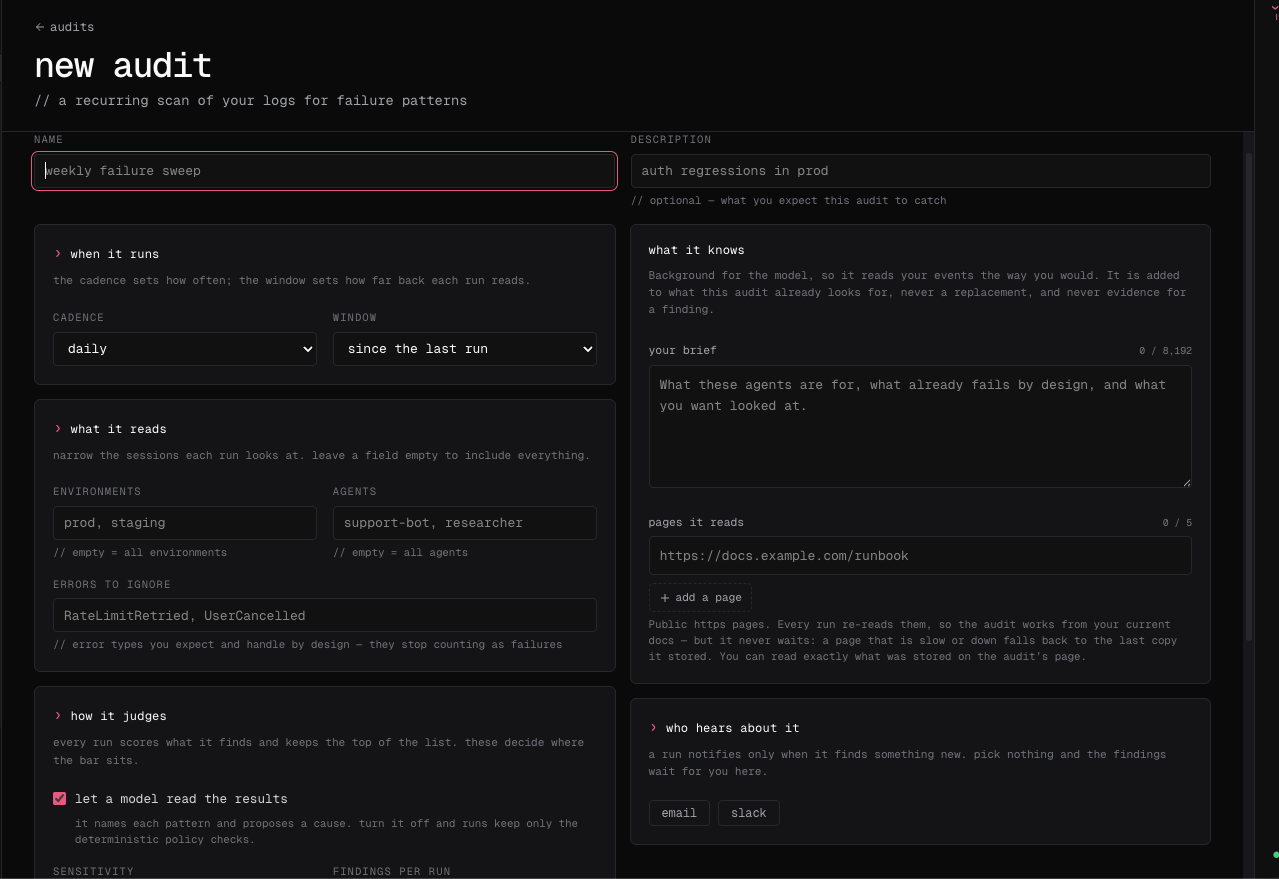
Go to **Analyze → Audits → New audit**, copy one recipe into the description or brief, then add the relevant environment, agent, lookback, and reference URLs. Create the audit and inspect the first run before scheduling it.
The new audit form turns a recipe into an executable failure check by adding scope, context, cadence, and notifications.
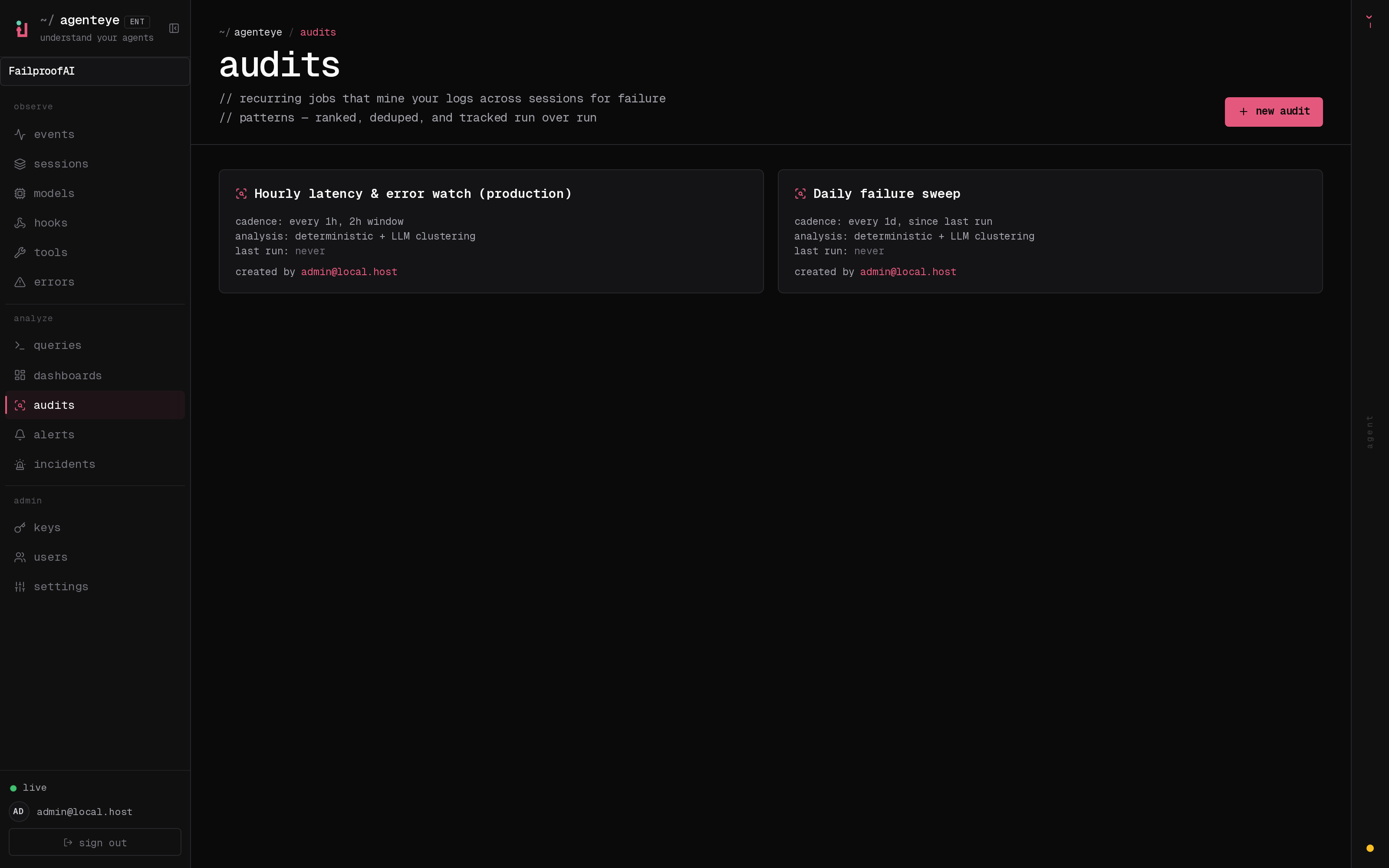
 After creation, confirm the audit appears in the list with the expected status and schedule before relying on recurring runs.
 Open the first run and refine the recipe if its findings are broader or narrower than the intended failure mode.
Save a recipe as a text file and attach it during creation:
```bash theme={null}
fp audits create retry-loop-review \
--scope '{"environments":["production"]}' \
--text-file ./retry-loop-audit.txt \
--schedule-interval-secs 86400
```
Find sessions where the agent repeats the same failing tool call without changing input, selecting an alternative tool, or escalating to a human.
Find sessions where the chosen tool does not match the stated task, or where tool input violates the workflow's required preconditions.
Find sessions that read, write, or transmit sensitive data outside the approved paths and services for this agent.
Find sessions that end without the requested outcome, a clear error, or an explicit handoff to a human.
Find sessions whose model, tool, or total duration exceeds the expected budget, and identify the event pattern responsible.
Find sessions where confidence, repeated failure, or policy guidance required a human decision but the agent continued autonomously.
Open the first run and refine the recipe if its findings are broader or narrower than the intended failure mode.
Save a recipe as a text file and attach it during creation:
```bash theme={null}
fp audits create retry-loop-review \
--scope '{"environments":["production"]}' \
--text-file ./retry-loop-audit.txt \
--schedule-interval-secs 86400
```
Find sessions where the agent repeats the same failing tool call without changing input, selecting an alternative tool, or escalating to a human.
Find sessions where the chosen tool does not match the stated task, or where tool input violates the workflow's required preconditions.
Find sessions that read, write, or transmit sensitive data outside the approved paths and services for this agent.
Find sessions that end without the requested outcome, a clear error, or an explicit handoff to a human.
Find sessions whose model, tool, or total duration exceeds the expected budget, and identify the event pattern responsible.
Find sessions where confidence, repeated failure, or policy guidance required a human decision but the agent continued autonomously.