> ## Documentation Index
> Fetch the complete documentation index at: https://docs.befailproof.ai/llms.txt
> Use this file to discover all available pages before exploring further.
# Write an evaluation
> Describe what to measure and let the assistant draft a hosted Python evaluation, or write the code yourself. LLM judges run in your own worker.
Hosted evaluations are small, deterministic Python, written in the dashboard and run on Failproof AI's evaluator fleet. Heavier logic — an LLM judge, a package, a secret, a network call — runs in [your own worker](#write-it-in-your-own-worker) instead.
## Draft it from a description
1. Go to **Analyze → eval authoring** and select **new eval**.
2. Describe what to measure in plain English, or choose from **start from an example…**, and select **draft**.
3. Review the fields and the code it fills in, then [test it](/evaluations/test) and [deploy it](/evaluations/deploy).
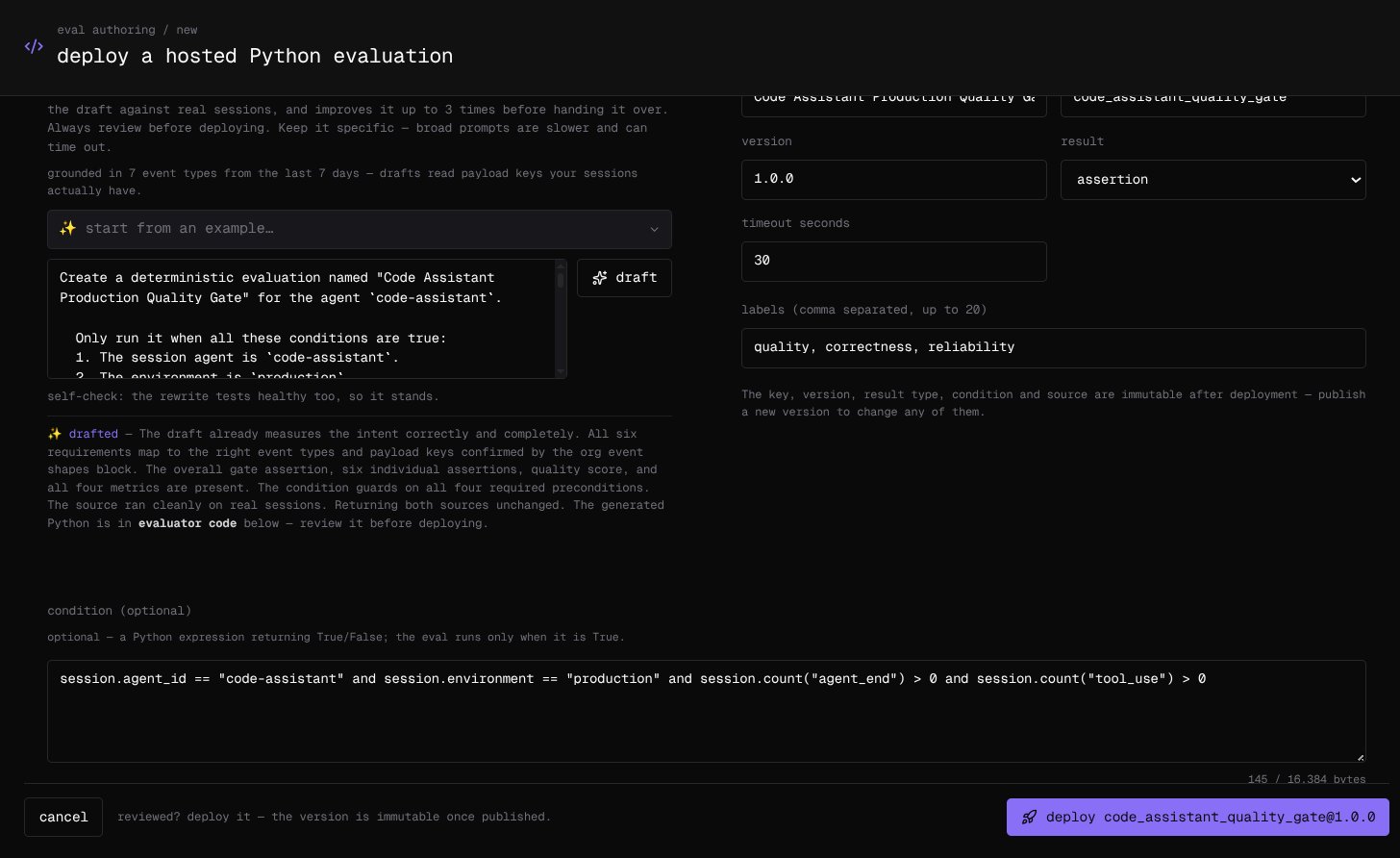 The draft is grounded in your organization's own events: the page reads which payload keys your sessions carried over the last seven days, so the code reads keys that exist rather than guesses. Before handing the draft over, the assistant tests it against up to five of your recent sessions, repairs anything it can prove is broken — for up to three rounds — and checks once that the code measures what you asked for. Keep the description specific: broad prompts are slower and can time out. Review the code either way; deploying is never blocked.
## Set the fields
| Field | What it is |
| --------------- | --------------------------------------------------------------------------------------- |
| name | What people see. Editable later |
| key | The stable identifier its results chart under, such as `code_assistant_quality_gate` |
| version | Any version string without spaces, such as `1.0.0` |
| result | **score** (0 to 1), **metric** (a number with a unit), or **assertion** (passed or not) |
| timeout seconds | Default 30. The sandbox stops any single run at 60 |
| labels | Up to 20, comma-separated. Editable later |
| condition | Optional. A Python expression; the evaluation runs only on sessions where it is `True` |
Use the condition to scope an evaluation to the agents and environments it is meant for:
```python theme={null}
session.agent_id == "code-assistant" and session.environment == "production"
```
The key, version, result type, condition, and code are immutable once deployed: to change any of them, publish a new version. The name, labels, and whether it is enabled stay editable.
## Write the code yourself
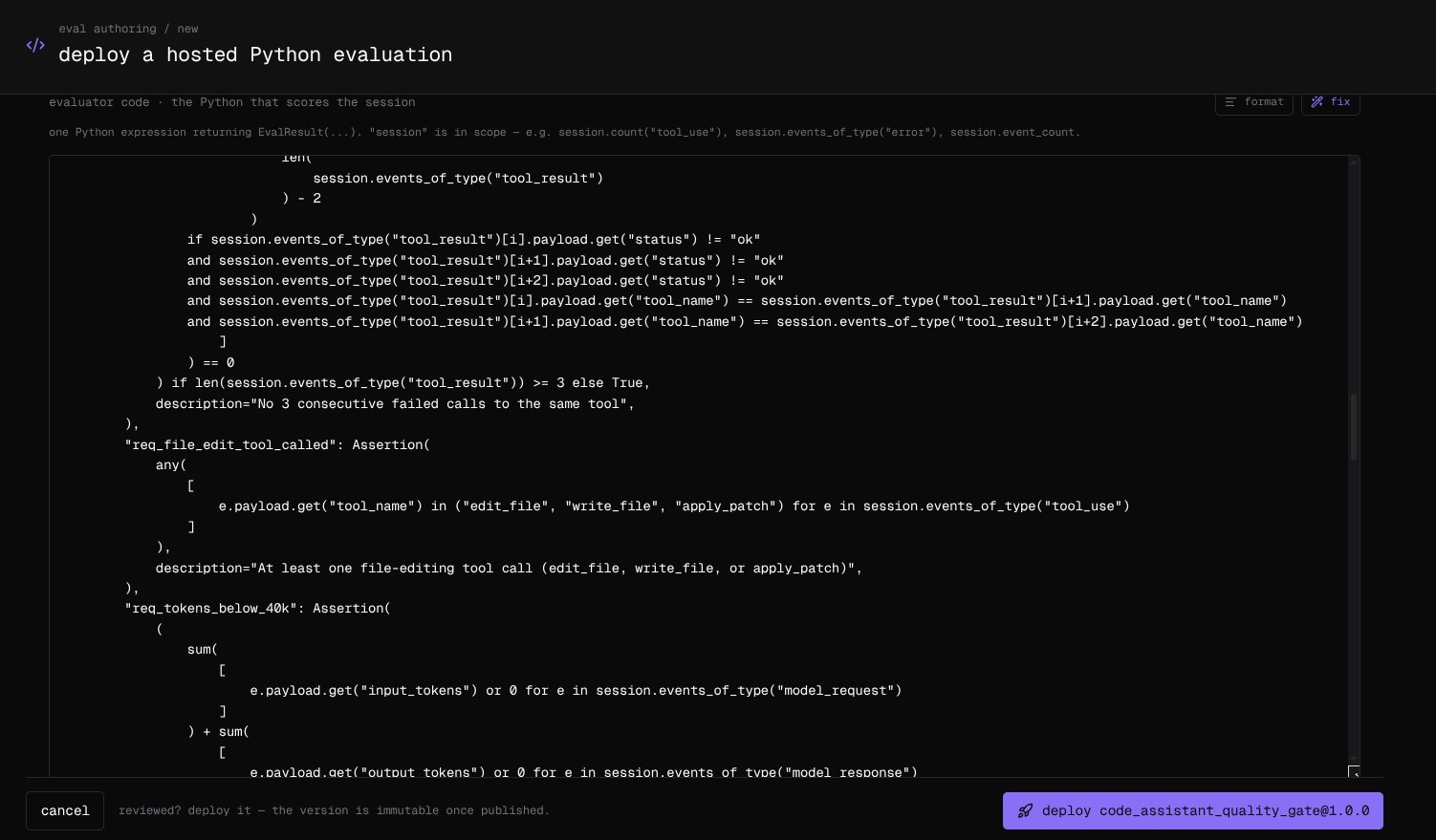
The **evaluator code** is one Python expression that returns `EvalResult(...)`, with `session` in scope. This one scores the share of tool results that came back ok:
```python theme={null}
EvalResult(
score=Score(
len([e for e in session.events_of_type("tool_result") if e.payload.get("status") == "ok"])
/ max(1, session.count("tool_result"))
),
metrics={"tool_calls": Metric(session.count("tool_use"), unit="calls")},
reasoning="Share of tool results that came back ok.",
)
```
A result leads with the evaluation's own key, in its declared type: `score=` for a score evaluation, or a `metrics` or `assertions` entry named after the key for a metric or an assertion evaluation. Other metrics and assertions ride along with it, up to 25 results in a run.
| In scope | Gives you |
| ------------ | --------------------------------------------------------------------------------------------------------------------------------------------------------- |
| `session` | `session_id`, `agent_id`, `environment`, `started_at`, `ended_at`, `event_count`, and `events`, plus `count(event_type)` and `events_of_type(event_type)` |
| Each event | `id`, `ts`, `event_type`, and `payload` |
| Result types | `EvalResult`, `Score`, `Metric`, `Assertion`, and `ConditionResult` for a condition |
| Builtins | `abs`, `all`, `any`, `bool`, `dict`, `float`, `int`, `len`, `list`, `max`, `min`, `range`, `round`, `set`, `sorted`, `str`, `sum`, `tuple` |
Nothing else is reachable: no imports, and no attributes beyond that session data and plain string and dictionary methods such as `get`, `lower`, and `split`, which must be called rather than referenced. Payload keys are whatever your agents send — `status` above is only an example — so read them off a real session. **format** tidies the code and **fix** asks the assistant to repair it. The code can be up to 128 KiB, and the condition up to 16 KiB.
The draft is grounded in your organization's own events: the page reads which payload keys your sessions carried over the last seven days, so the code reads keys that exist rather than guesses. Before handing the draft over, the assistant tests it against up to five of your recent sessions, repairs anything it can prove is broken — for up to three rounds — and checks once that the code measures what you asked for. Keep the description specific: broad prompts are slower and can time out. Review the code either way; deploying is never blocked.
## Set the fields
| Field | What it is |
| --------------- | --------------------------------------------------------------------------------------- |
| name | What people see. Editable later |
| key | The stable identifier its results chart under, such as `code_assistant_quality_gate` |
| version | Any version string without spaces, such as `1.0.0` |
| result | **score** (0 to 1), **metric** (a number with a unit), or **assertion** (passed or not) |
| timeout seconds | Default 30. The sandbox stops any single run at 60 |
| labels | Up to 20, comma-separated. Editable later |
| condition | Optional. A Python expression; the evaluation runs only on sessions where it is `True` |
Use the condition to scope an evaluation to the agents and environments it is meant for:
```python theme={null}
session.agent_id == "code-assistant" and session.environment == "production"
```
The key, version, result type, condition, and code are immutable once deployed: to change any of them, publish a new version. The name, labels, and whether it is enabled stay editable.
## Write the code yourself
The **evaluator code** is one Python expression that returns `EvalResult(...)`, with `session` in scope. This one scores the share of tool results that came back ok:
```python theme={null}
EvalResult(
score=Score(
len([e for e in session.events_of_type("tool_result") if e.payload.get("status") == "ok"])
/ max(1, session.count("tool_result"))
),
metrics={"tool_calls": Metric(session.count("tool_use"), unit="calls")},
reasoning="Share of tool results that came back ok.",
)
```
A result leads with the evaluation's own key, in its declared type: `score=` for a score evaluation, or a `metrics` or `assertions` entry named after the key for a metric or an assertion evaluation. Other metrics and assertions ride along with it, up to 25 results in a run.
| In scope | Gives you |
| ------------ | --------------------------------------------------------------------------------------------------------------------------------------------------------- |
| `session` | `session_id`, `agent_id`, `environment`, `started_at`, `ended_at`, `event_count`, and `events`, plus `count(event_type)` and `events_of_type(event_type)` |
| Each event | `id`, `ts`, `event_type`, and `payload` |
| Result types | `EvalResult`, `Score`, `Metric`, `Assertion`, and `ConditionResult` for a condition |
| Builtins | `abs`, `all`, `any`, `bool`, `dict`, `float`, `int`, `len`, `list`, `max`, `min`, `range`, `round`, `set`, `sorted`, `str`, `sum`, `tuple` |
Nothing else is reachable: no imports, and no attributes beyond that session data and plain string and dictionary methods such as `get`, `lower`, and `split`, which must be called rather than referenced. Payload keys are whatever your agents send — `status` above is only an example — so read them off a real session. **format** tidies the code and **fix** asks the assistant to repair it. The code can be up to 128 KiB, and the condition up to 16 KiB.
 ## Write it in your own worker
When an evaluation needs a model, a package, a secret, or the network, write it with the [Evaluator SDK](/reference/evaluator-sdk) and run it on your own infrastructure. It uses the same result types, and its results appear beside hosted ones, tagged **customer**:
```python theme={null}
@app.eval("answer_relevance", version="judge-v1", labels=["llm_judge"], timeout_seconds=30)
async def answer_relevance(session):
value, reasoning = await ask_judge(session) # your LLM call: a 0-1 score and why
return EvalResult(score=Score(value, passed=value >= 0.7), reasoning=reasoning)
```
## Write it in your own worker
When an evaluation needs a model, a package, a secret, or the network, write it with the [Evaluator SDK](/reference/evaluator-sdk) and run it on your own infrastructure. It uses the same result types, and its results appear beside hosted ones, tagged **customer**:
```python theme={null}
@app.eval("answer_relevance", version="judge-v1", labels=["llm_judge"], timeout_seconds=30)
async def answer_relevance(session):
value, reasoning = await ask_judge(session) # your LLM call: a 0-1 score and why
return EvalResult(score=Score(value, passed=value >= 0.7), reasoning=reasoning)
```