> ## Documentation Index
> Fetch the complete documentation index at: https://docs.befailproof.ai/llms.txt
> Use this file to discover all available pages before exploring further.
# Sessions
> एक agent run का संपूर्ण रिकॉर्ड देखें।
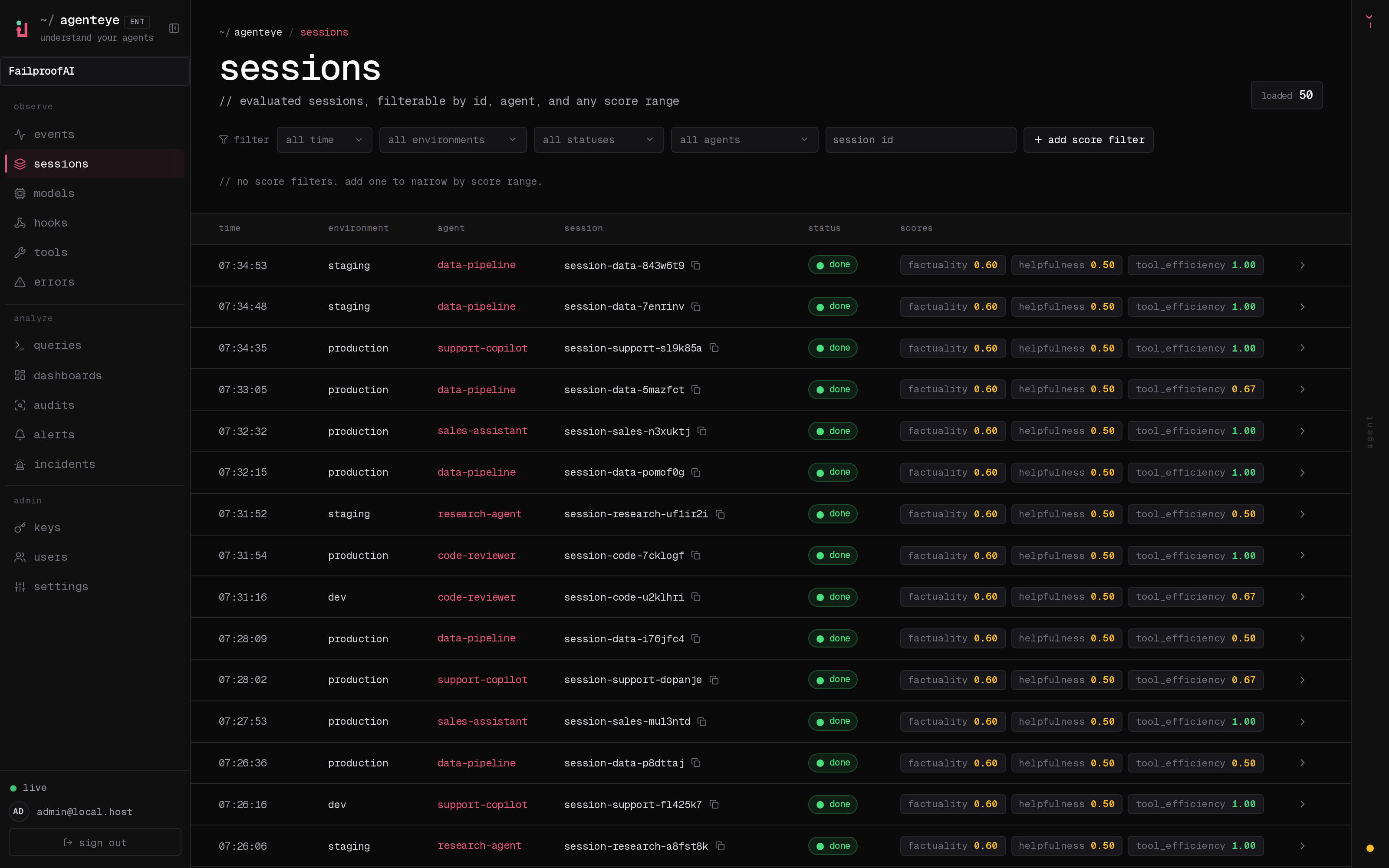
एक session सबसे अच्छा शुरुआती बिंदु है जब कोई agent अप्रत्याशित रूप से व्यवहार करे। यह मॉडल requests, responses, tool calls, human interactions, errors, evaluations, और policy decisions को जोड़ता है जो एक run से संबंधित हों।
एक agent run को इसके लक्ष्य से model calls, tools, और अंतिम response के माध्यम से फॉलो करें।
## एक session खोजें
1. Cloud sidebar में, **Observe → Sessions** पर जाएं।
2. समय विंडो सेट करें, फिर environment, status, agent, या session ID के आधार पर फ़िल्टर करें।
3. जब आपको quality, cost, token, या latency slice की आवश्यकता हो तो score या metric ranges जोड़ें।
4. trace खोलने के लिए एक row चुनें। इसे share करते समय session ID के बगल में copy control का उपयोग करें।
```bash theme={null}
fp sessions --env production --since 24h
fp sessions --status error,timeout --agent-id checkout-agent
fp --json sessions --session-id
```
Multi-agent runs को expand करने के लिए `--agents` जोड़ें, paginate करने के लिए `--all`, या output columns चुनने के लिए `--fields`।
## आप क्या कर सकते हैं
* एक run को agent, environment, समय, मॉडल, event type, या error state के आधार पर खोजें।
* सटीक sequence को फॉलो करें जिसने एक outcome तैयार किया।
* सफल और असफल runs की तुलना करें।
* Audit finding या alert incident द्वारा उपयोग किए गए evidence को खोलें।
* जब आपको offline record की आवश्यकता हो तो एक session export करें।
## एक विश्वसनीय investigation order
1. Session goal और environment की पुष्टि करें।
2. पहली error या unexpected decision खोजें—केवल अंतिम विफलता नहीं।
3. मॉडल context और tool input को तुरंत इसके पहले inspect करें।
4. Retries, latency, और human interruptions को check करें।
5. Evaluation scores और policy decisions की समीक्षा करें।
Session summary से लेकर उस event तक जाना सीखें जिसने outcome का कारण बना।