> ## Documentation Index
> Fetch the complete documentation index at: https://docs.befailproof.ai/llms.txt
> Use this file to discover all available pages before exploring further.

# 監査

> 定義されたセッション群を対象に、トレースだけでは明らかにならない障害を検出します。

監査は、選択されたセッション群に対して特定の障害目標を検索します。トレースの証拠、評価結果、ポリシーのヒット、および参照コンテキストを組み合わせて、実際に対処できる調査結果を生成します。
<div style={{ position: "relative", width: "100%", paddingBottom: "56.25%", height: 0, overflow: "hidden", borderRadius: "12px", margin: "1.5rem 0" }}>
  <iframe src="https://www.youtube.com/embed/C5nHKGQIqZQ?rel=0&playsinline=1" title="Find agent failures automatically with Failproof AI audits" allow="accelerometer; autoplay; encrypted-media; gyroscope; picture-in-picture; fullscreen" allowFullScreen style={{ position: "absolute", top: 0, left: 0, width: "100%", height: "100%", border: 0 }} />
</div>

スケジュールされた実行から、証拠に基づいた修正可能な障害の発見まで、監査の流れを確認してください。

## 監査を開く

<Tabs>
  <Tab title="ダッシュボード">
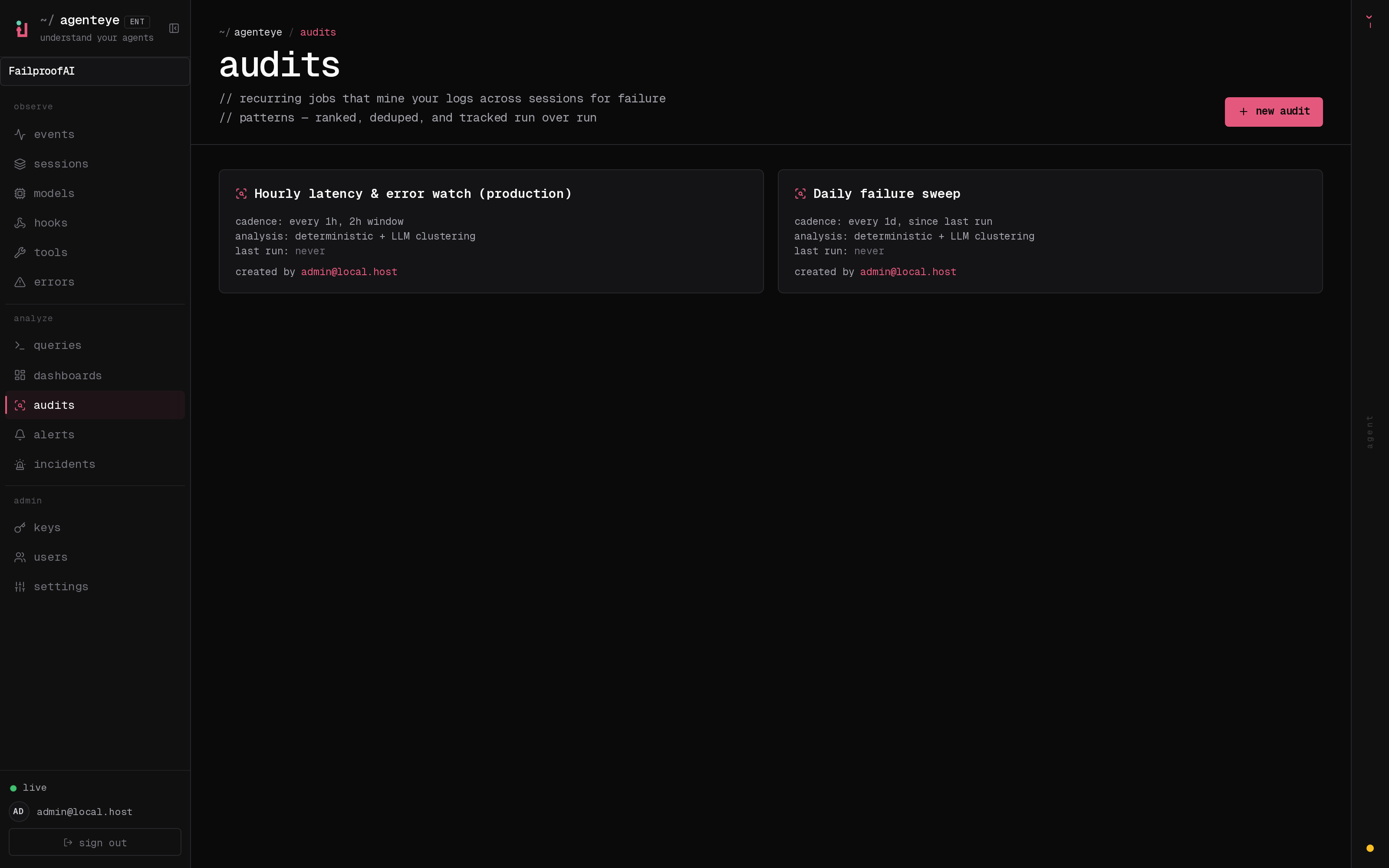
    **Analyze → Audits** に移動します。このページには、スケジュール状態、未解決の調査結果、前回の実行、次回の実行、実行頻度、およびブリーフや参照ページの有無が表示されます。カードを選択すると設定と実行履歴が確認でき、**new audit** を選択すると新しい監査を作成できます。

    <img src="https://mintcdn.com/exosphere/WgPwQzedeDNwJBTy/images/dashboard/audits.png?fit=max&auto=format&n=WgPwQzedeDNwJBTy&q=85&s=de22007bf3f5cd8e1f6eb5a72de5bbfc" alt="スケジュール、感度、実行状態が表示された定期監査の一覧ページ。" width="3200" height="2000" data-path="images/dashboard/audits.png" />
  </Tab>

  <Tab title="CLI">
    ```bash theme={null}
    fp audits list
    fp audits list --enabled-only --show-id
    fp audits show <audit-name>
    fp audits findings --status open --limit 20
    ```
  </Tab>
</Tabs>

次のようなポピュレーションレベルの質問に答える必要がある場合に監査を使用します。

* エージェントはどこでエスカレーションせずにタスクを放棄しているか？
* どのツール障害が非効率なリトライにつながっているか？
* エージェントは意図したワークフロー外のデータにアクセスしているか？
* モデル、プロンプト、またはツールのリリース後に何が変わったか？

## 監査のレスポンスフロー

```text theme={null}
Session → Audit → Finding → Issue → Policy
                         ↘ Alert for recurrence
```

調査結果は障害モードを明確に示し、証拠を指し示す必要があります。Issue は修正作業を担います。Policy は既知のアクションパターンを防止し、Alert は防止が不可能な場合やモニタリングが必要な場合に再発を検出します。

<Columns cols={2}>
  <Card title="監査を設定する" icon="sliders-horizontal" href="/ja/audits/setup">
    初回実行前に目標、対象セッション群、および参照コンテキストを定義します。
  </Card>

  <Card title="エージェントコンテキストを追加する" icon="bot" href="/ja/audits/agent-contracts">
    各エージェントが生成しなければならないものと、絶対に行ってはならないことを定義します。
  </Card>
</Columns>
