> ## Documentation Index
> Fetch the complete documentation index at: https://docs.befailproof.ai/llms.txt
> Use this file to discover all available pages before exploring further.
# Deploy policies to machines
> Know which machines are enrolled, current, and enforcing the intended policy versions.
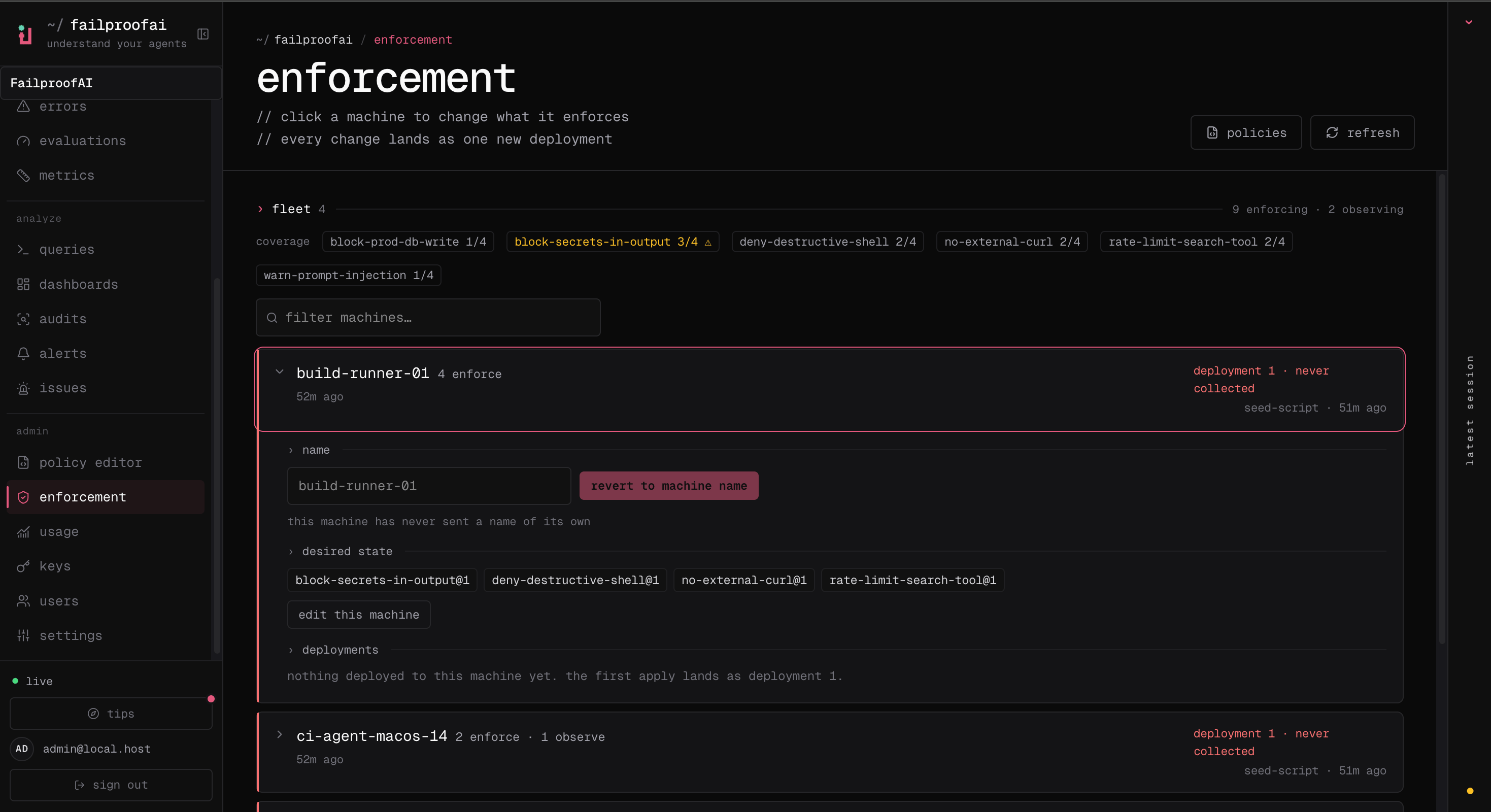
Fleet coverage answers whether a policy exists where the risk exists. Track machines by stable ID and a human-readable label, then compare their assigned and reported deployment state.
## Check coverage
1. Go to **Admin → enforcement** and review the enforcing and observing totals.
2. Search for a machine by ID or label, or filter for machines missing a policy.
3. Expand a row to compare assigned policies, reported deployment, last check-in, and history.
4. Refresh after the machine's polling interval when an applied deployment remains pending.
 ```bash theme={null}
failproofai config --status
failproofai config --machine-label checkout-runner-03
failproofai flush --wait
```
Use `fp events --agent-id --since 24h` to confirm the machine's agent activity reaches Cloud.
Use coverage views to find:
* Machines that never pulled the latest deployment
* Enrolled machines that stopped reporting activity
* A policy assigned to the wrong environment or cohort
* Version drift after an interrupted update
Rename a machine without reconnecting it:
```bash theme={null}
failproofai config --machine-label checkout-runner-03
```
Check local state:
```bash theme={null}
failproofai config --status
```
Use labels that identify workload and environment. Hostnames alone are often insufficient after autoscaling or machine replacement.
```bash theme={null}
failproofai config --status
failproofai config --machine-label checkout-runner-03
failproofai flush --wait
```
Use `fp events --agent-id --since 24h` to confirm the machine's agent activity reaches Cloud.
Use coverage views to find:
* Machines that never pulled the latest deployment
* Enrolled machines that stopped reporting activity
* A policy assigned to the wrong environment or cohort
* Version drift after an interrupted update
Rename a machine without reconnecting it:
```bash theme={null}
failproofai config --machine-label checkout-runner-03
```
Check local state:
```bash theme={null}
failproofai config --status
```
Use labels that identify workload and environment. Hostnames alone are often insufficient after autoscaling or machine replacement.