> ## Documentation Index
> Fetch the complete documentation index at: https://docs.befailproof.ai/llms.txt
> Use this file to discover all available pages before exploring further.
# Policies
> Observe, guide, or block agent actions before a known failure repeats.
A policy evaluates an agent hook event and returns one of three decisions:
* `allow` lets the action continue.
* `instruct` gives the agent corrective guidance.
* `deny` blocks the action with a reason.
## Use the three policy surfaces
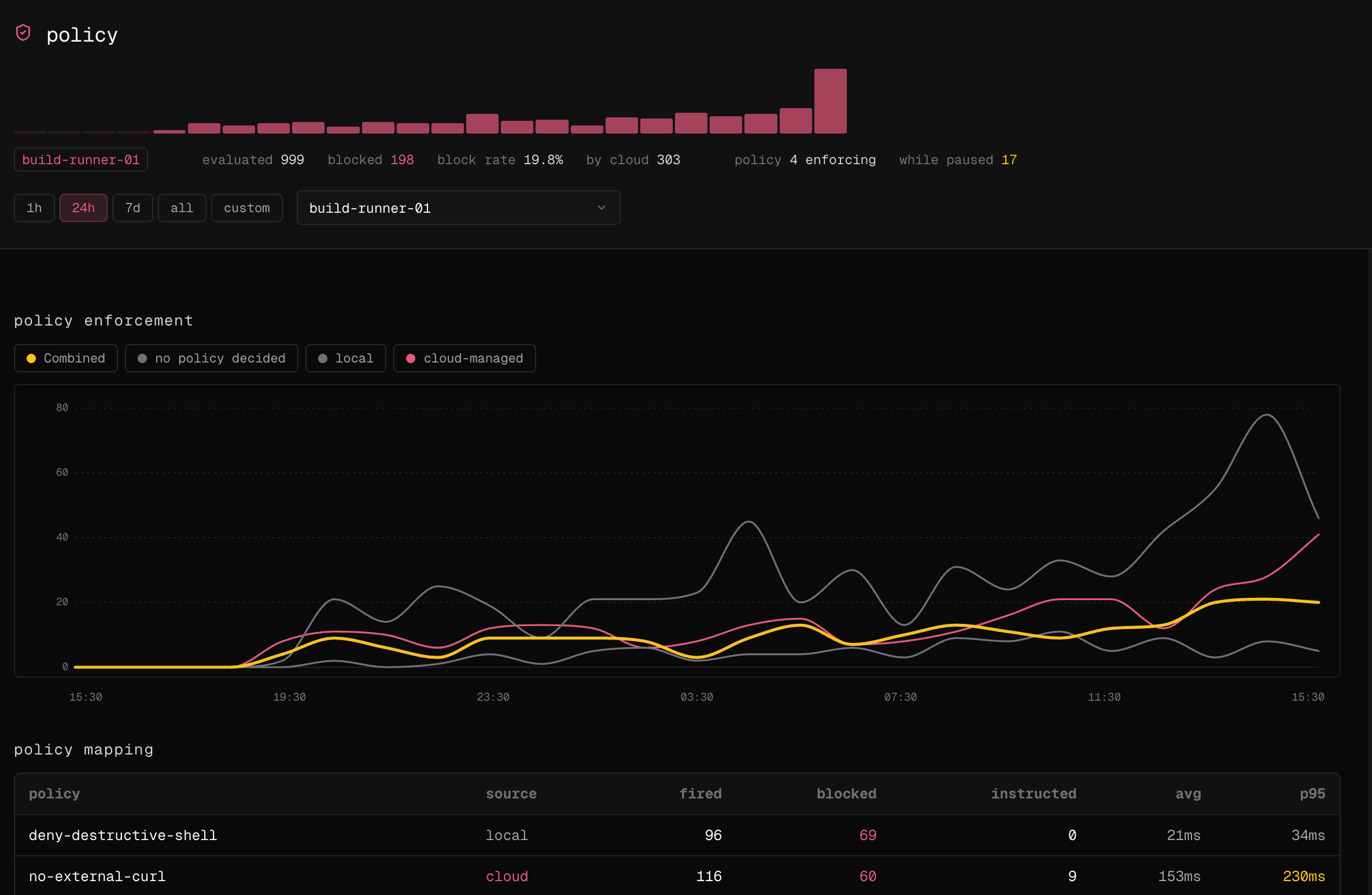
1. Go to **Observe → policy** to filter and inspect policy decisions from sessions.
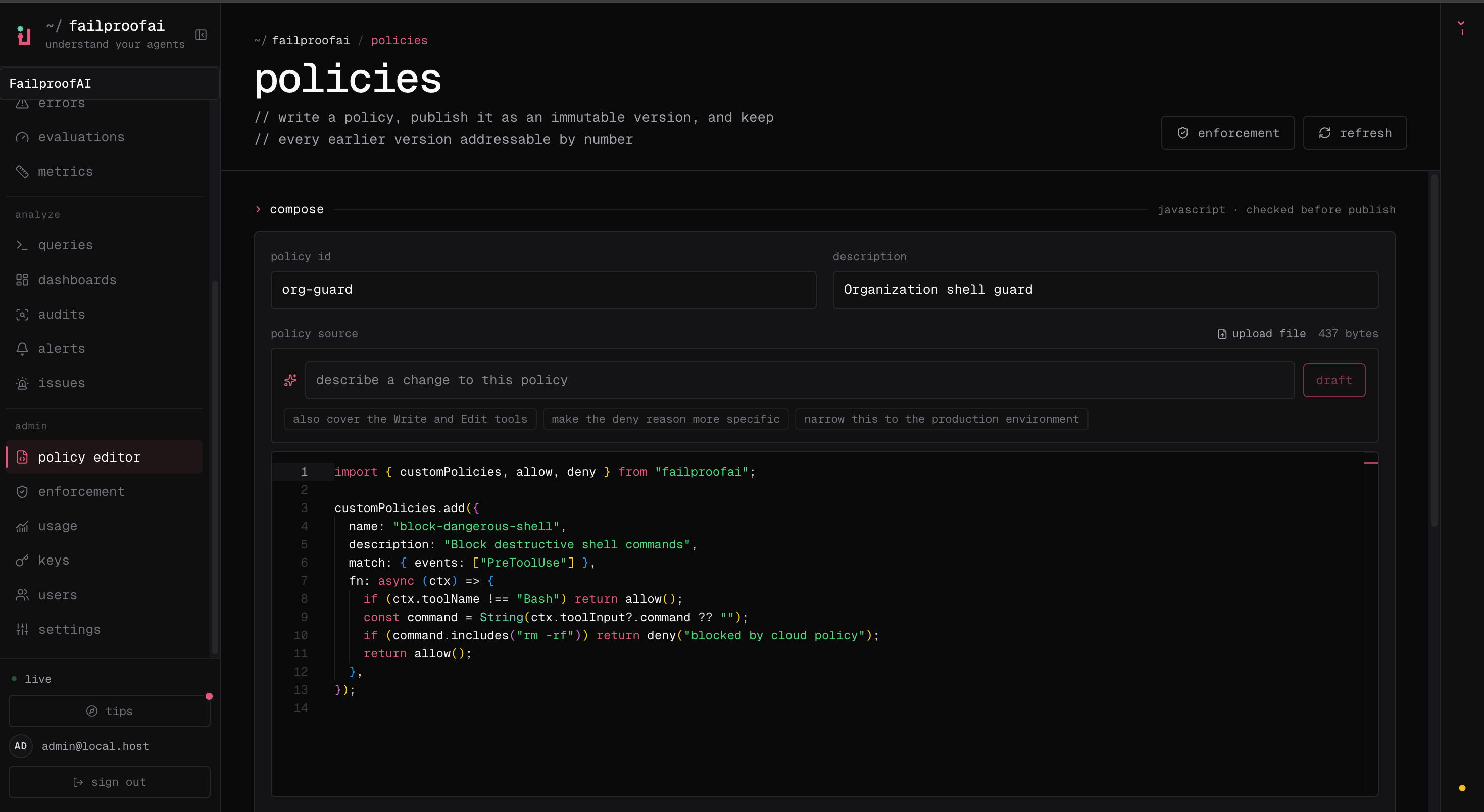
2. Go to **Admin → policy editor** to compose, validate, publish, disable, or inspect immutable versions.
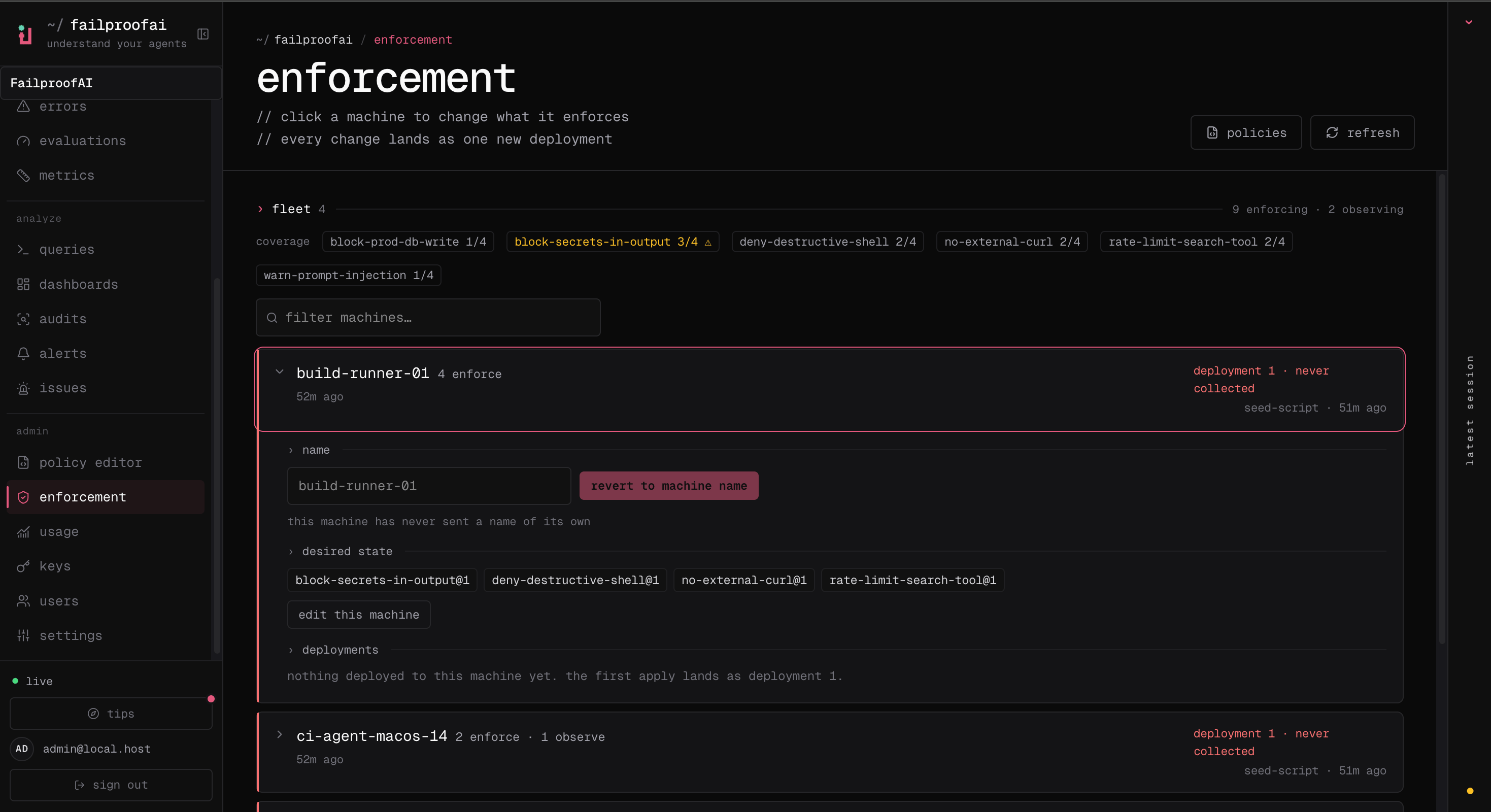
3. Go to **Admin → enforcement** to assign versions and effects to machines.
Use the Policy page to understand what is already matching before authoring or changing enforcement.
 The editor is where you turn a failure condition into source, validate it, and publish an immutable version.
 Enforcement then assigns that published version and its observe or enforce effect to machines.
 Verify decisions back on the Policy page after deployment so the authoring and fleet views are tied to real agent activity.
Use `failproofai` for local policy installation and validation:
```bash theme={null}
failproofai policies
failproofai policy add block-rm-rf --scope project
failproofai config --status
```
Use `fp` to find the Cloud sessions and events containing policy decisions. Cloud authoring and fleet deployment remain dashboard workflows.
Policies have three distinct surfaces in Failproof AI:
1. **Analyze decisions** in sessions, dashboards, and audits.
2. **Author versions** with builtin rules, code, or the policy editor.
3. **Deploy and enforce** versions across selected machines.
Start from a confirmed failure mode. Define the smallest event and tool match that identifies it, test legitimate and unsafe examples, then observe before enforcing.
Enable a reviewed rule for common secret, shell, Git, cloud, and workflow risks.
Express a workflow-specific decision in JavaScript or TypeScript.
Verify decisions back on the Policy page after deployment so the authoring and fleet views are tied to real agent activity.
Use `failproofai` for local policy installation and validation:
```bash theme={null}
failproofai policies
failproofai policy add block-rm-rf --scope project
failproofai config --status
```
Use `fp` to find the Cloud sessions and events containing policy decisions. Cloud authoring and fleet deployment remain dashboard workflows.
Policies have three distinct surfaces in Failproof AI:
1. **Analyze decisions** in sessions, dashboards, and audits.
2. **Author versions** with builtin rules, code, or the policy editor.
3. **Deploy and enforce** versions across selected machines.
Start from a confirmed failure mode. Define the smallest event and tool match that identifies it, test legitimate and unsafe examples, then observe before enforcing.
Enable a reviewed rule for common secret, shell, Git, cloud, and workflow risks.
Express a workflow-specific decision in JavaScript or TypeScript.