> ## Documentation Index
> Fetch the complete documentation index at: https://docs.befailproof.ai/llms.txt
> Use this file to discover all available pages before exploring further.
# Agent harnesses
> Capture sessions and enforce policies in supported agent CLIs.
Failproof AI supports Claude Code, Codex, GitHub Copilot CLI, Cursor, OpenCode, Pi, Hermes, OpenClaw, Factory Droid, Devin CLI, Antigravity CLI, and Goose.
| Harness | Supported hook scopes |
| ------------------------------------------------ | --------------------- |
| Claude Code | User, project, local |
| Codex, GitHub Copilot CLI, Cursor, OpenCode, Pi | User, project |
| Factory Droid, Devin CLI, Antigravity CLI, Goose | User, project |
| Hermes, OpenClaw | User |
Each integration normalizes its native hook event names, tool names, and tool-input fields before policies run. A policy can only act on events the harness exposes; test end-of-turn and instruction behavior on the exact harness and version you deploy.
## Enforcement capability
“Block” means the current adapter's returned verdict is consumed by the named harness. Post-tool blocking may replace the result shown to the model but cannot undo a tool side effect that already happened.
| Harness | Verified blocking events | Observe-only or non-blocking caveats |
| ------------------ | --------------------------------------------------------------------------------------------------------------------------- | ------------------------------------------------------------------------------------------------------------------------------------------------------ |
| Claude Code | `PreToolUse`, `UserPromptSubmit`, `PermissionRequest`, `Stop`, `SubagentStop`, `PreCompact`, and several task/config events | `PostToolUse`, session lifecycle, notifications, and post-failure events are observational. |
| Codex | `PreToolUse`, `PermissionRequest`, `UserPromptSubmit`, `Stop`, `SubagentStop`, `PostToolUse` | Post-tool blocking replaces the result after execution; session-start and compact events are observational in the current adapter. |
| GitHub Copilot CLI | `PreToolUse`, `UserPromptSubmit`, `PermissionRequest`, `Stop`, `SubagentStop`, `PostToolUse` | Post-tool blocking replaces the result after execution; session and notification events are observational. |
| Cursor | `PreToolUse`, `UserPromptSubmit`, `Stop` | `PostToolUse` and session events are observational. |
| OpenCode | `PreToolUse` | Post-tool and lifecycle events are observational; current stop handling is guidance for a later turn rather than a verified gate. |
| Pi | `PreToolUse`, `UserPromptSubmit` | Post-tool and lifecycle events are observational; stop guidance applies to a later turn. |
| Hermes | `PreToolUse` | Post-tool, session, and subagent-stop verdicts are not gates. |
| OpenClaw | `PreToolUse`, `UserPromptSubmit`, `Stop` | Post-tool, session, subagent-stop, and compaction events are observational. |
| Factory Droid | `PreToolUse`, `UserPromptSubmit`, `Stop`, `PreCompact` | Post-tool and subagent-stop verdicts are observational. |
| Devin CLI | `PreToolUse`, `UserPromptSubmit`, `Stop`, conditional `PermissionRequest` | Permission hooks do not run in every permission mode; post-tool and session events are observational. |
| Antigravity CLI | `PreToolUse`, `Stop` | User-prompt and post-tool verdicts are observational; prompt instructions can still be injected. |
| Goose | `PreToolUse` | User-prompt, post-tool, and session events are observational. A native blocking stop hook exists upstream but is not installed by the current adapter. |
Capabilities are version-sensitive. Re-test after upgrading an agent CLI, especially when a policy relies on prompt, stop, permission, or post-tool behavior rather than the common pre-tool gate.
## Install capture and policy hooks
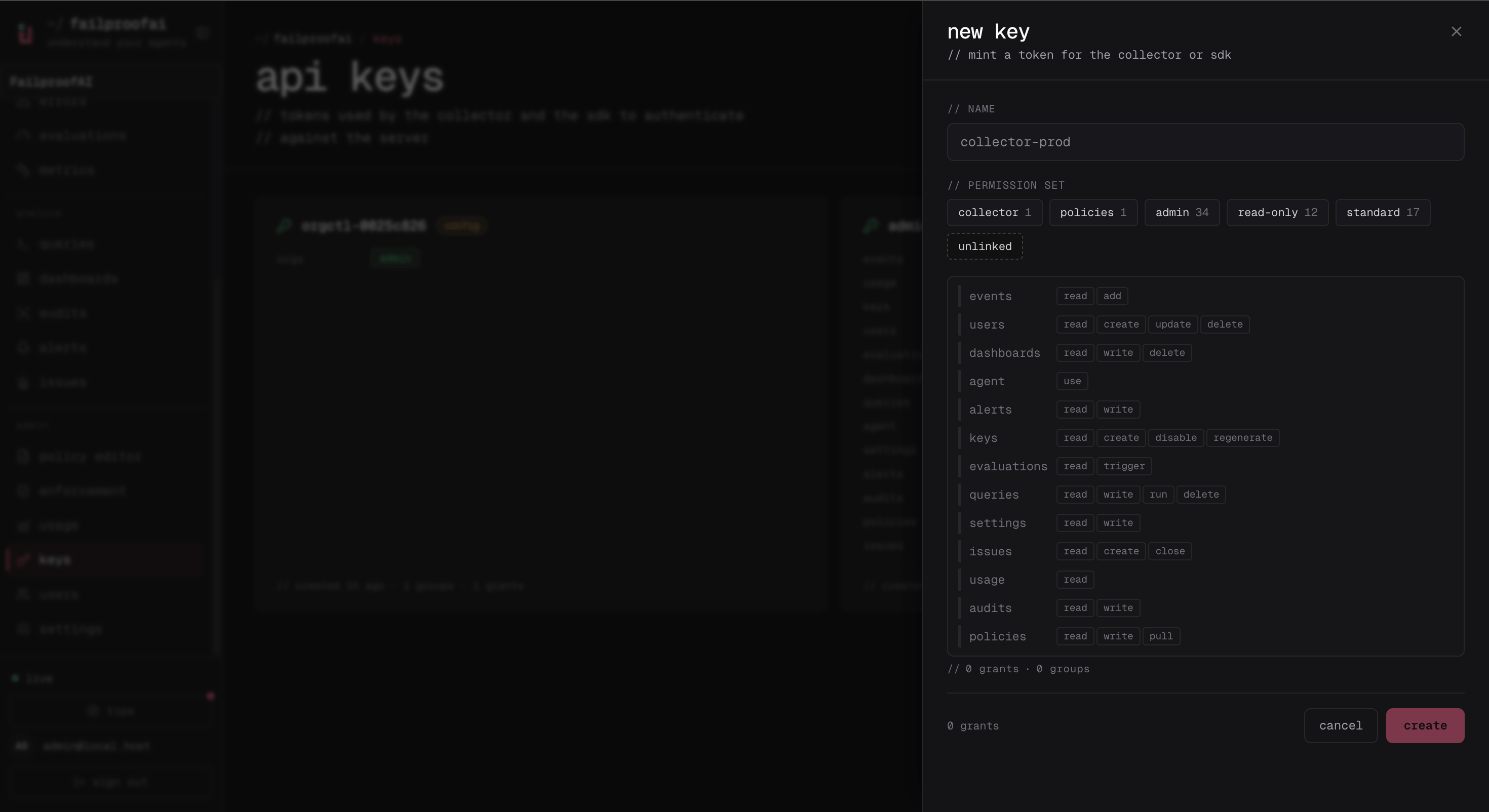
1. Open **Administration → Keys** and create a key with `events:add` and `policies:pull`, named for the machine or environment.
2. On the target machine, connect the local CLI with the displayed key and install the harness hooks.
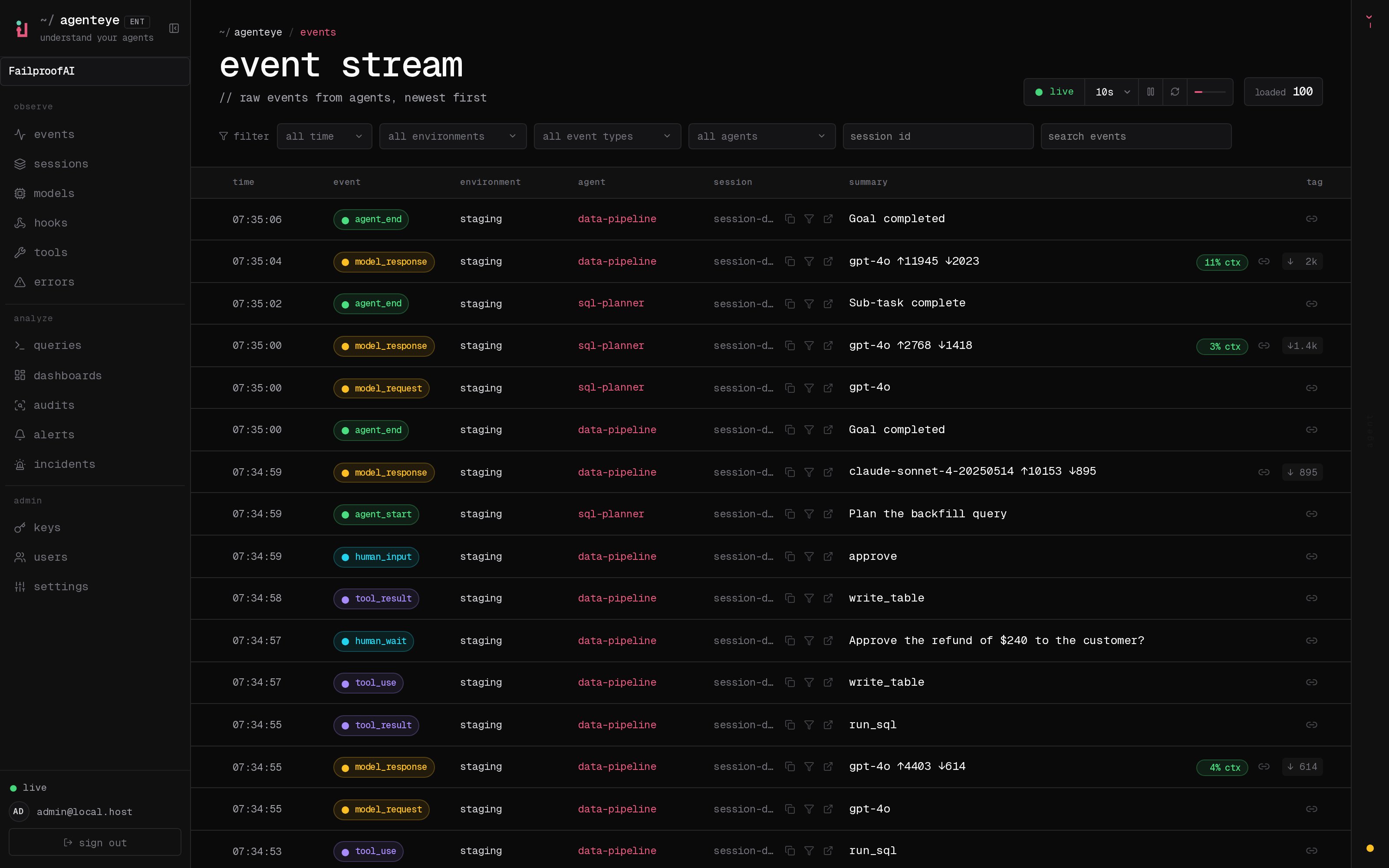
3. Start a new agent session, then confirm its hook and session events under **Observe → Events**.
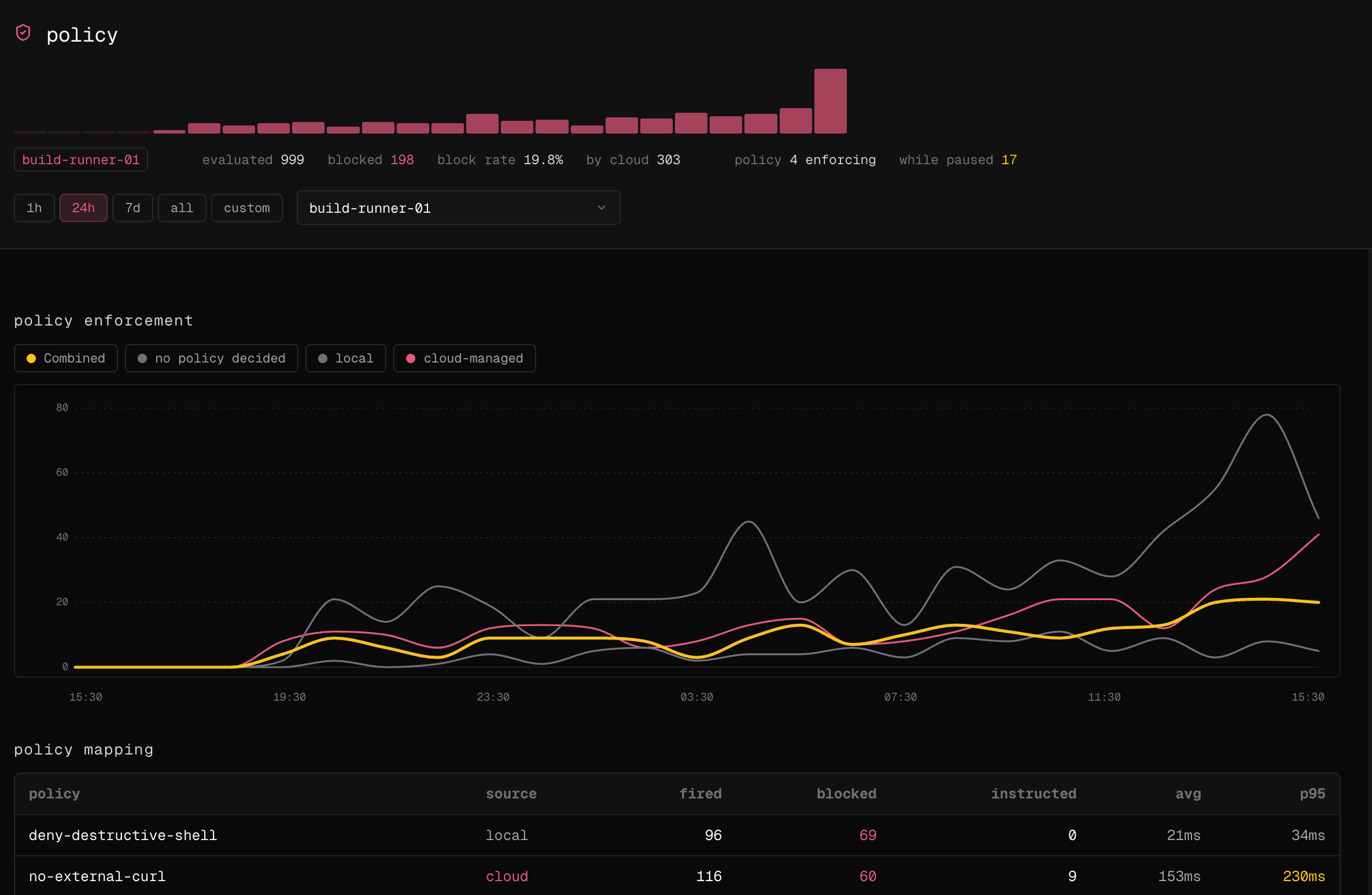
4. Open **Observe → policy** for the same time window and confirm a policy decision is attributed to the machine.
The connection starts with a machine key. Confirm that it includes both ingestion and policy-delivery permissions before copying its secret.
 After installing the hooks, the Events stream should show new events from the machine and environment you connected.
 Finally, verify that policy decisions are attributed to the same machine. This confirms the harness is reporting policy activity as well as trace events.
 Install hooks for every detected harness:
```bash theme={null}
failproofai config \
--connect https://app.befailproof.ai \
--token
failproofai policies --install
```
Or target named harnesses and a configuration scope:
```bash theme={null}
failproofai policies --install \
--cli claude codex cursor \
--scope user
```
Project scope keeps hook configuration with a repository. User scope covers work across repositories. Claude Code also supports local scope; support varies by harness and the CLI rejects unsupported combinations.
Verify the machine and its events:
```bash theme={null}
failproofai config --status
failproofai flush --wait
fp events --since 1h --event-type hook_triggered,hook_completed
```
## Add a non-default session path
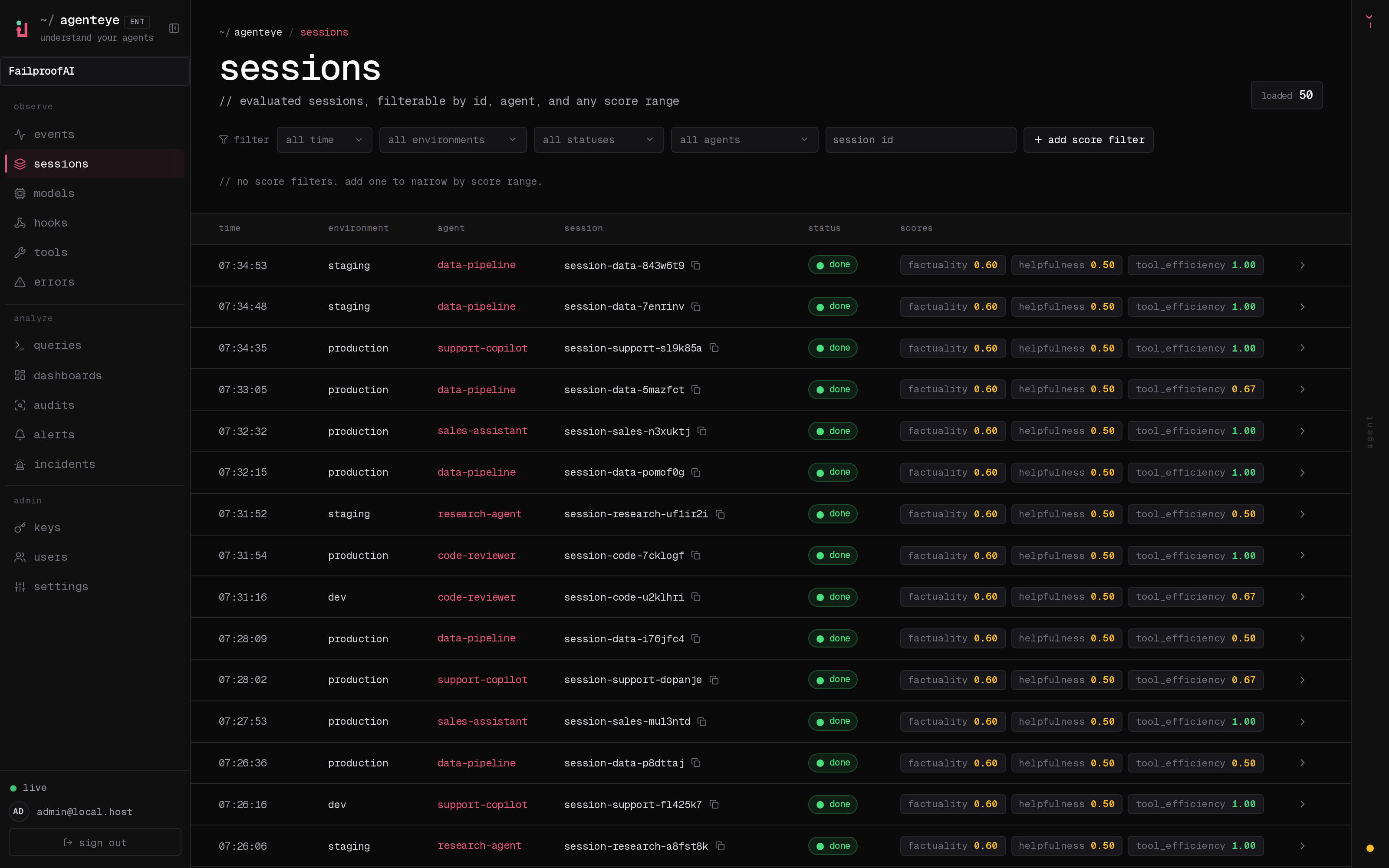
Extra paths are registered on the machine, not in Cloud. After adding one, open **Observe → Sessions**, filter to the machine's environment, and confirm sessions from the new path appear. Open a session and check the agent, harness, and event timestamps before relying on it in an audit.
Install hooks for every detected harness:
```bash theme={null}
failproofai config \
--connect https://app.befailproof.ai \
--token
failproofai policies --install
```
Or target named harnesses and a configuration scope:
```bash theme={null}
failproofai policies --install \
--cli claude codex cursor \
--scope user
```
Project scope keeps hook configuration with a repository. User scope covers work across repositories. Claude Code also supports local scope; support varies by harness and the CLI rejects unsupported combinations.
Verify the machine and its events:
```bash theme={null}
failproofai config --status
failproofai flush --wait
fp events --since 1h --event-type hook_triggered,hook_completed
```
## Add a non-default session path
Extra paths are registered on the machine, not in Cloud. After adding one, open **Observe → Sessions**, filter to the machine's environment, and confirm sessions from the new path appear. Open a session and check the agent, harness, and event timestamps before relying on it in an audit.
 Add a path with an optional label, then inspect the configured paths:
```bash theme={null}
failproofai harness add-path claude checkout=/srv/checkout/.claude
failproofai harness list claude
failproofai backfill --since 7d --dry-run
failproofai backfill --since 7d
```
Remove a path with `failproofai harness remove-path claude checkout`.
Run one new session after installation. Verify both the live event stream and an actual policy decision before expanding the rollout.
Add a path with an optional label, then inspect the configured paths:
```bash theme={null}
failproofai harness add-path claude checkout=/srv/checkout/.claude
failproofai harness list claude
failproofai backfill --since 7d --dry-run
failproofai backfill --since 7d
```
Remove a path with `failproofai harness remove-path claude checkout`.
Run one new session after installation. Verify both the live event stream and an actual policy decision before expanding the rollout.