> ## Documentation Index
> Fetch the complete documentation index at: https://docs.befailproof.ai/llms.txt
> Use this file to discover all available pages before exploring further.
# Integrations and reference
> Connect supported agent harnesses, SDKs, CLIs, and the HTTP API.
Choose the integration closest to where your agent already runs.
Install hooks for supported coding and autonomous agent CLIs.
Instrument traces to find failures in custom agents, then contact us to add prevention to your runtime.
Review local projects, sessions, policy activity, and offline audits.
Configure local capture, hooks, policies, audits, delivery, and machine state.
Query and administer Cloud sessions, audits, issues, alerts, keys, users, and settings.
Score complete or inactive sessions with a FastAPI service.
Author and test workflow-specific allow, instruct, and deny decisions.
Deploy the Cloud control plane on a customer-managed Kubernetes cluster.
The generated [HTTP API reference](/reference/http-api) covers the public `/v1` surface. Hand-written pages explain workflows that span multiple endpoints or use administrative interfaces outside that public surface.
## Connect an agent and verify data
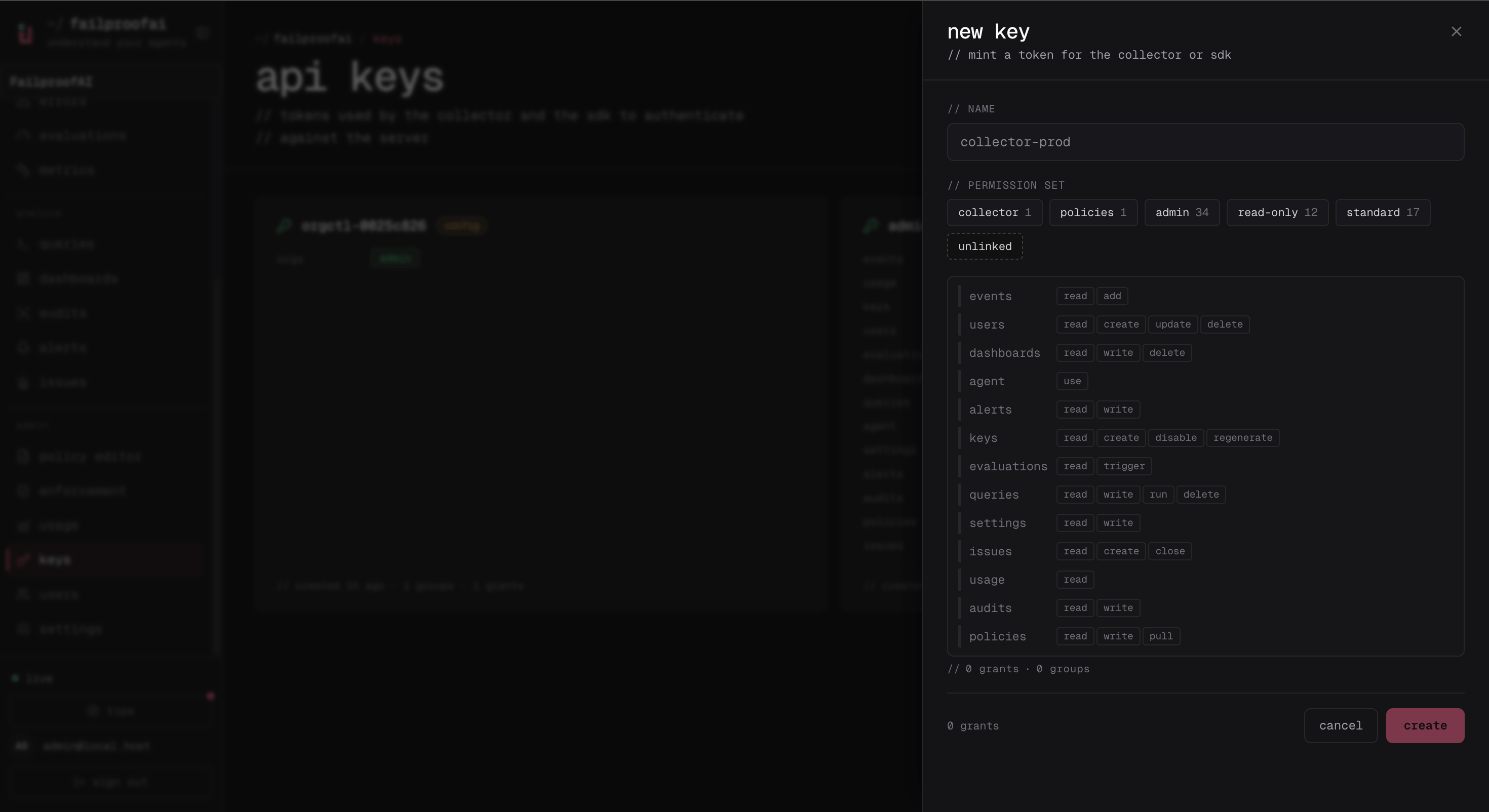
1. Open **Administration → Keys**, create a key with `events:add` and `policies:pull`, and copy the secret.
2. Configure the integration using the matching page above.
3. Open **Observe → Events** to confirm events arrive, then **Observe → Sessions** to confirm they form complete runs.
4. Filter to the integration's environment and inspect one session for the model, tool, error, and policy fields needed by audits.
Start with the key drawer. The selected grants determine whether the machine can send events and receive Cloud-managed policies.
 After connecting the integration, use the Sessions list to confirm that its events are being grouped into complete runs in the expected environment.
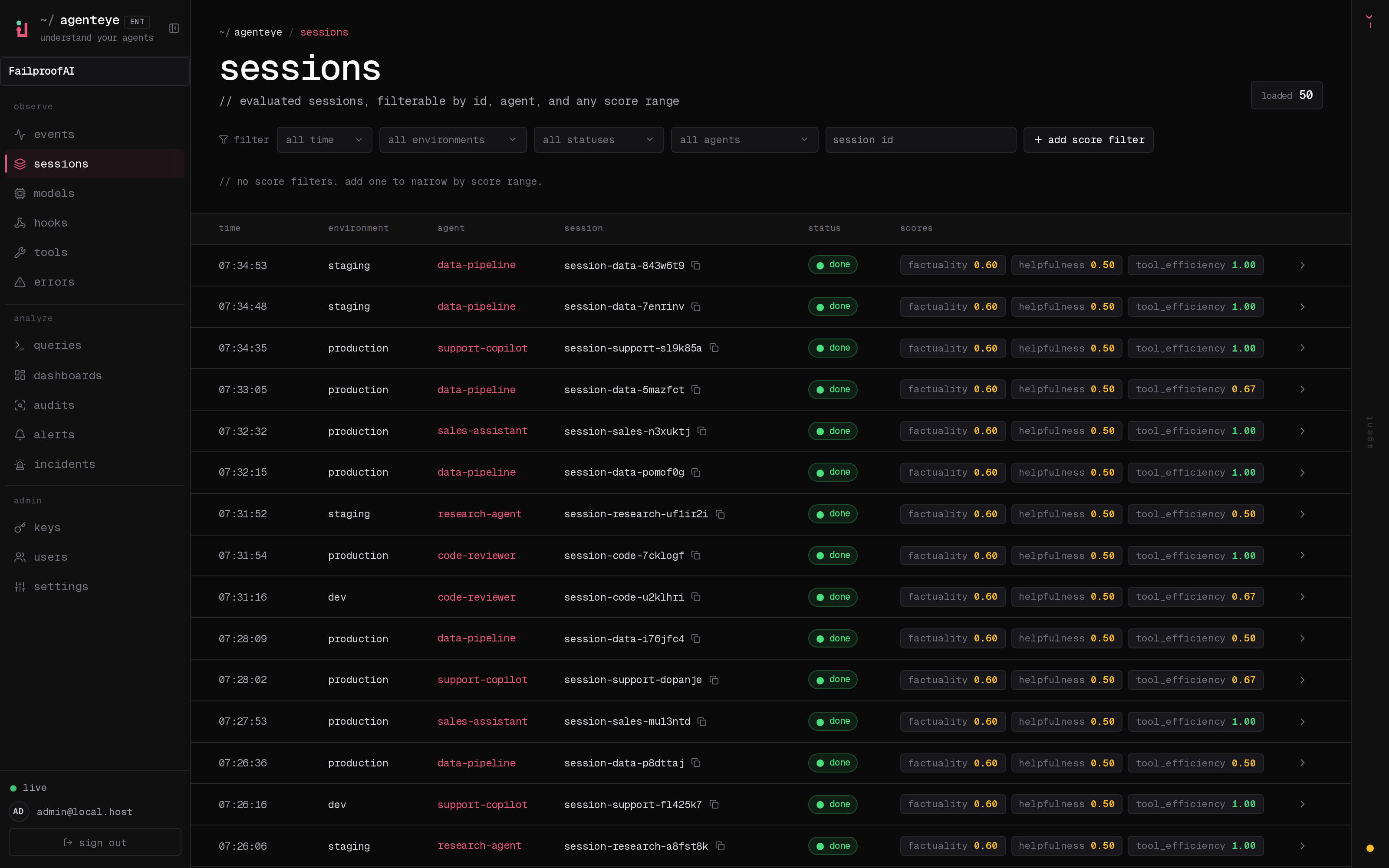 Open one of these sessions before considering the integration complete; the trace should contain the model, tool, error, and policy evidence your audits need.
Create a machine key, connect the Failproof daemon, and verify the first session.
```bash theme={null}
fp keys create agent-production \
--add events:add \
--add policies:pull
failproofai config \
--connect https://app.befailproof.ai \
--token
failproofai flush --wait
fp sessions --since 1h --env production
fp events --since 1h --env production --limit 20
```
Use `fp --json sessions ...` when another tool will consume the result. Global flags such as `--json`, `--org`, and `--base-url` must come before the command.
See the [Failproof AI CLI reference](/reference/failproof-cli) for local commands and the [Failproof Cloud CLI reference](/reference/cloud-cli#cli-commands) for `fp` commands.
Open one of these sessions before considering the integration complete; the trace should contain the model, tool, error, and policy evidence your audits need.
Create a machine key, connect the Failproof daemon, and verify the first session.
```bash theme={null}
fp keys create agent-production \
--add events:add \
--add policies:pull
failproofai config \
--connect https://app.befailproof.ai \
--token
failproofai flush --wait
fp sessions --since 1h --env production
fp events --since 1h --env production --limit 20
```
Use `fp --json sessions ...` when another tool will consume the result. Global flags such as `--json`, `--org`, and `--base-url` must come before the command.
See the [Failproof AI CLI reference](/reference/failproof-cli) for local commands and the [Failproof Cloud CLI reference](/reference/cloud-cli#cli-commands) for `fp` commands.