> ## Documentation Index
> Fetch the complete documentation index at: https://docs.befailproof.ai/llms.txt
> Use this file to discover all available pages before exploring further.
# Errors
> Group repeated errors and open the sessions behind them.
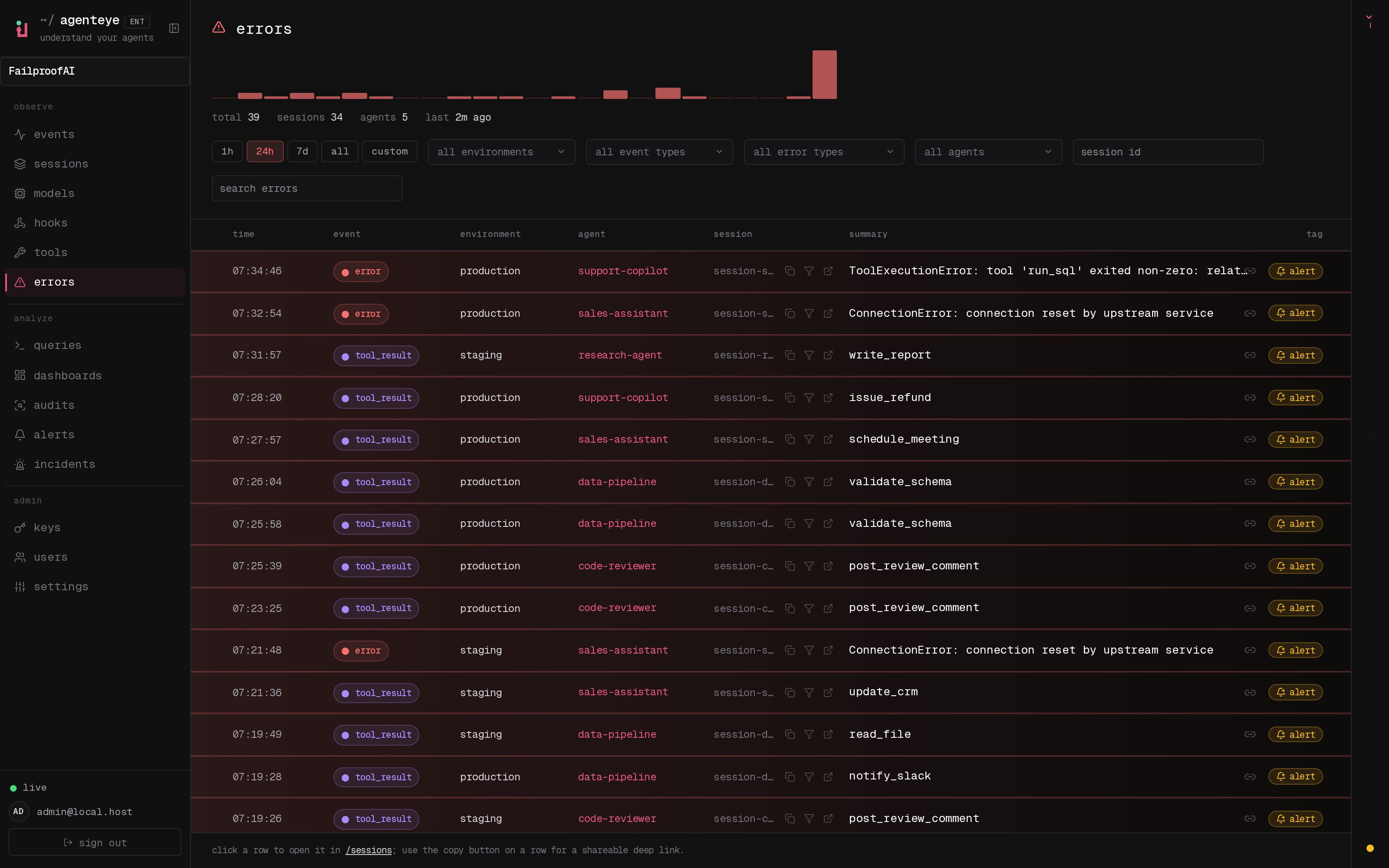
Errors gives you a failure-first view across sessions. Group by error type, agent, environment, model, tool, or time window to find repeated operational problems.
## Investigate errors
1. Go to **Observe → Errors**.
2. Filter by environment, event type, error type, agent, session ID, or search text.
3. Expand a grouped error to see occurrences. Select a row to open the exact event in its session.
4. Select the bell control on a representative error to start an alert for similar errors.
 ```bash theme={null}
fp errors --env production --since 24h
fp errors --error-type TimeoutError --agent-id checkout-agent
fp errors --aggregate --env production --since 7d
```
Use `fp events --full --session-id ` when you need the raw payload behind an error summary.
## Use Errors when you need to
* Find the most frequent error class in production.
* Determine whether one tool or model causes a spike.
* Jump from an aggregate count to representative sessions.
* Create an alert for recurrence.
* Include the affected population in an audit.
An error is an observed event. A failed evaluation is a quality judgment, and an audit finding is an investigated failure pattern. Keep those distinctions when deciding which response workflow to use.
Notify responders when an error or quality condition crosses a threshold.
```bash theme={null}
fp errors --env production --since 24h
fp errors --error-type TimeoutError --agent-id checkout-agent
fp errors --aggregate --env production --since 7d
```
Use `fp events --full --session-id ` when you need the raw payload behind an error summary.
## Use Errors when you need to
* Find the most frequent error class in production.
* Determine whether one tool or model causes a spike.
* Jump from an aggregate count to representative sessions.
* Create an alert for recurrence.
* Include the affected population in an audit.
An error is an observed event. A failed evaluation is a quality judgment, and an audit finding is an investigated failure pattern. Keep those distinctions when deciding which response workflow to use.
Notify responders when an error or quality condition crosses a threshold.