> ## Documentation Index
> Fetch the complete documentation index at: https://docs.befailproof.ai/llms.txt
> Use this file to discover all available pages before exploring further.
# Live events
> Watch agent activity arrive while a session is running.
Live events help you confirm instrumentation and watch a risky run without waiting for the session to finish.
## Watch activity
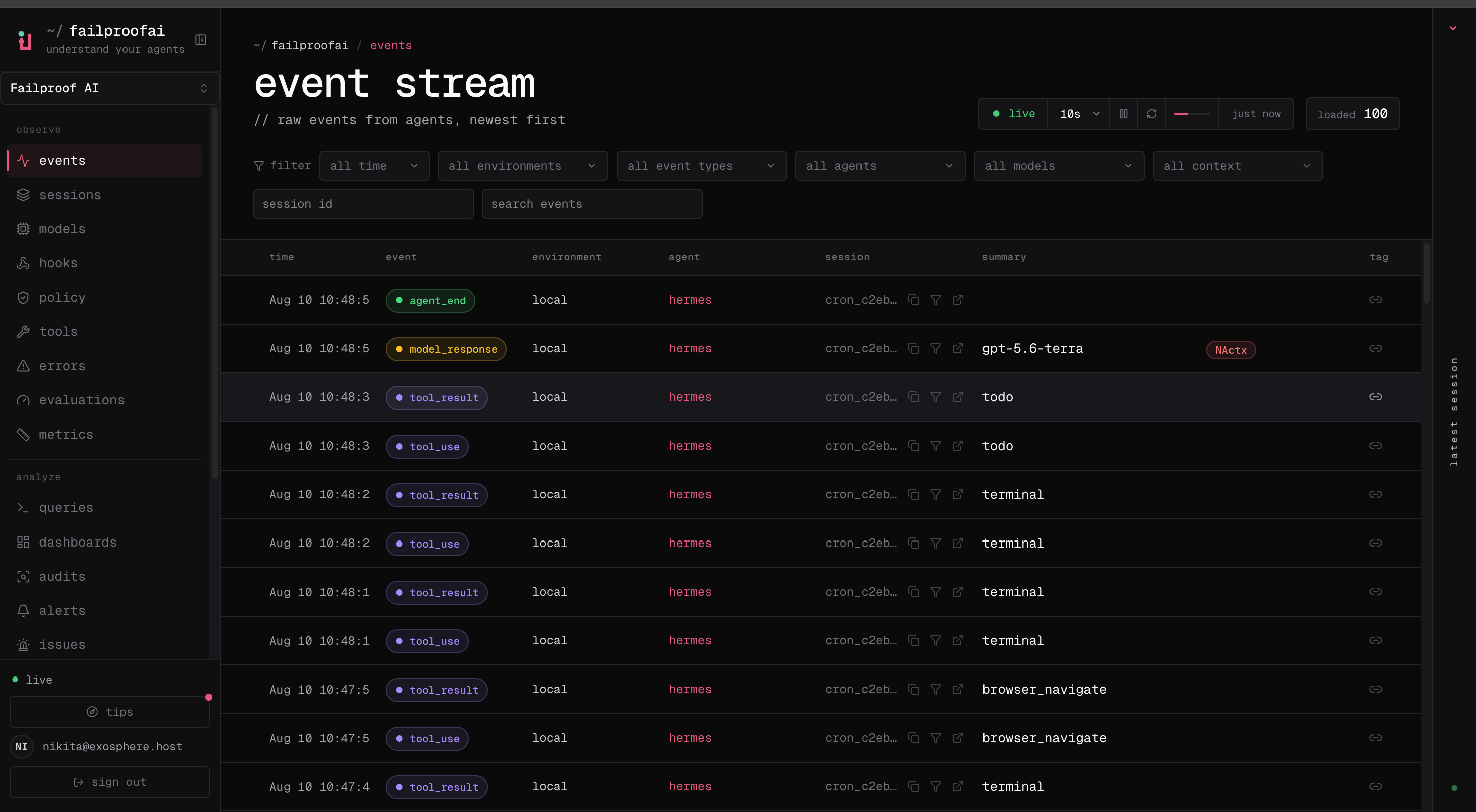
1. Go to **Observe → Events**.
2. Start with the current time window and no filters to confirm data is arriving.
3. Filter by environment, event type, agent, or session. Use search for payload text.
4. Select an event to inspect its summary and details. Follow its session link for the full trace.
 ```bash theme={null}
fp events --env production --event-type tool_use,error --limit 100
fp events --session-id --order asc --all
fp --json events --full --session-id --all
```
The default feed omits raw payloads. Use `--full` only for a bounded session investigation.
Use the event stream to answer three immediate questions:
* Is the expected agent reporting to the correct environment?
* Are model calls, tool calls, and policy decisions arriving in order?
* Has the session stopped making progress or started repeating an action?
Event types include agent lifecycle events, model requests and responses, tool use and results, hook execution, human waits and interrupts, and explicit errors. Correlation IDs join paired events such as a tool call and its result.
Keep the live view broad while verifying a new integration. Add filters only after you see the first event; an incorrect filter can look like failed ingestion.
If no events appear, run `failproofai config --status`, then [troubleshoot ingestion](/reference/troubleshooting).
```bash theme={null}
fp events --env production --event-type tool_use,error --limit 100
fp events --session-id --order asc --all
fp --json events --full --session-id --all
```
The default feed omits raw payloads. Use `--full` only for a bounded session investigation.
Use the event stream to answer three immediate questions:
* Is the expected agent reporting to the correct environment?
* Are model calls, tool calls, and policy decisions arriving in order?
* Has the session stopped making progress or started repeating an action?
Event types include agent lifecycle events, model requests and responses, tool use and results, hook execution, human waits and interrupts, and explicit errors. Correlation IDs join paired events such as a tool call and its result.
Keep the live view broad while verifying a new integration. Add filters only after you see the first event; an incorrect filter can look like failed ingestion.
If no events appear, run `failproofai config --status`, then [troubleshoot ingestion](/reference/troubleshooting).