> ## Documentation Index
> Fetch the complete documentation index at: https://docs.befailproof.ai/llms.txt
> Use this file to discover all available pages before exploring further.
# Choose your setup
> Choose local enforcement, Failproof AI Cloud, or an enterprise deployment.
Install hooks and policies on a machine. Use this when you need immediate guardrails without sending session data to Cloud.
Add centralized sessions, audits, online evaluations, dashboards, alerts, and fleet policy deployment.
Use organization controls, scoped keys, private infrastructure, and deployment-specific security requirements.
## Recommended production path
1. Connect a non-production machine with transcript capture enabled.
2. Verify sessions and evaluations in Cloud.
3. Create an audit for a known failure mode.
4. Deploy the first policy in observe mode.
5. Expand to production after reviewing matches and false positives.
## Connect a machine to Cloud
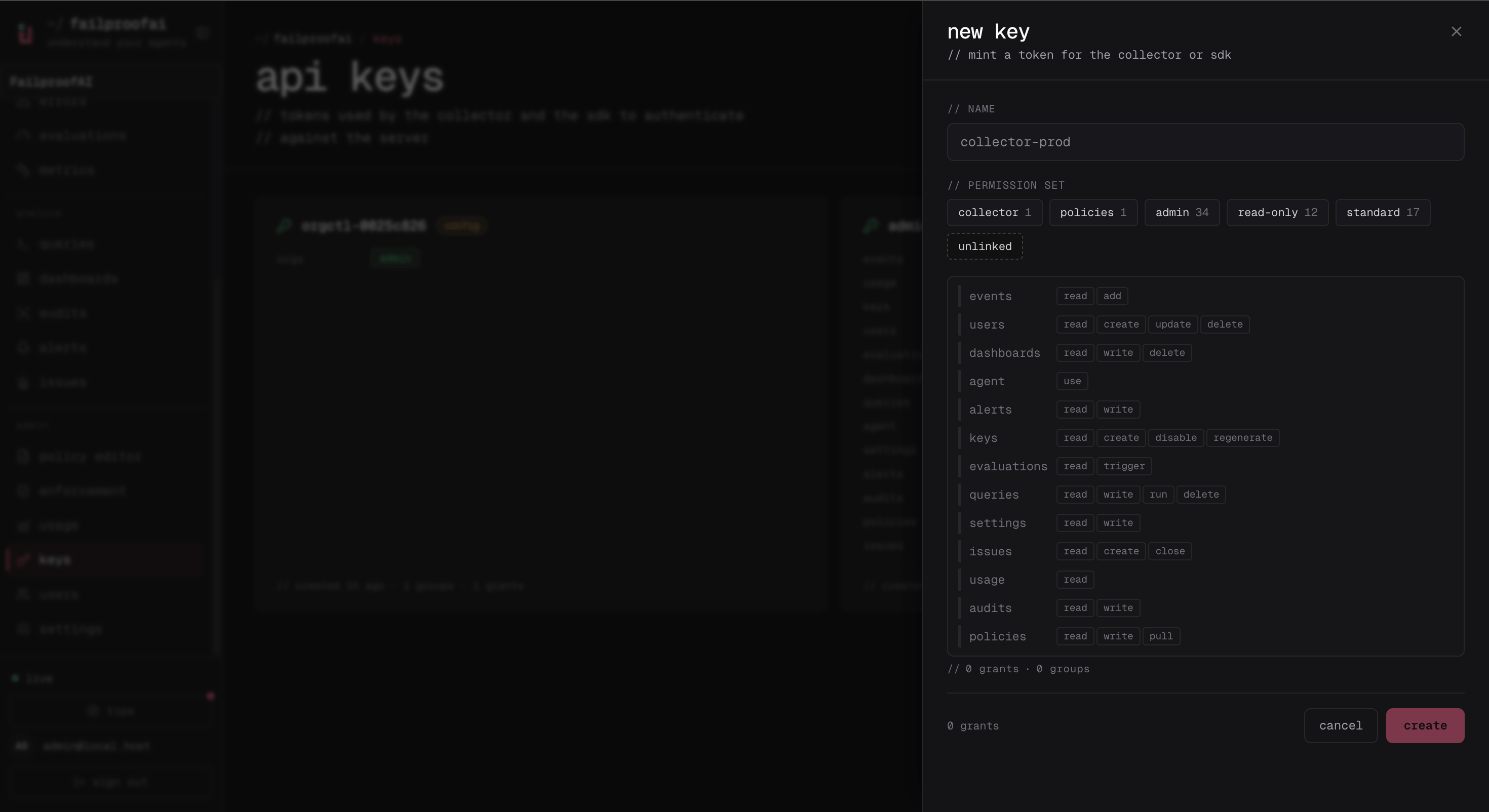
1. Go to **Administration → Keys** and create a key with `events:add` and `policies:pull`.
2. Copy the one-time secret to the target machine.
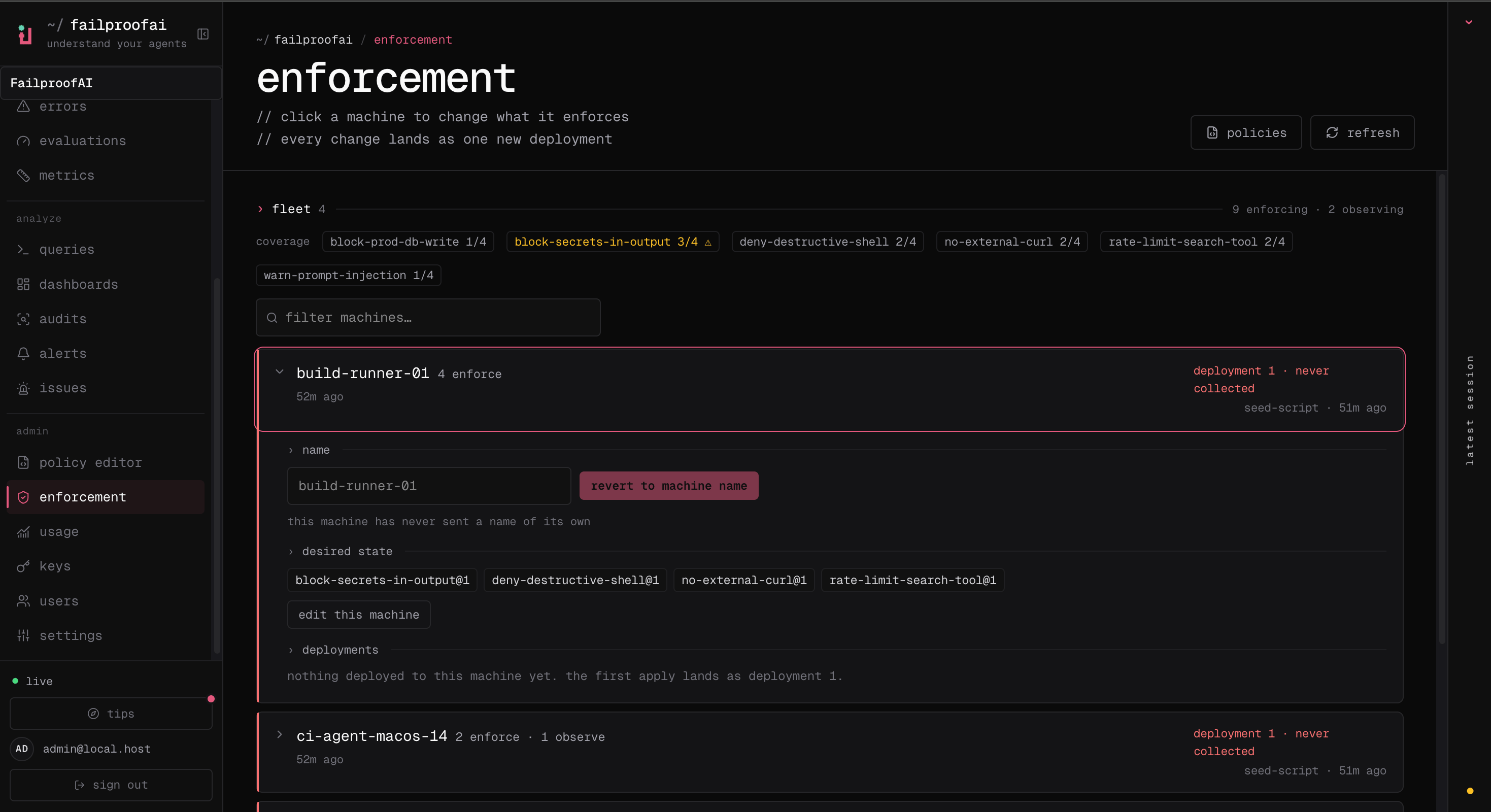
3. After running the CLI connection command, go to **Admin → enforcement** and confirm the machine appears.
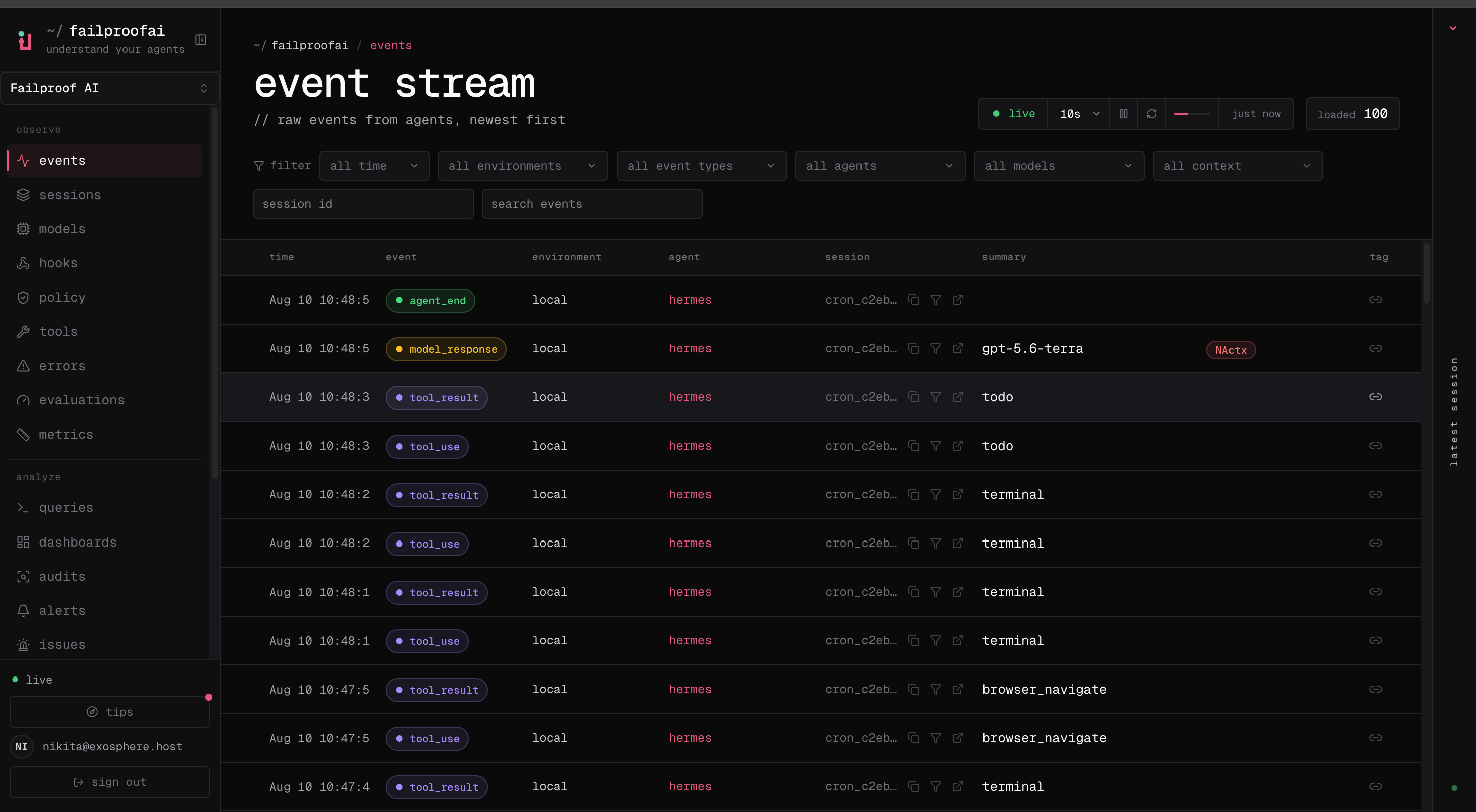
4. Go to **Observe → Events** and confirm its first event arrives.
The key drawer shows the two grants needed by a connected machine: event ingestion and policy delivery.
 After connection, the machine should appear in enforcement with its desired and reported policy state.
 The first arriving event confirms that the daemon can deliver data to Cloud, independently of policy deployment.
 Continue only after both the machine and its first event are visible.
```bash theme={null}
failproofai config --connect https://app.befailproof.ai \
--token "$FAILPROOFAI_KEY" \
--machine-label checkout-runner-01
failproofai policies --install --cli claude --scope user
failproofai config --status
```
Add `--no-transcripts` when transcript content must remain local.
Connecting to Cloud verifies event ingestion and policy delivery independently. A key may therefore be valid but missing one required permission. Use `failproofai config --status` to see which capability is configured.
Cloud setup writes local credentials only after the relevant capability succeeds. A failed verification does not leave a machine looking connected when it is not.
Continue only after both the machine and its first event are visible.
```bash theme={null}
failproofai config --connect https://app.befailproof.ai \
--token "$FAILPROOFAI_KEY" \
--machine-label checkout-runner-01
failproofai policies --install --cli claude --scope user
failproofai config --status
```
Add `--no-transcripts` when transcript content must remain local.
Connecting to Cloud verifies event ingestion and policy delivery independently. A key may therefore be valid but missing one required permission. Use `failproofai config --status` to see which capability is configured.
Cloud setup writes local credentials only after the relevant capability succeeds. A failed verification does not leave a machine looking connected when it is not.