> ## Documentation Index
> Fetch the complete documentation index at: https://docs.befailproof.ai/llms.txt
> Use this file to discover all available pages before exploring further.

# 审计

> 对指定会话群体进行审查，发现仅凭 trace 无法揭示的故障。

审计会在选定的会话集合中搜索指定的故障目标，综合 trace 证据、评估结果、策略命中记录和参考上下文，生成可付诸行动的调查结论。

<div style={{ position: "relative", width: "100%", paddingBottom: "56.25%", height: 0, overflow: "hidden", borderRadius: "12px", margin: "1.5rem 0" }}>
  <iframe src="https://www.youtube.com/embed/C5nHKGQIqZQ?rel=0&playsinline=1" title="Find agent failures automatically with Failproof AI audits" allow="accelerometer; autoplay; encrypted-media; gyroscope; picture-in-picture; fullscreen" allowFullScreen style={{ position: "absolute", top: 0, left: 0, width: "100%", height: "100%", border: 0 }} />
</div>

了解审计如何从定时运行推进到有证据支撑的可修复故障。

## 打开审计

<Tabs>
  <Tab title="控制台">
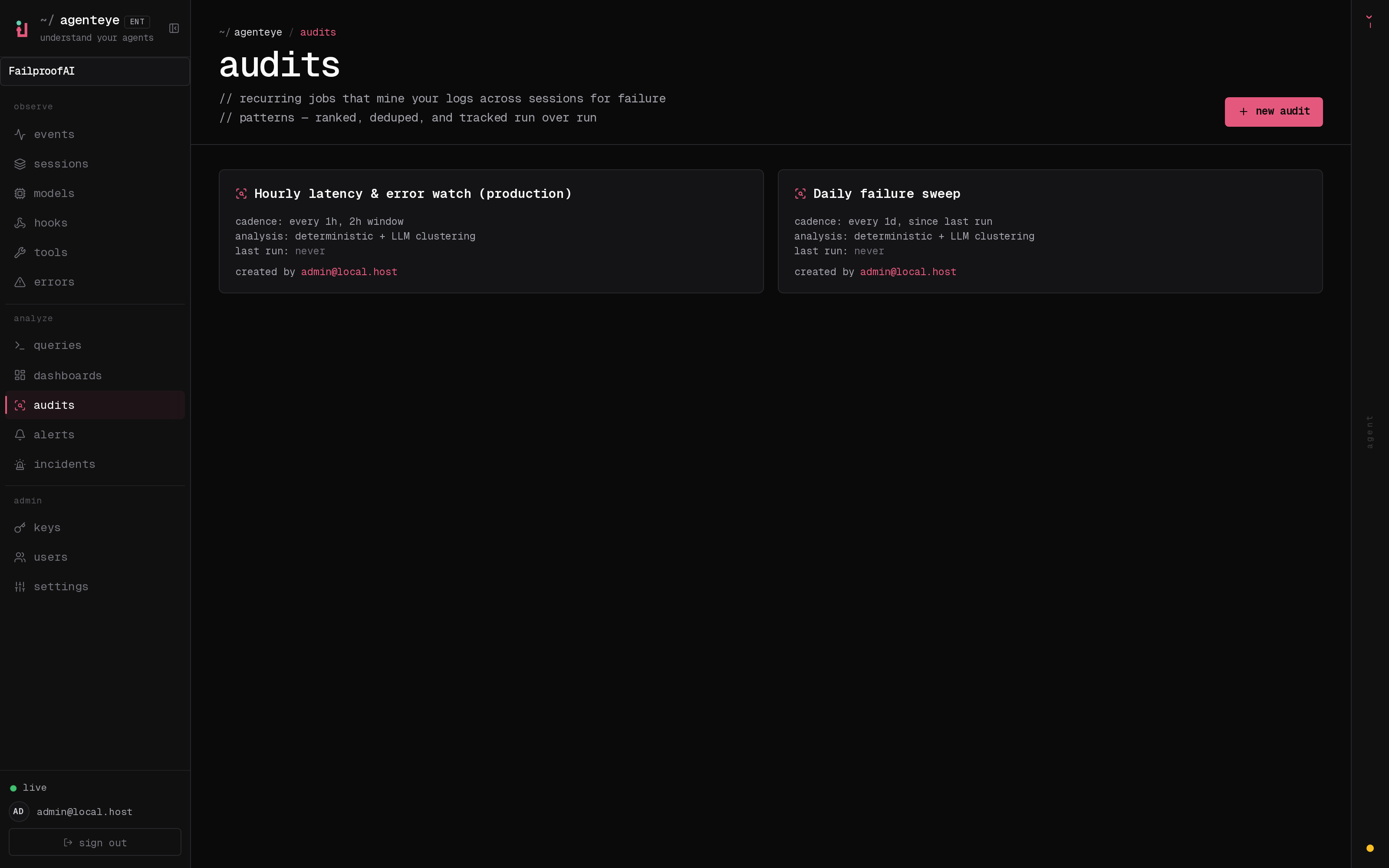
    前往 **Analyze → Audits**。页面展示定时状态、未解决的调查结论、上次运行时间、下次运行时间、执行频率，以及审计是否包含简介或参考页面。选择某张卡片可查看设置和运行历史；选择 **new audit** 可新建审计。

    <img src="https://mintcdn.com/exosphere/WgPwQzedeDNwJBTy/images/dashboard/audits.png?fit=max&auto=format&n=WgPwQzedeDNwJBTy&q=85&s=de22007bf3f5cd8e1f6eb5a72de5bbfc" alt="审计页面，展示周期性审计及其计划、灵敏度和运行状态。" width="3200" height="2000" data-path="images/dashboard/audits.png" />
  </Tab>

  <Tab title="CLI">
    ```bash theme={null}
    fp audits list
    fp audits list --enabled-only --show-id
    fp audits show <audit-name>
    fp audits findings --status open --limit 20
    ```
  </Tab>
</Tabs>

当你需要回答群体层面的问题时，可使用审计，例如：

* Agent 在哪些环节放弃任务却未进行上报？
* 哪些工具故障导致了无效的重试？
* Agent 是否访问了预期工作流之外的数据？
* 模型、提示词或工具发布后发生了哪些变化？

## 审计响应流程

```text theme={null}
Session → Audit → Finding → Issue → Policy
                         ↘ Alert for recurrence
```

调查结论应明确指出故障模式并指向相关证据。Issue 负责跟踪修复工作。Policy 用于阻止已知的问题行为模式；当无法预防或需要持续监控时，则通过 Alert 检测问题是否复发。

<Columns cols={2}>
  <Card title="配置审计" icon="sliders-horizontal" href="/zh/audits/setup">
    在首次运行前确定目标、会话范围和参考上下文。
  </Card>

  <Card title="添加 Agent 上下文" icon="bot" href="/zh/audits/agent-contracts">
    声明每个 Agent 必须产出什么，以及绝对不能执行哪些操作。
  </Card>
</Columns>