

org_id predicates. On ClickHouse — where the high-volume events and evaluations live — this is backed by strong engine-level enforcement: each org gets a dedicated read-only ClickHouse user with a per-org row policy, so even untrusted analytics SQL can never read another tenant’s rows. On PostgreSQL, row-level security adds defence-in-depth on the read-only query path (/queries/run), narrowing what that path can see even if an application-level filter were ever missing; the server’s own write connection runs as the table owner and so operates through the same app-level org_id scoping.
Tenant lifecycle is operator-controlled, while everything members do day-to-day stays self-service in the dashboard. Organizations and their memberships are created and managed with the agenteye-orgctl CLI, which ships inside the server image and runs inside the existing server pod. Tenant creation and deletion are deliberately kept off the dashboard and HTTP API: there is no HTTP API and no dashboard button for tenant lifecycle, so it is gated behind cluster/pod shell access rather than the application surface.
Within an org, members work entirely in the dashboard and API: they sign in, switch between the orgs they belong to, manage their own API keys, build dashboards and saved queries, and configure alerts for their org. The division is clean: operators provision and decommission tenants and their members via the CLI; members run everything inside a tenant through the UI.
Single-tenant deployments need none of this. A single-tenant install runs without any operator action. All data, users, and keys live in a built-in default organization that is provisioned automatically. You only need this guide when you decide to add a second org.
Prerequisites
Before you create your second organization (the built-indefault org needs nothing):
- PostgreSQL 15+. The org-membership schema uses a column-list
ON DELETE SET NULLforeign key that requires PostgreSQL 15+. Upgrade PostgreSQL before provisioning a second org. - A strong, stable
ORG_CH_SECRET. Each org’s ClickHouse password is derived asHMAC(ORG_CH_SECRET, org_id), so the publicly-known built-in dev default would yield publicly-derivable per-org credentials.agenteye-orgctl org createrefuses to run whileORG_CH_SECRETis unset or left at the built-in dev default. Set your own value first (see Deployment → environment variables and, on Kubernetes, §2.6 of the Kubernetes guide). Keep it identical across all server replicas and don’t rotate it casually; rotating it orphans every org’s ClickHouse user until the next startup re-provisions them.
Running the CLI
agenteye-orgctl is shipped in the same image as the server (alongside agenteye-server). You do not deploy a separate pod, Job, or Deployment for it; you exec it inside the server pod that is already running, so it reads the same DATABASE_URL, CLICKHOUSE_URL, and ORG_CH_SECRET the server uses.
Kubernetes:
agenteye-orgctl <args> for brevity; prefix each with whichever of the two lines above matches your deployment.
Command reference
Organizations
| Command | What it does |
|---|---|
org create --slug <slug> --name <name> | Create a new organization. Refuses to run while ORG_CH_SECRET is unset or left at the built-in dev default (set your own first, see Prerequisites). Provisions the org’s read-only ClickHouse user + row policy. |
org list | List all organizations (slug, name, and lifecycle state). |
org rename --slug <slug> --name <new name> | Change an organization’s display name. The slug (used in URLs and keys) is unchanged. |
org delete --slug <slug> | Soft-delete the org and drop its ClickHouse user. Data is retained. This revokes access and frees the per-org ClickHouse credential, but does not erase events. Reversible by ops; safe first step before a purge. |
org purge --slug <slug> | Irreversible data wipe. The org must already be deleted. Never permitted on the built-in default org. Use only when you are certain the tenant’s data should be destroyed. |
Members
| Command | What it does |
|---|---|
member add --org <slug> --email <email> [--set <permission-set>] [--add perm1,perm2] [--remove perm3] [--protected] | Add a member to an org. Optionally start from a builtin permission set, then add/remove individual permissions. --protected pins the member so the dashboard can’t remove or demote them (see below). The new member gets an OTP on their first dashboard login. |
member list --org <slug> | List the org’s members. The output columns are EMAIL, SET (the builtin set the member started from, or -), PROT (whether the member is protected), and PERMISSIONS (their effective permissions). An email shown with a trailing * is an instance admin; they have access to every org. |
member update --org <slug> --email <email> [--set ...] [--add ...] [--remove ...] [--protected | --unprotect] | Change a member’s permissions and/or protected flag. --set replaces from a builtin set; --add / --remove adjust individual permissions; --protected / --unprotect toggle protection. Passing only --protected/--unprotect (no grant flags) changes protection alone and leaves existing permissions untouched. |
member remove --org <slug> --email <email> | Remove a member from the org. Refuses if the member is protected; --unprotect them first. (A person can be a member of several orgs; this only affects the named org.) |
Protected members (an un-removable org admin)
Protection guarantees an org can never accidentally lock itself out of self-management. By default an org’s own admins can add and remove each other through the dashboard’s self-service users page, so they could remove the last admin and leave the org with no one able to manage it.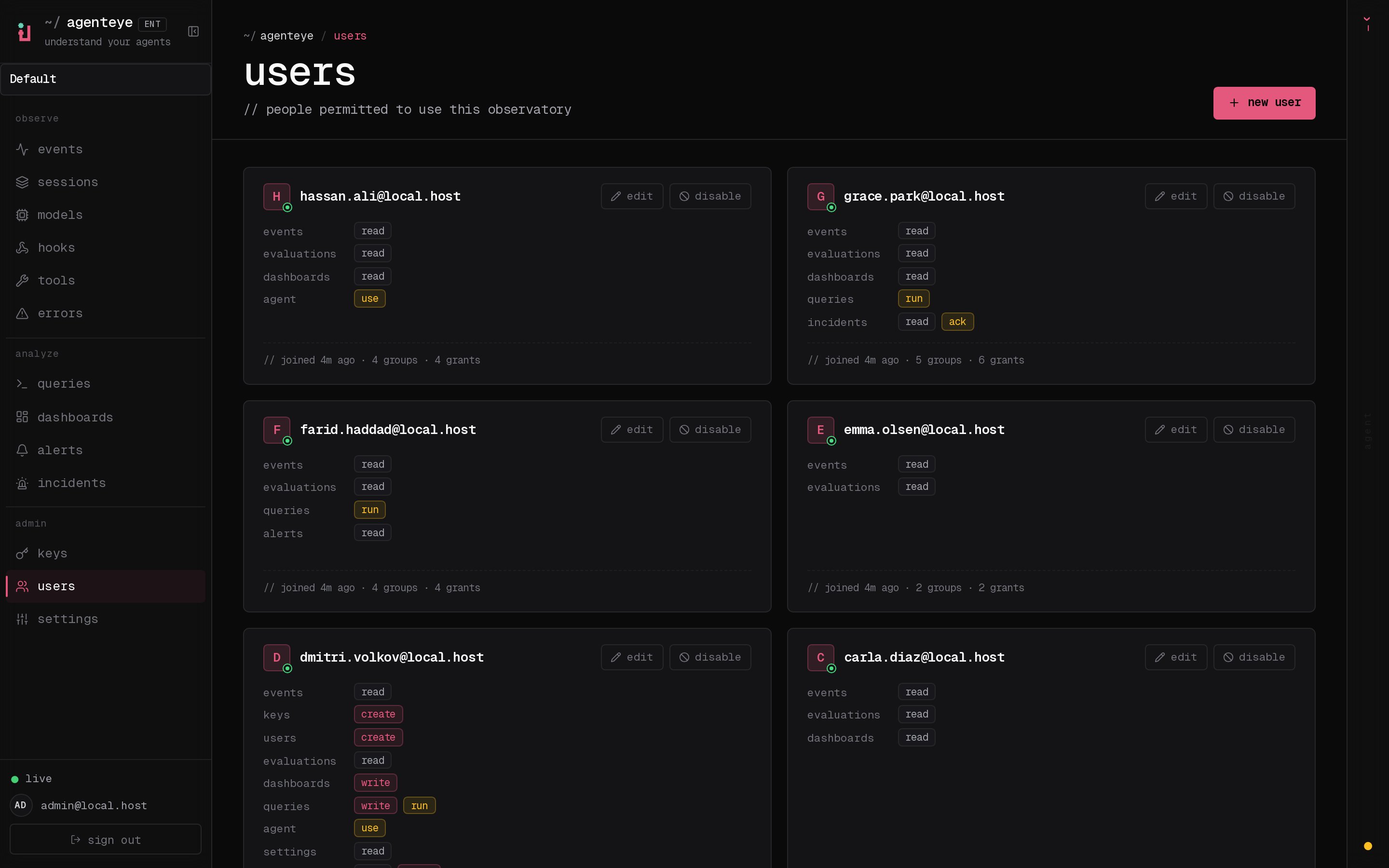
member update --org acme --email owner@acme.example --unprotect first, then remove or demote. This guarantees every org keeps at least one admin its own members can’t lock out, while keeping tenant control operator-only. Protection is per-org; protecting someone in one org has no effect on their membership in another.
Builtin permission sets
--set accepts one of three builtin sets, applied per org:
| Set | Intended for |
|---|---|
admin | Full access within the org, including managing the org’s API keys and users. |
standard | Day-to-day use: read + run queries, build dashboards, acknowledge incidents. |
read-only | View-only access to the org’s data and dashboards. |
--set, then fine-tune with --add / --remove using the individual permission tokens listed in API Keys. The permission tokens themselves are identical to those used for API keys.
Worked example
Provision a newacme tenant, add its first admin, let them mint a key, then decommission the org.
1. Create the org (ORG_CH_SECRET must already be set to a strong, stable value, not unset or the built-in dev default):
/acme/sessions).
3. Mint a per-org API key (in the dashboard):
The operator does not mint per-org data keys from the CLI. Alice (or any org member with keys:create) creates collector / dashboard keys for the acme org from the dashboard’s Keys page. Every key she creates is automatically stamped with her org and can only ever read or write acme’s data. See API Keys.
4. Adjust a member later:
default org):
kubectl -n agenteye exec deploy/server -- prefix with docker compose exec server.
Division of responsibilities
Everything an org member needs day-to-day is self-service in the dashboard and API, scoped automatically to their current org:- Per-org API keys are created and managed by org members in the dashboard (or via the keys API with a key that carries
keys:create). The CLI does not mint data keys. See API Keys. - Org switching is built into the dashboard; members switch between the orgs they belong to from the org switcher, and org-scoped pages live under
/<org-slug>/…. - Dashboards, saved queries, alerts, and all data use happen entirely in the UI and API, scoped to the member’s current org.
agenteye-orgctl, owns only the org + member lifecycle: create / rename / delete / purge an org, and add / list / update / remove a member.
See also
- Deployment:
ORG_CH_SECRETand the rest of the server environment. - Kubernetes Deployment: §2.6 creates the
agenteye-org-ch-secretSecret before your first multi-tenant org. - API Keys: the per-org key model and the permission tokens used by
--add/--remove. - Troubleshooting: multi-tenant provisioning and ClickHouse-isolation issues.