

allowlets the action continue.instructgives the agent corrective guidance.denyblocks the action with a reason.
Where policies live
The policy editor is where a failure becomes a rule. Describe the failure mode or paste policy source in compose, backtest the draft against traffic you already have, and publish a version:
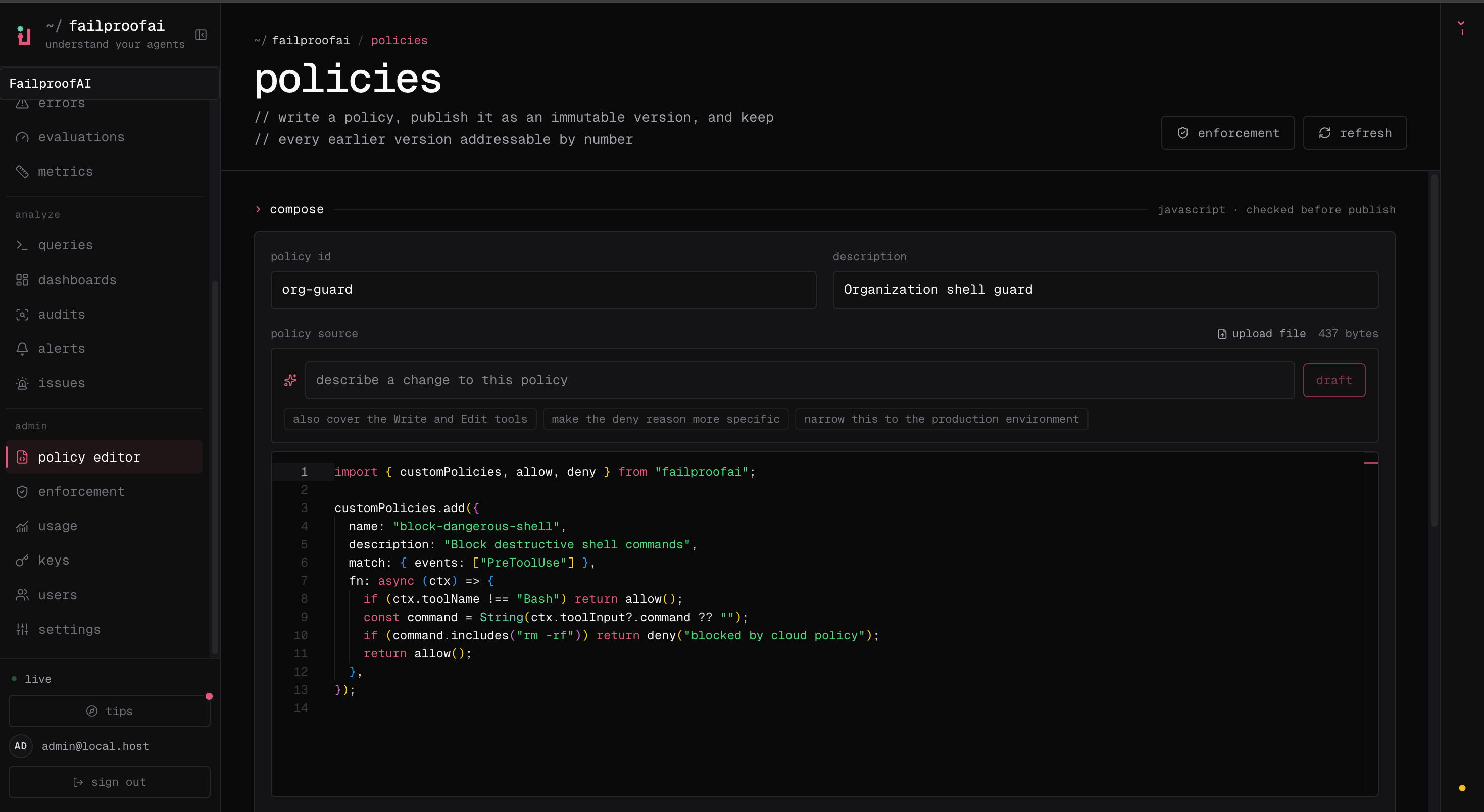
failproofai policies lists everything enforcing there. fp policies and fp fleet cover the editor and enforcement from a terminal — see the Cloud CLI reference.
Get a policy
There are two ways to get one.Write a policy
Let Failproof AI draft one from an audit finding, or write the source yourself, then review and publish it in the editor.
Use a policy pack
Plug in a Failproof AI policy pack for your use case, or a community pack from the policy hub, in one command.
Review tool calls with Jev
Jev reads a gated tool call in the context of your request. It can flag a concern that a string-matching policy missed or clear a deny from a policy explicitly marked reviewable. Hard policies remain final. Start with Jev policies, then use the integration reference when you need provider or configuration details.Then ship it
1
Test it
Backtest the draft against traffic you already have, and run it against an action it must stop and one it must allow — all before you publish. See Test a policy.
2
Deploy it
Put the version on machines in observe mode, read its decisions, then enforce. See Deploy a policy.
3
Version and roll back
Every publish is a new, immutable version, so a rollout that blocks valid work is undone by redeploying the last good one. See Versions and rollback.