

Write a policy from an audit
An audit finds a failure; a policy stops it happening again. Failproof AI drafts the policy from the finding’s own evidence.1. Run an audit
Run an audit over the sessions where the failure happens. Each finding carries its evidence sessions, a root cause, and a suggested prevention path. Work from a finding with a repeatable action pattern — a policy can only stop what it can recognize in a hook event.2. Generate the draft
- Dashboard
- CLI
- Open the finding’s issue under Analyze → issues and check its cited sessions, root cause, and recommendation.
- Select generate policy. Failproof AI first says whether a policy can express the problem at all. A no policy result means the fix is an alert, a workflow change, or a person — not a policy.
-
Select write this policy. The issue title, finding, root cause, recommendation, and proposed enforcement intent become a draft in Admin → policy editor. Use open the editor anyway when you disagree with the candidacy check.
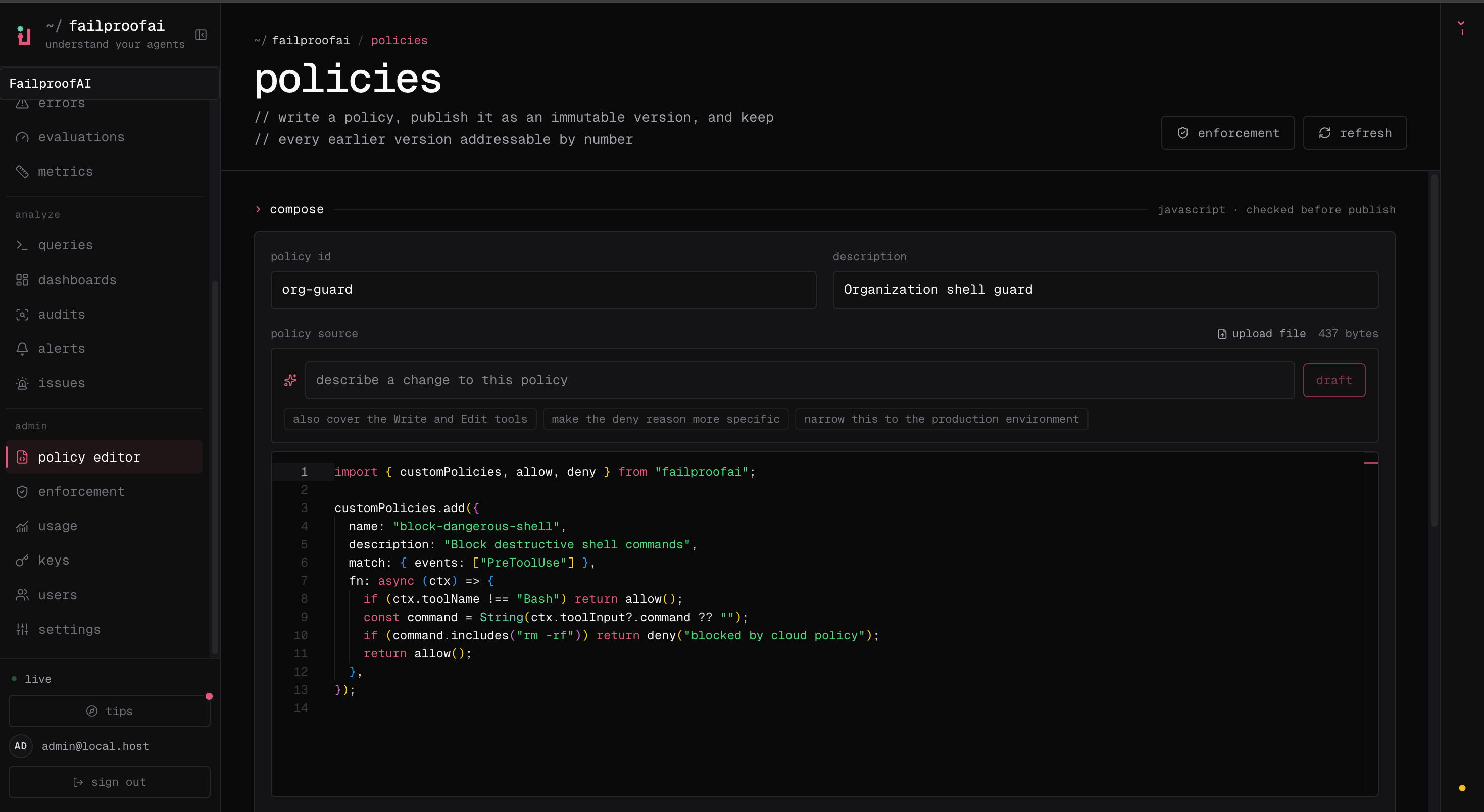
3. Review the draft
A draft is a starting point, not a verdict. Before publishing, check that it:- Names the failure mode in operational language.
- Matches only the hook events and tools that carry enough evidence to decide.
- Uses the narrowest condition that catches the unsafe action.
- Returns a reason that tells the agent what to do instead.
- Uses
instructwhere the agent can safely correct course, anddenyonly where allowing the action is unacceptable or irreversible.
4. Test it, then publish
Run backtest under the source before you publish: it replays the draft against calls your fleet already made and counts the working calls it would have interrupted. Test a policy covers that and the other checks. When it behaves, enter the policy identity and select publish version. Publishing mints an immutable version and deploys nothing: it sits unused until you deploy it. From a terminal:publish parse-checks the source before sending it, so a syntax error surfaces here instead of on a machine at enforcement time.
Write it yourself
A policy is JavaScript or TypeScript against thefailproofai API:
production/config.yml, /srv/production/config.yml, /srv/production, and C:\\production\\config.yml for both Write and Edit, but not production-backup: production has to be a whole path segment. The context also carries the event type, normalized payload, session metadata, parameters, and source CLI when available — see the policy SDK.
To publish it as a version, paste the source into compose in Admin → policy editor and follow steps 3 and 4 above, or publish the file from a terminal with fp policies publish.
To run it on a machine without Cloud, save it under .failproofai/policies/ with a name ending in policies.js, policies.mjs or policies.ts — those load automatically at project and user scope — or install it by path: