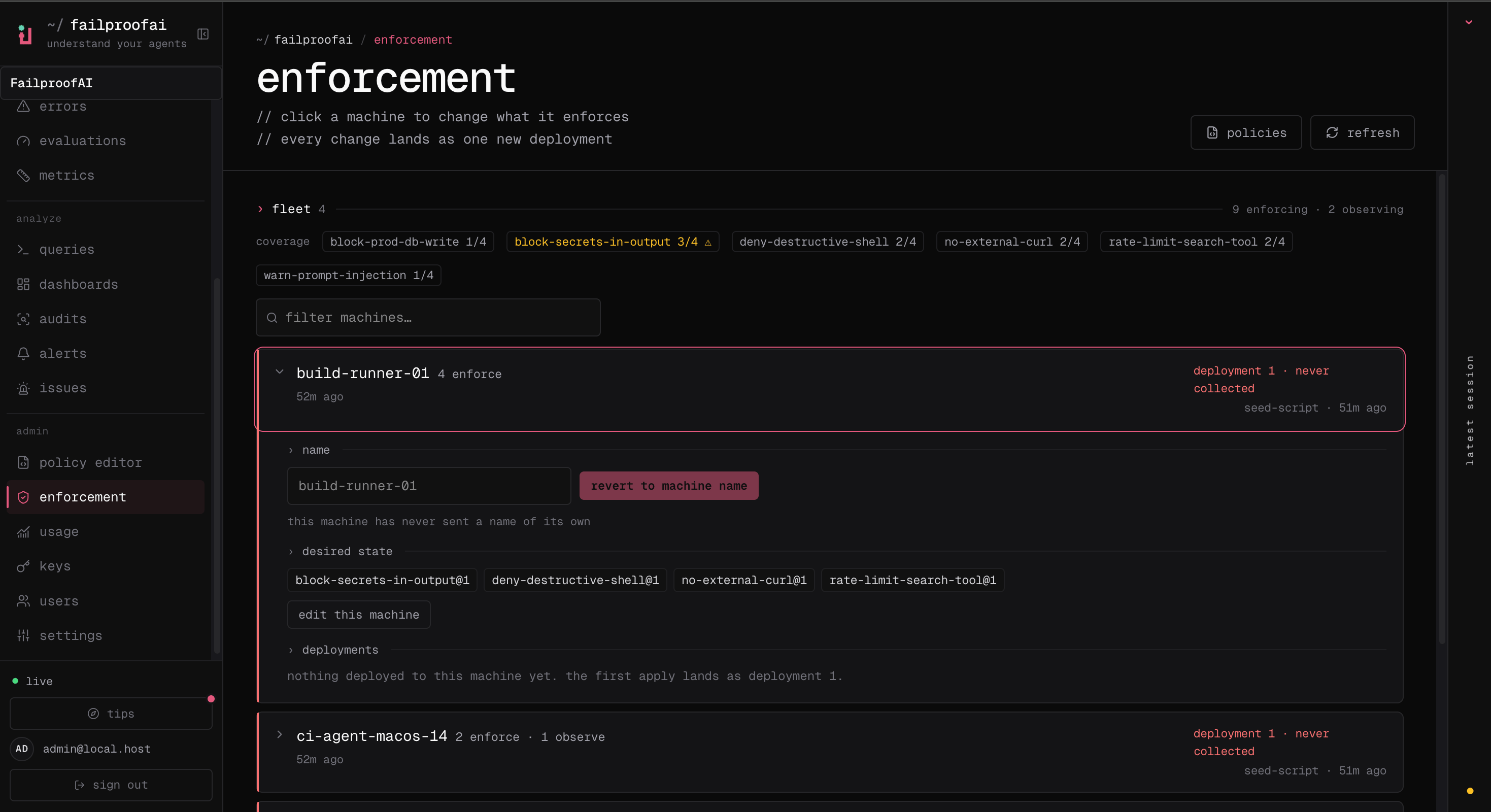
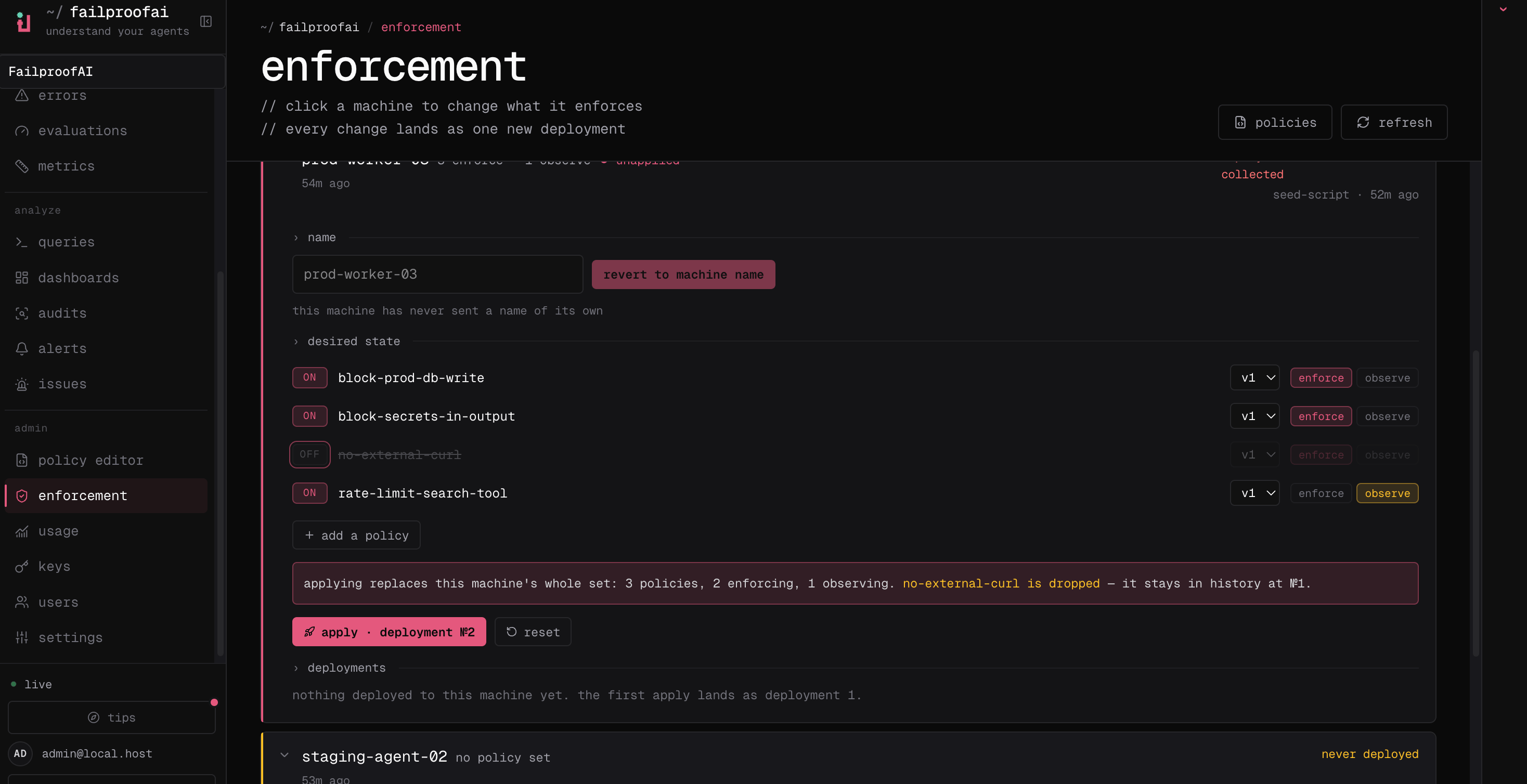
- Observe records what the policy would have done, and blocks nothing.
- Enforce acts on the decision: a
denyblocks the call and aninstructsteers the agent.
Add a machine
A machine appears under Admin → enforcement once it is connected to Cloud. If the one you want is not there yet:- Dashboard
- CLI
- Go to Administration → Keys and create a key with
policies:pull, so the machine can receive deployments, andevents:add, so its decisions reach Cloud. - Connect the machine with that key — Connect a machine to Cloud walks through it.
- Confirm it shows up under Admin → enforcement.
Deploy in observe mode
- Dashboard
- CLI
- Go to Admin → enforcement, find the machine, and expand its row.
- Select edit, add the tested policy version, and choose observe.
- Apply the change, then wait for the machine’s next check-in and confirm its deployment and coverage state.
-
Go to Observe → policy to inspect live decisions.
1
Choose the version and machines
Pick the published version and the machines it should run on.
2
Observe
Review matches, reasons, affected tools, and false positives while nothing is blocked.
3
Enforce
Switch the effect to enforce once the observed matches separate unsafe actions from valid ones, then confirm every intended machine pulled the change and is reporting decisions.
Check coverage
Coverage answers whether a policy is running where the risk is.- Go to Admin → enforcement and review the enforcing and observing totals.
- Search for a machine by ID or label, or filter for machines missing a policy.
- Expand a row to compare assigned policies, reported deployment, last check-in, and history.
- Refresh after the machine’s polling interval when an applied deployment is still pending.