

Local enforcement
Set a machine up with no Cloud key and take a policy pack. Use this when you need immediate guardrails without sending session data to Cloud.
Failproof AI Cloud
Add centralized sessions, audits, online evaluations, dashboards, alerts, and fleet policy deployment.
Enterprise deployment
Use organization controls, scoped keys, private infrastructure, and deployment-specific security requirements.
Enforce locally
Runfailproofai config without a key, then take a pack with failproofai policies add FailproofAI/policies. In a terminal, pick Not now — stay local when setup asks to connect to Cloud; with no terminal and no FAILPROOFAI_CLOUD_TOKEN, it stays local on its own. The daemon and hooks enforce on the machine, and no session data is sent to Cloud. To connect later, follow the steps below.
Recommended production path
- Connect a non-production machine with transcript capture enabled.
- Verify sessions and evaluations in Cloud.
- Create an audit for a known failure mode.
- Deploy the first policy in observe mode.
- Expand to production after reviewing matches and false positives.
Connect a machine to Cloud
- Dashboard
- CLI
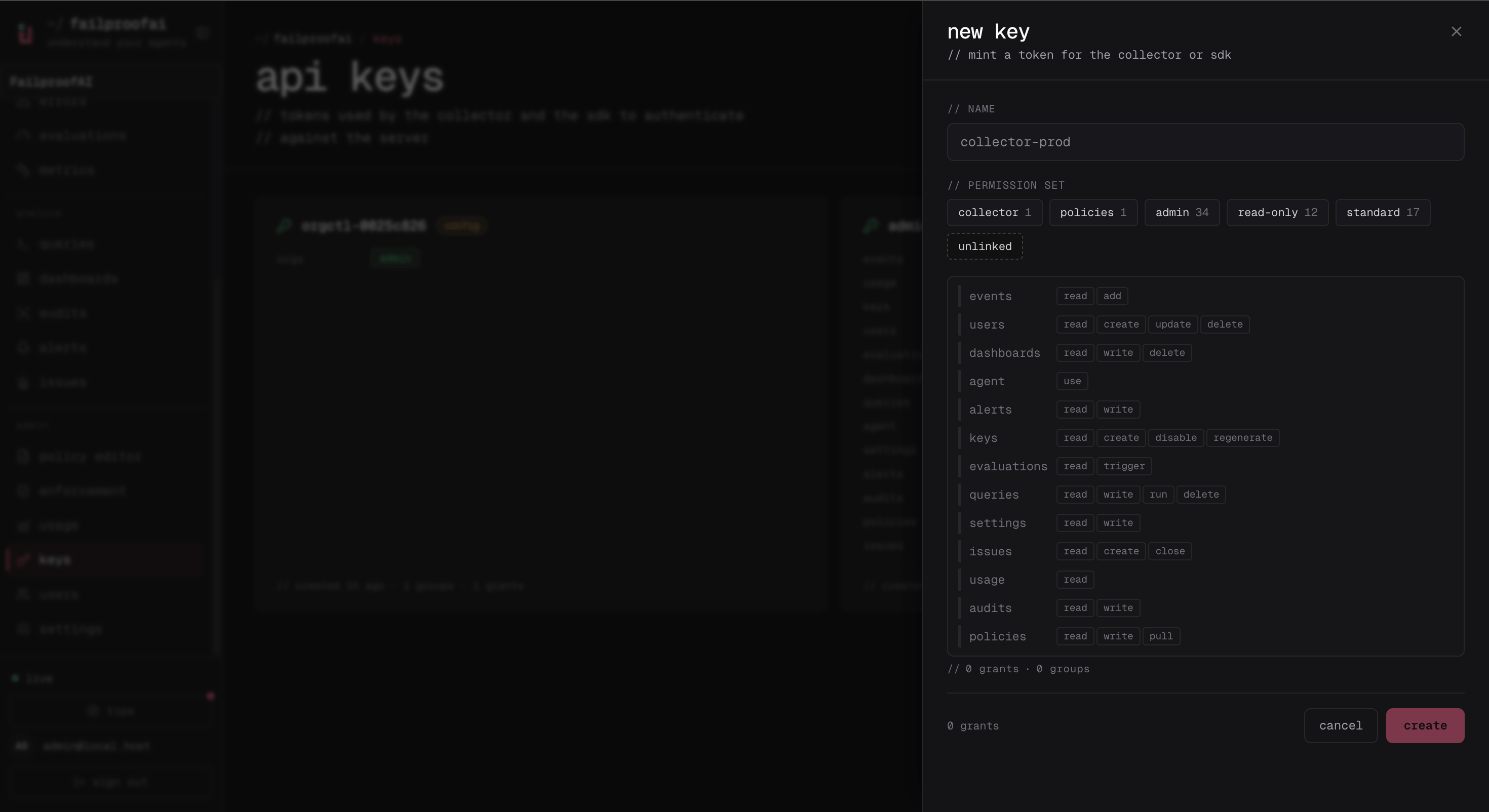
- Go to Administration → Keys and create a key with
events:addandpolicies:pull. - Copy the one-time secret to the target machine.
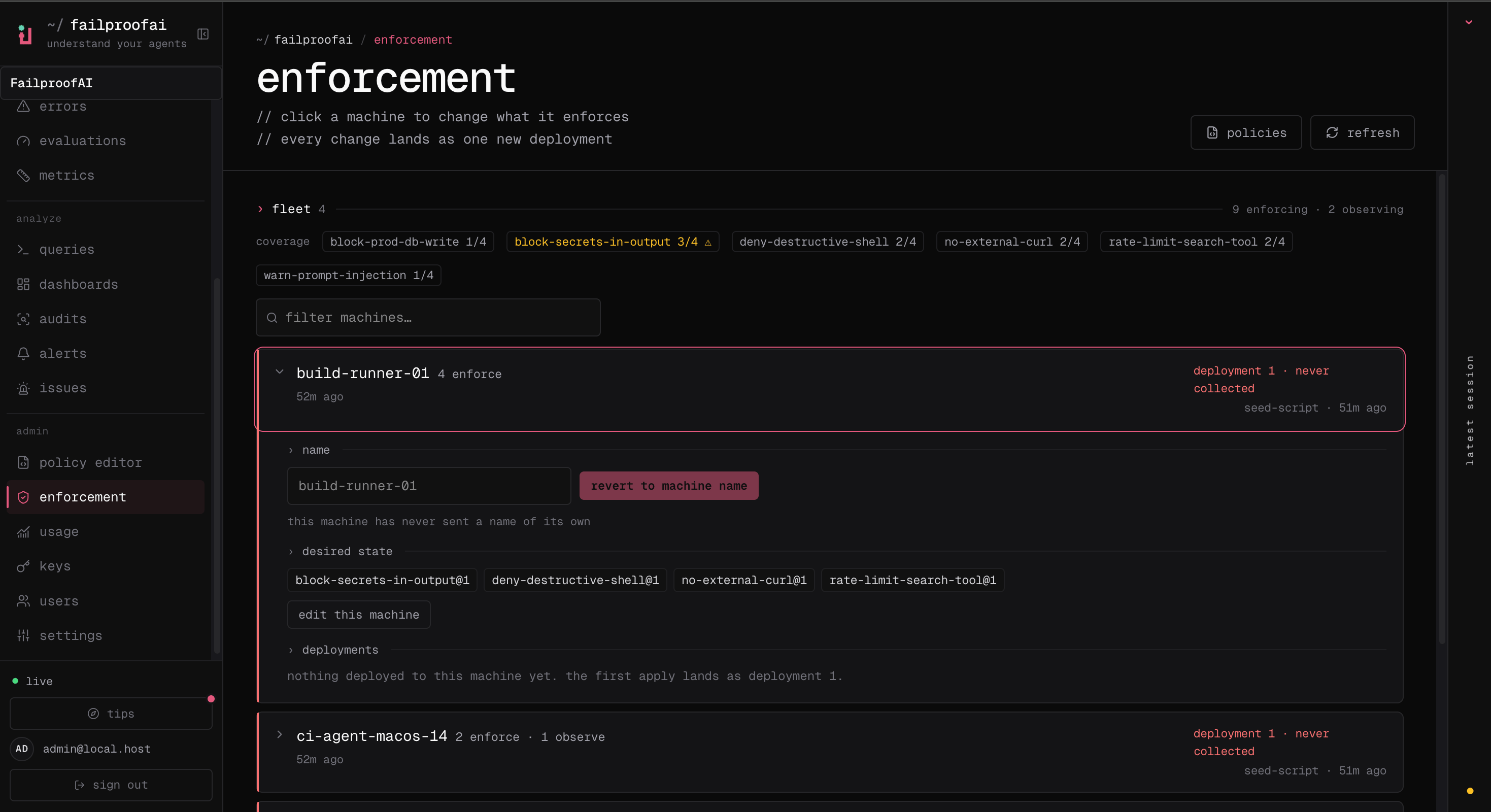
- After running the CLI connection command, go to Admin → enforcement and confirm the machine appears.
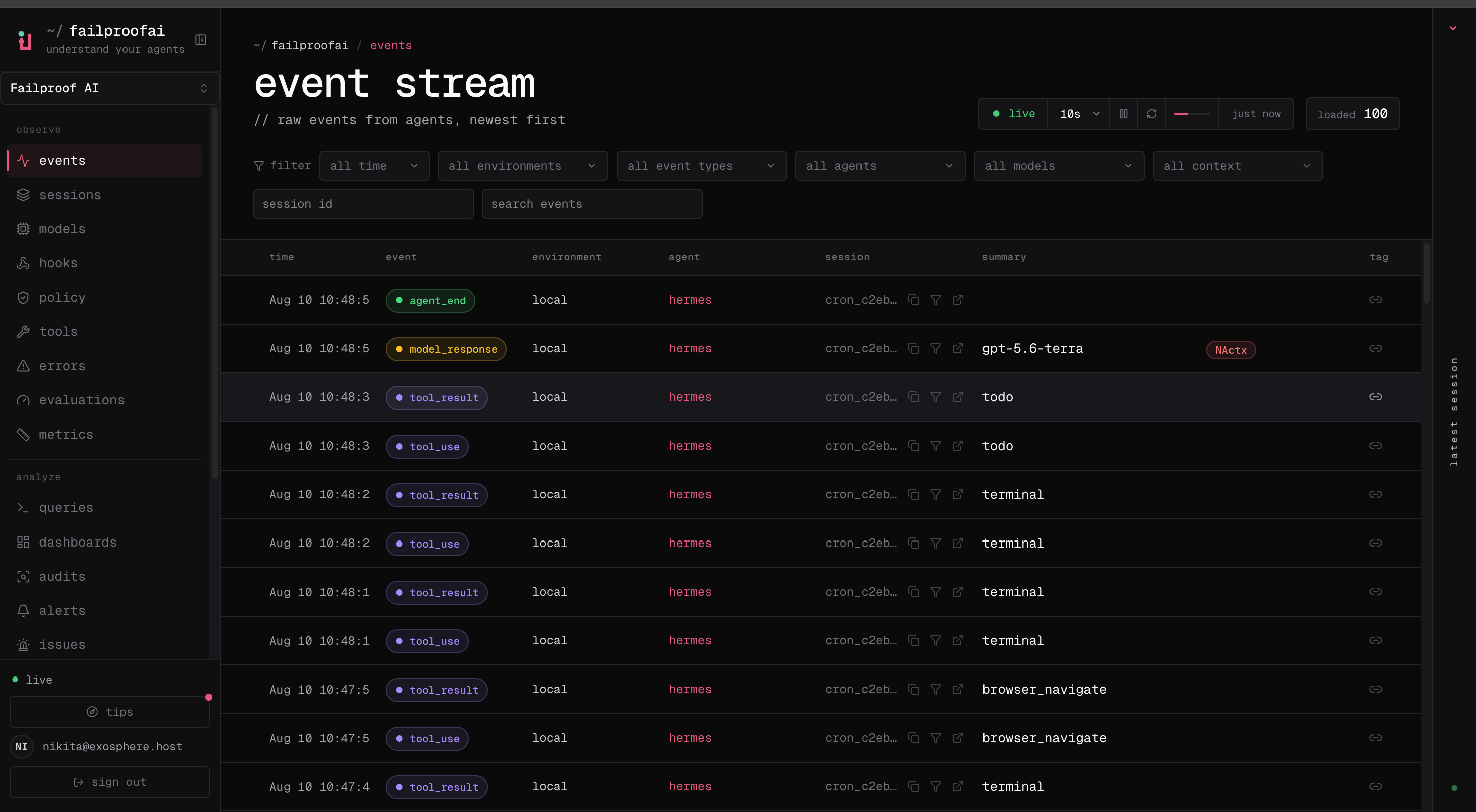
- Go to Observe → Events and confirm its first event arrives.
failproofai config --status to see which capability is configured.
Cloud setup writes local credentials only after the relevant capability succeeds. A failed verification does not leave a machine looking connected when it is not.