- Dashboard
- CLI
1
Author the policy
Go to Admin → policy editor. Start with the demo policy, review or edit its source, then select publish version. Publishing creates the immutable version that you can deploy to machines.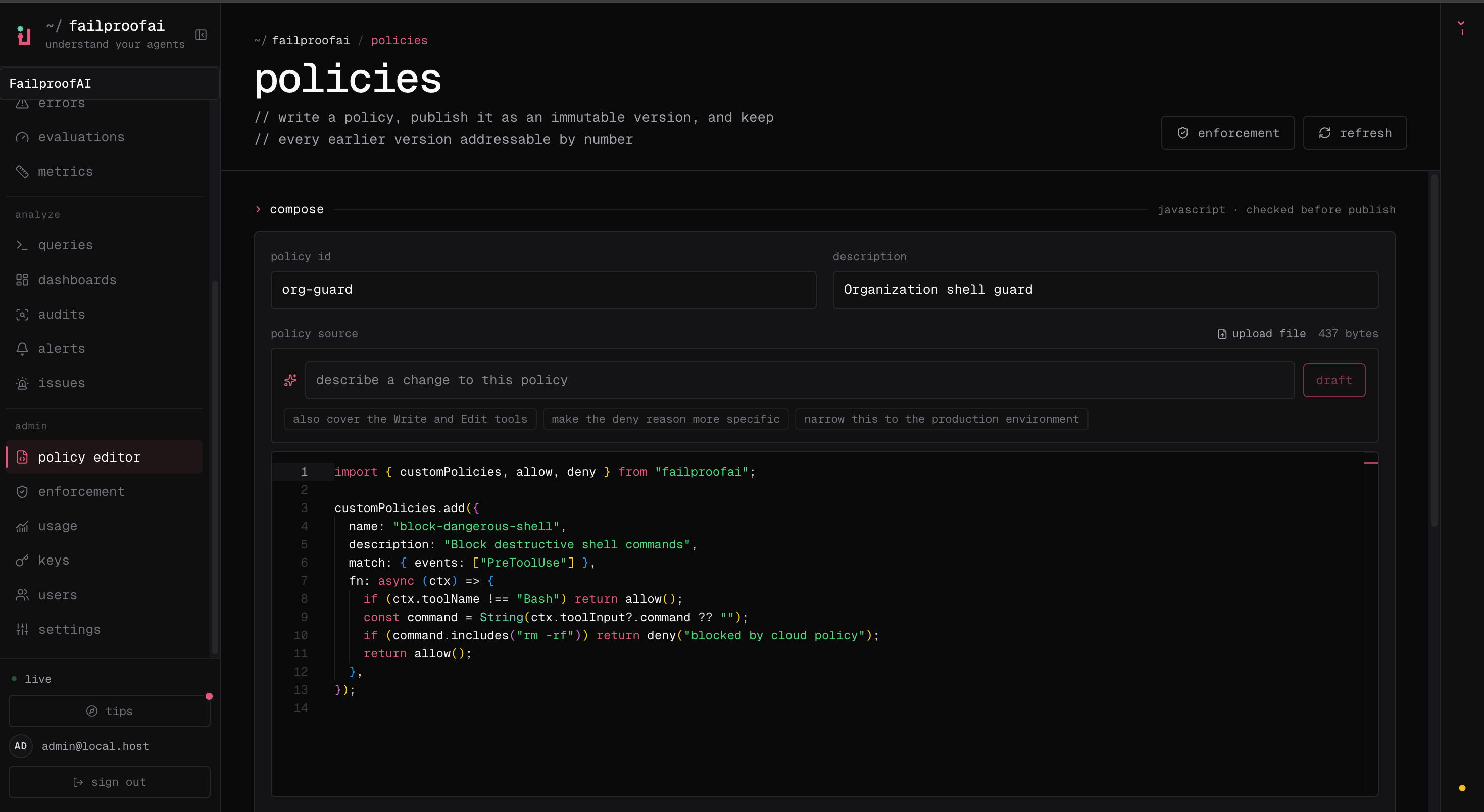
2
Deploy it to a machine
Go to Admin → enforcement, expand the target machine, and select edit this machine. Add the published demo policy, pin its version, choose observe, and apply the deployment.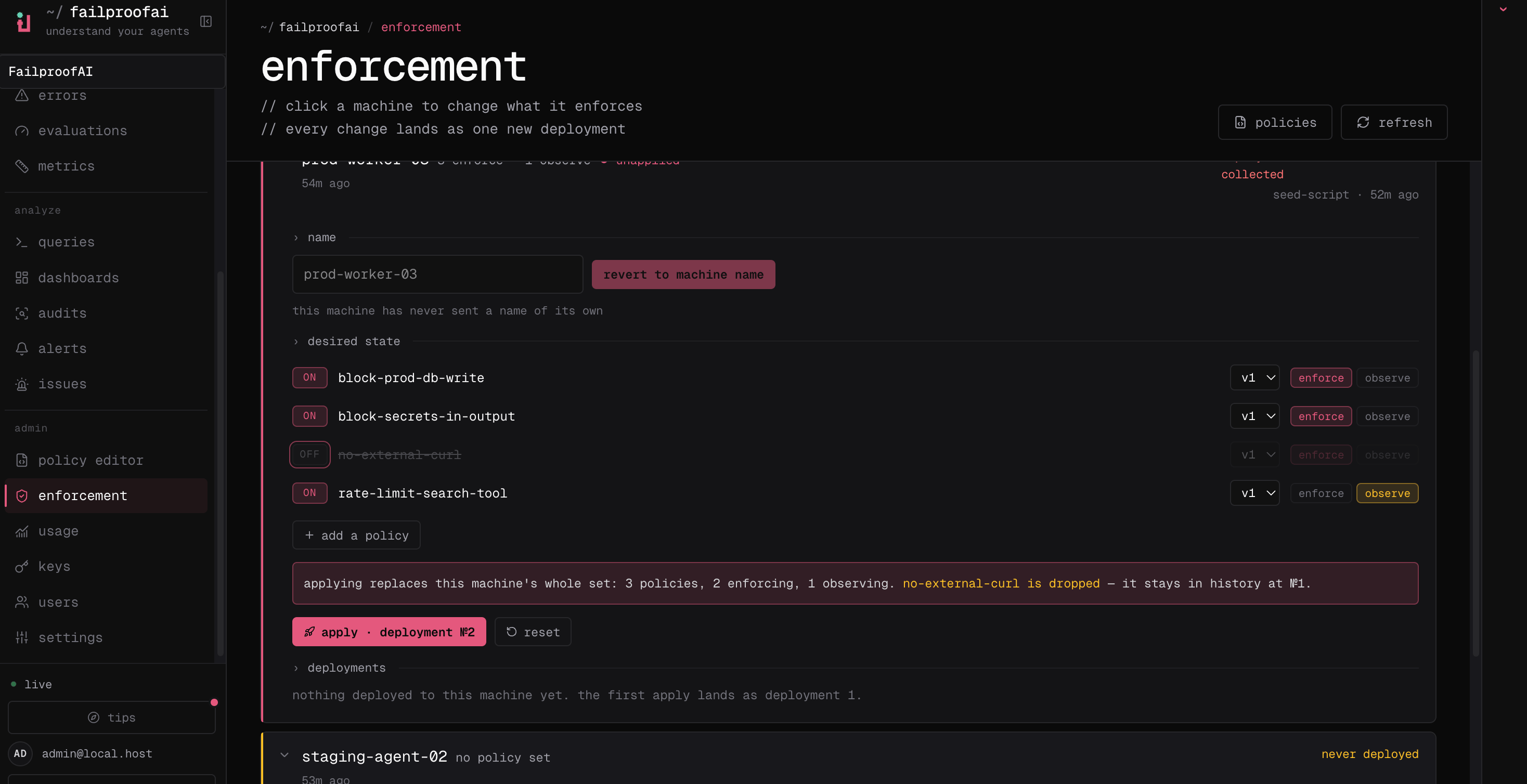
3
Verify the policy
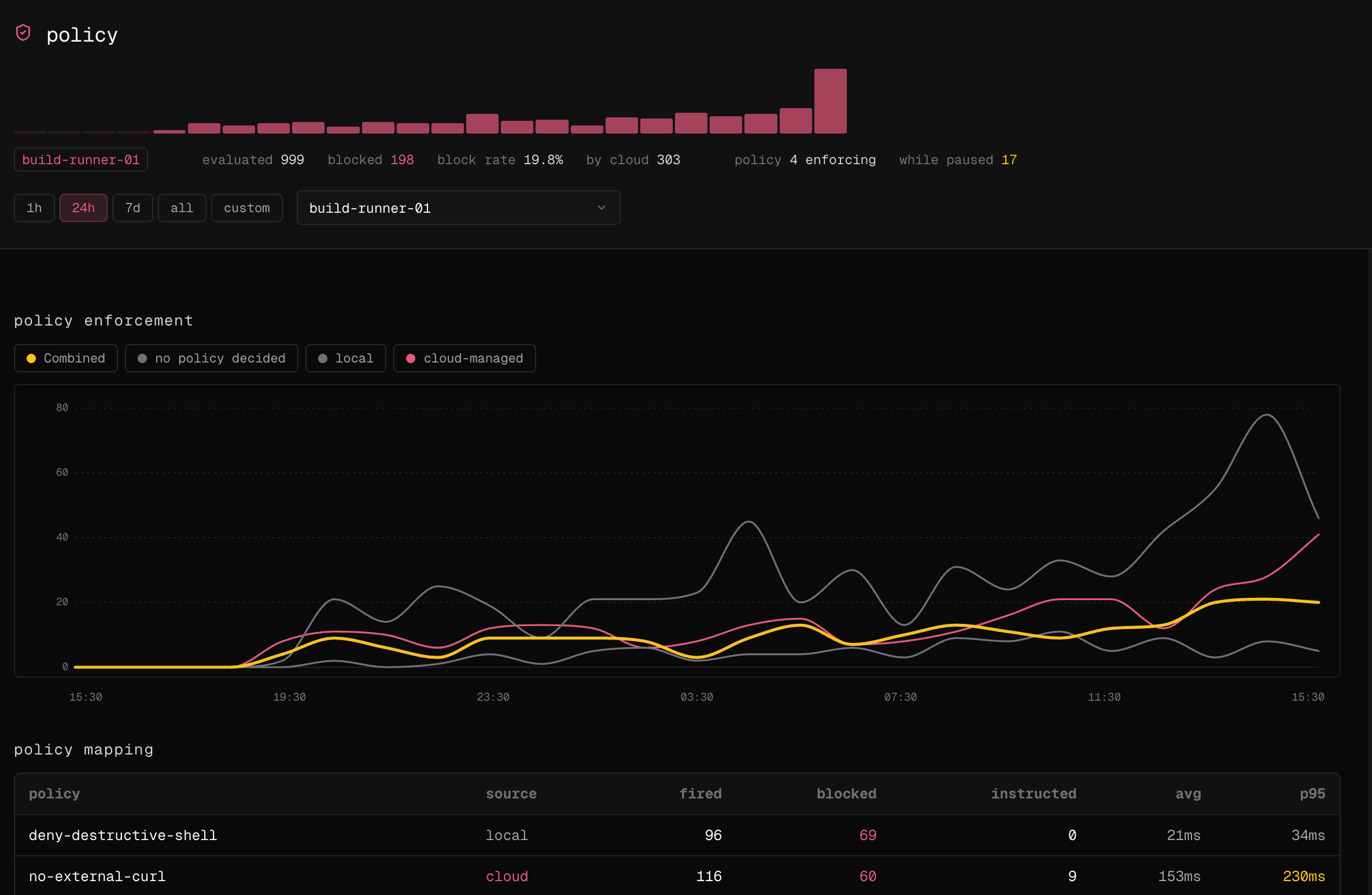
Run a new agent session on that machine, then open Observe → policy. Select the machine and confirm that the demo policy appears in the policy mapping and decision timeline. Observe mode records what the policy would do without blocking the action.