

/v1 on your Failproof AI dashboard origin.
Create a key and make a request
- Dashboard
- CLI
- Open Administration → Keys, select Create key, and choose the narrowest permission preset that covers the integration.
- Add individual grants only when needed, create the key, and copy its one-time secret.
-
Make a test request to
/v1/sessionsand confirm the key remains active in the Keys page. -
Rotate or disable the key from its action menu when the integration changes ownership.
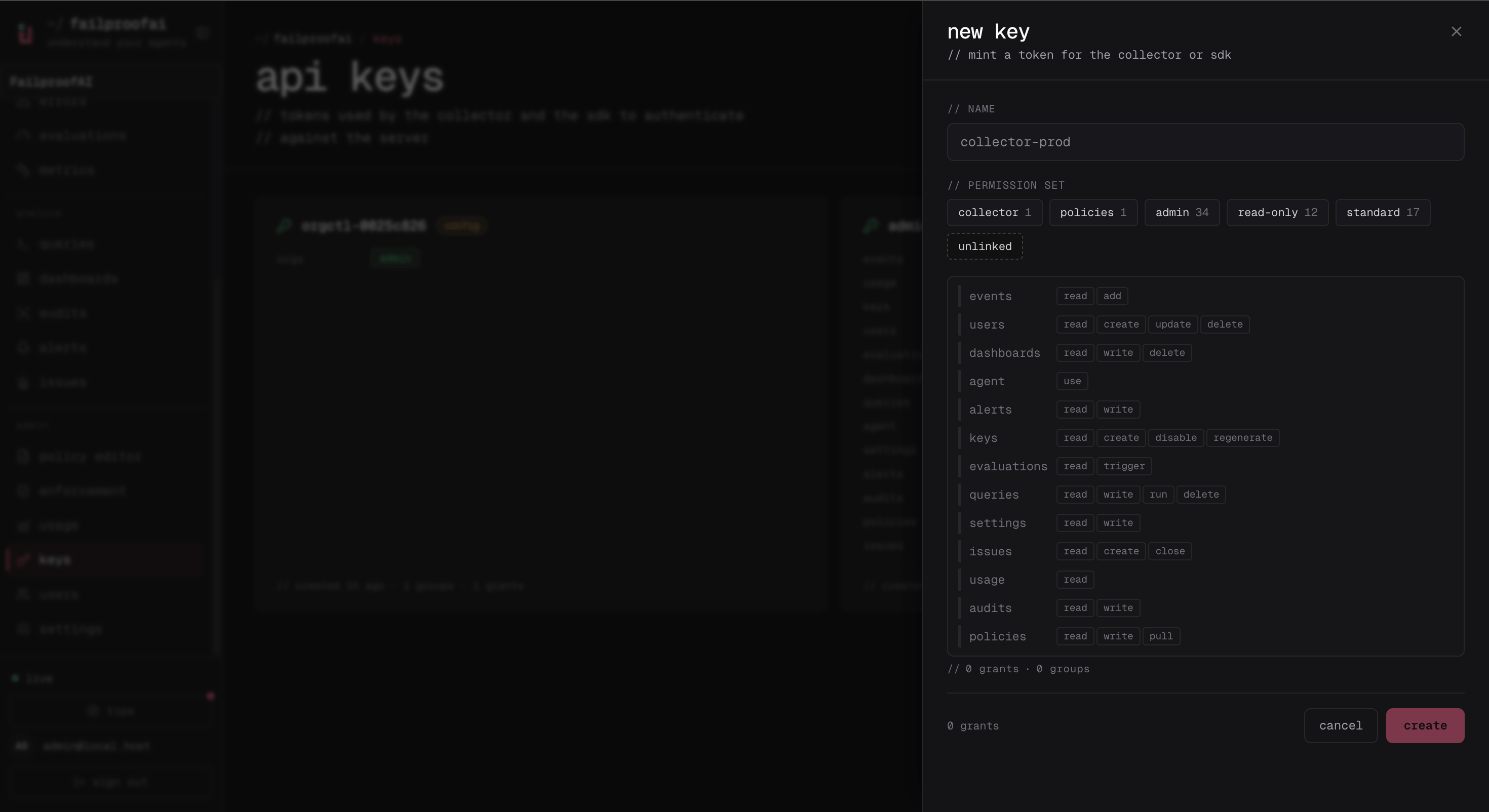
403 and identifies the missing permission.
Organization selection
An organization key acts on its organization automatically. An instance-scoped key can select an organization per request:- Dashboard
- CLI
Use the organization switcher in the dashboard header before opening Administration → Keys. Keys created there belong to the selected organization. Confirm the organization slug in the URL and key detail before copying the credential into automation.
/v1 router.
The current specification has complete route, method, parameter, permission, and status-code coverage. Some response bodies remain intentionally untyped because the server still constructs them as dynamic JSON. Inspect a real response before generating a strongly typed client around an endpoint without a response schema.
Use Content-Type: application/json for JSON writes. Treat 401 as missing or invalid authentication, 403 as a valid identity without the required permission, 404 as a missing or organization-inaccessible resource, 409 as a state conflict, and 422 as an invalid field or permission value. Error responses include a human-readable message; permission failures also name the required grant.
Request IDs
Every response carries anX-Request-Id header, and every JSON error body includes the same value as request_id. Quote it when you contact support: it identifies that one request.
You can send your own X-Request-Id to correlate a request with your own logs. Use 32 lowercase hexadecimal characters, such as a UUID v4 with the dashes removed. Any other value is replaced with a new ID, which is returned in the response.