

Event families
- Agent start, end, pause, and resume
- Model request and response
- Tool use and result
- Hook triggered and completed
- Human wait, input, pause, and interrupt
- Explicit errors
Inspect an event contract
- Dashboard
- CLI
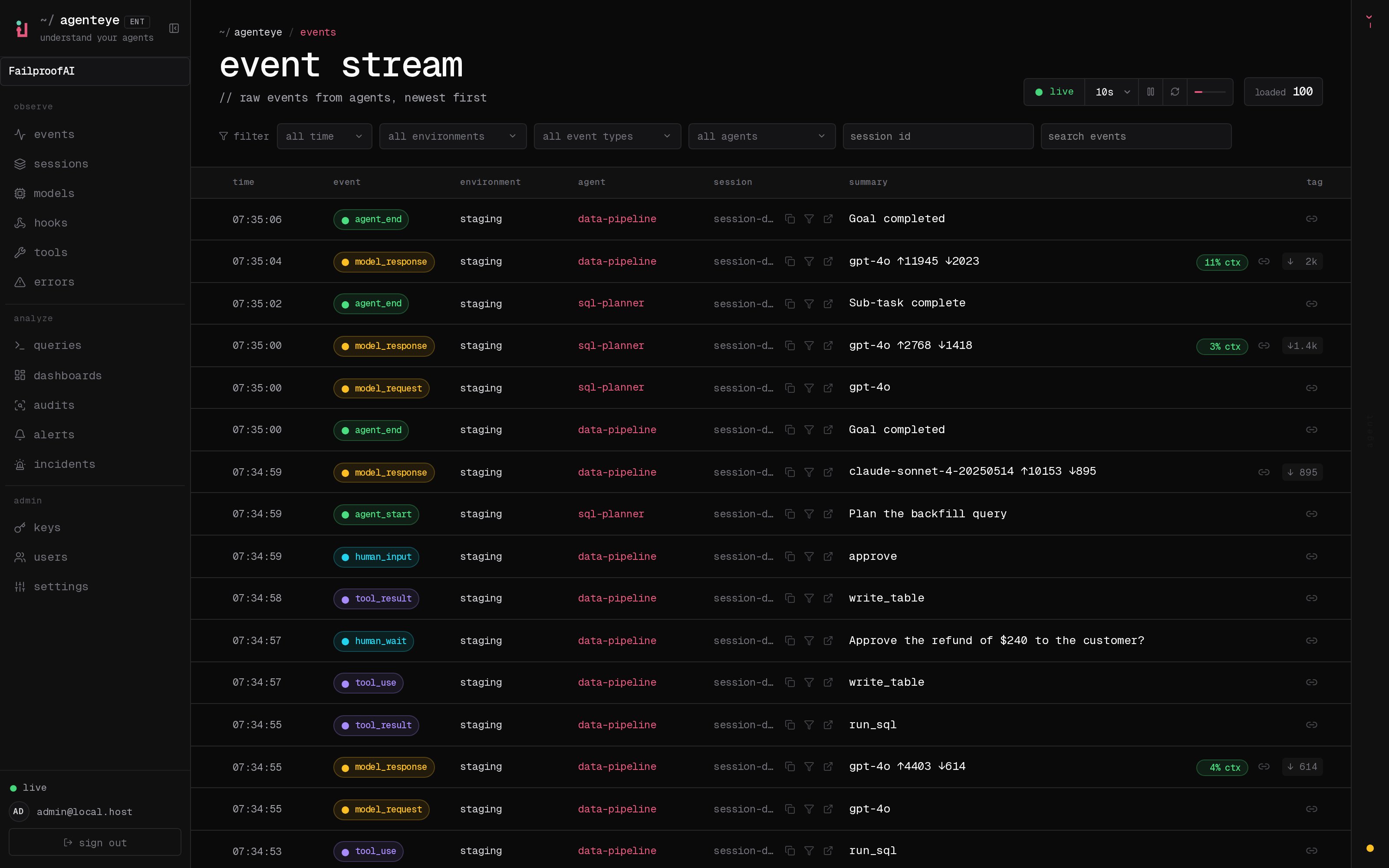
- Open Observe → Events.
- Set a short time window and filter by environment, agent, and event type.
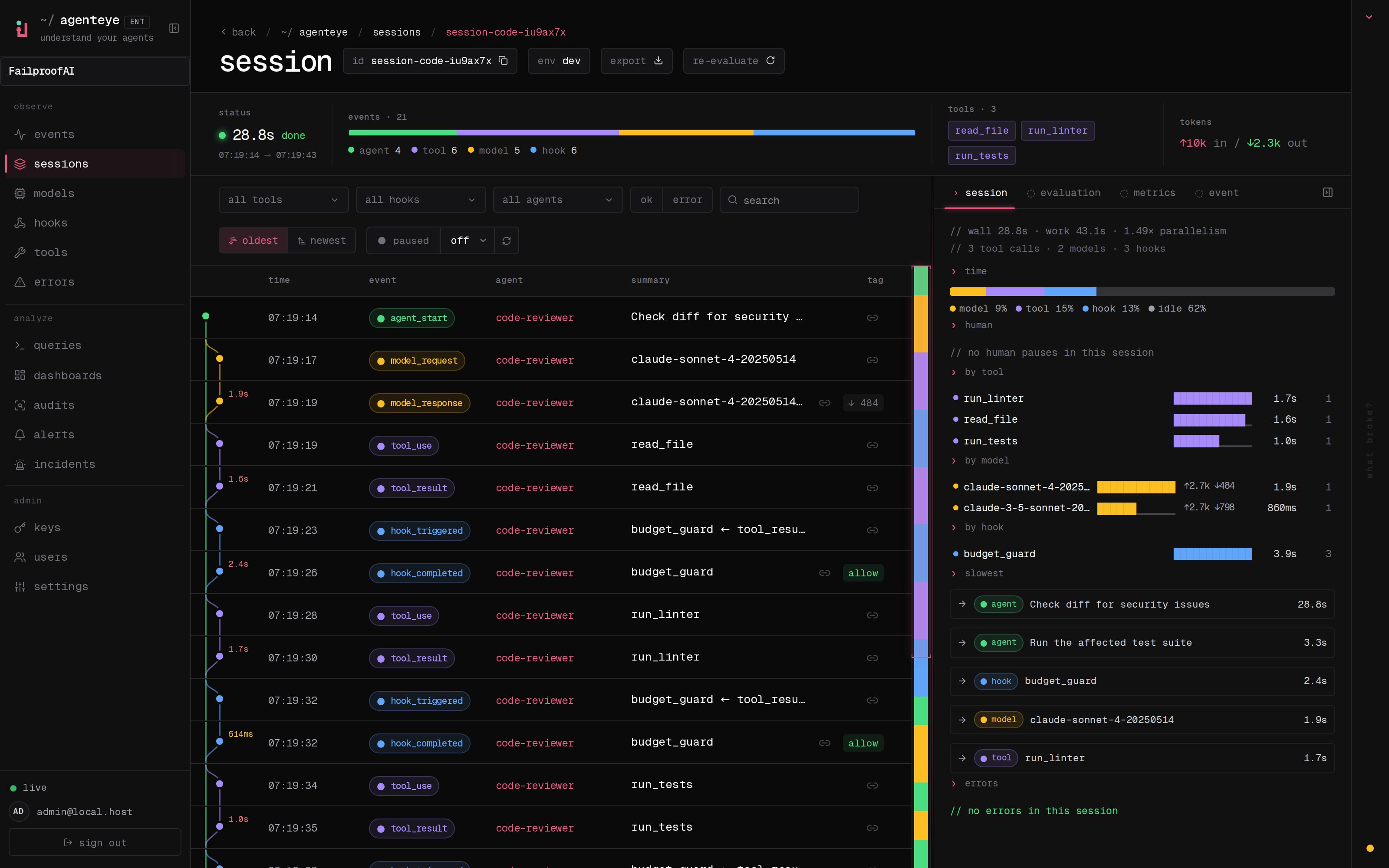
- Select an event to inspect its normalized fields and raw payload, then open its session to see the execution context.
- If a paired duration is missing, verify that the start and completion events use the same correlation ID.
Reserved SDK fields
Do not usetimestamp, session_id, agent_id, type, or environment as custom Python SDK fields. Paired event durations such as tool result duration are calculated by the SDK and cannot be supplied manually.
Local boundaries
- Failproof AI state lives under
~/.failproofaiunless explicitly configured otherwise. failproofai-sdkalways spools under~/.failproofai/custom-agents.FAILPROOFAI_HOMErelocates that home; thecustom-agentssegment is always appended, so the spool cannot be placed outside it. Only the SDK’s ownconfigure(base_dir=...)writes elsewhere.AGENTEYE_HOMEis read by the olderagenteye-collectorto choose what to watch, and no longer affects where the SDK writes.- Environment labels can be set through SDK configuration or
AGENTEYE_ENVIRONMENT. - Daemon credentials are stored separately from non-secret settings.
Change an environment label
- Dashboard
- CLI
Environment labels are assigned by the emitting SDK or Failproof daemon. After changing one, open Observe → Sessions and use the environment filter to confirm new sessions carry the new value. Existing sessions retain their original environment.