- Dashboard
- CLI
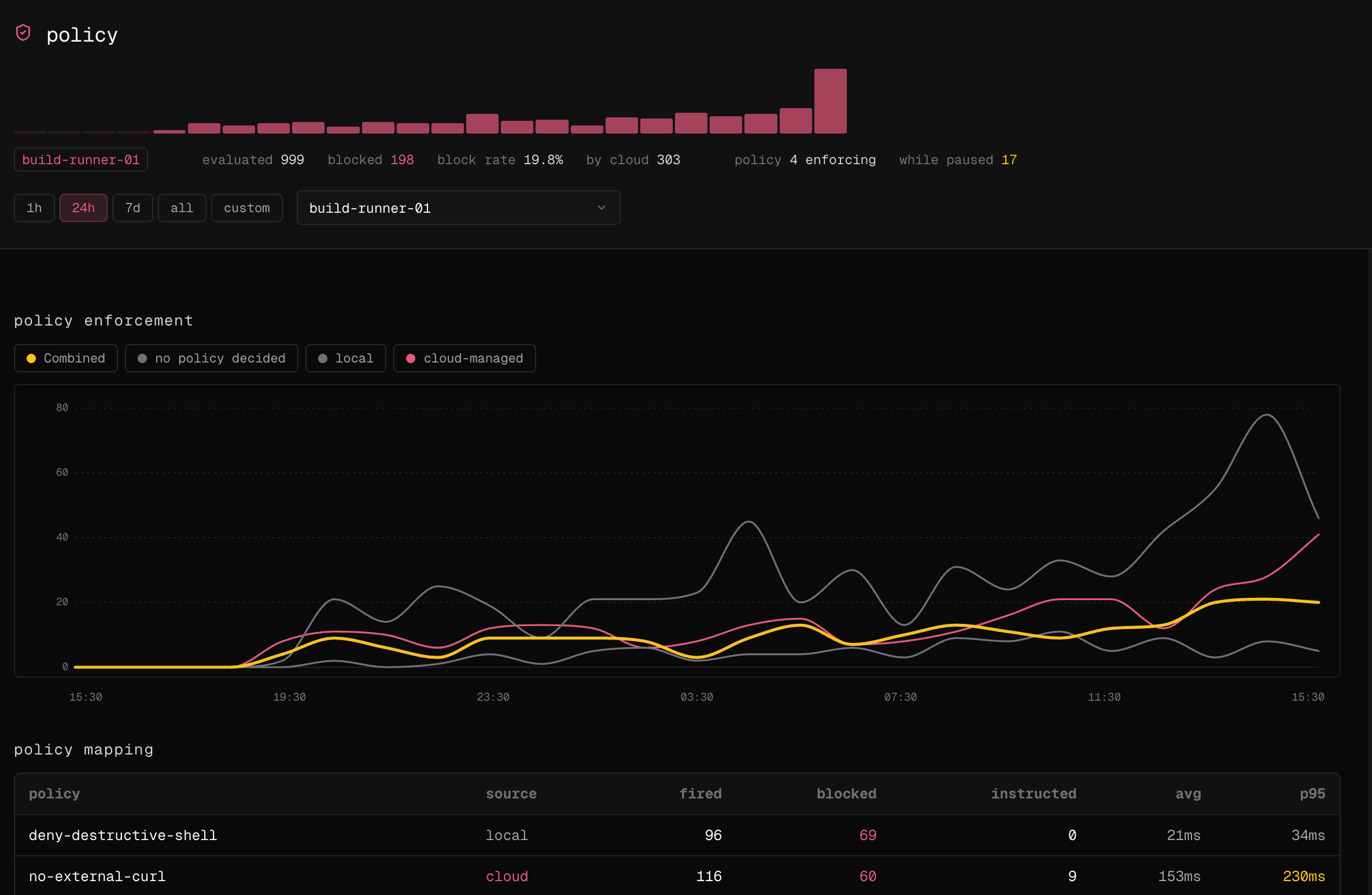
- Go to Observe → policy and choose the time range and optionally one machine.
- Review evaluated actions, blocks, block rate, Cloud decisions, unguarded actions, and activity while paused.
- Filter the policy mapping table and inspect deployed assignments.
-
Select a chart point to open the decisions and their sessions.