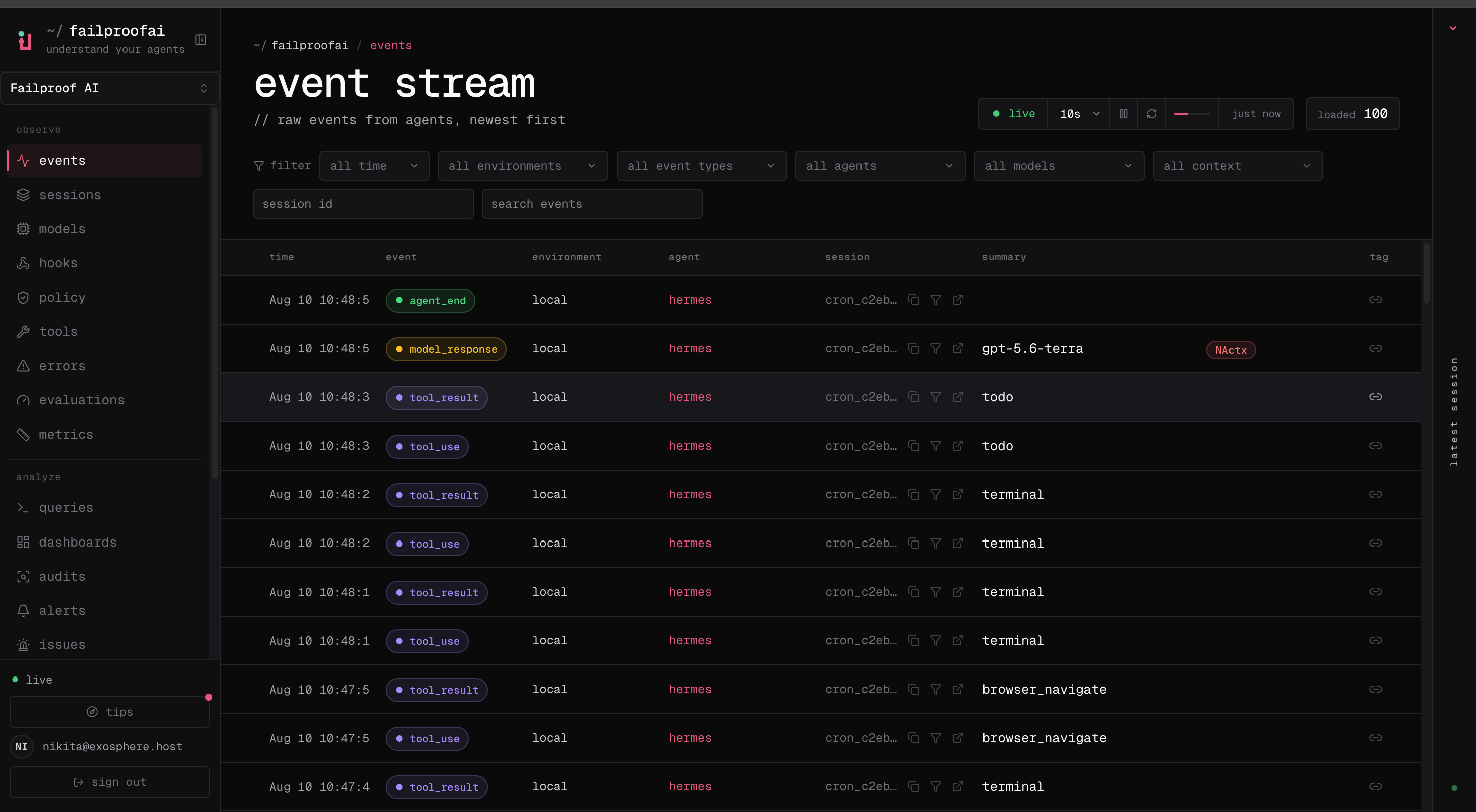
The default feed omits raw payloads. Use --full only for a bounded session investigation.
Use the event stream to answer three immediate questions:
Is the expected agent reporting to the correct environment?
Are model calls, tool calls, and policy decisions arriving in order?
Has the session stopped making progress or started repeating an action?
Event types include agent lifecycle events, model requests and responses, tool use and results, hook execution, human waits and interrupts, and explicit errors. Correlation IDs join paired events such as a tool call and its result.
Keep the live view broad while verifying a new integration. Add filters only after you see the first event; an incorrect filter can look like failed ingestion.
If no events appear, run failproofai config --status, then troubleshoot ingestion.Agents that do not run in one of the 12 supported harnesses report the same event types through the Python SDK, including the human-in-the-loop events (human_wait, human_input, human_interrupt) that gateway and production agents depend on.