

Add agent context
- Dashboard
- CLI
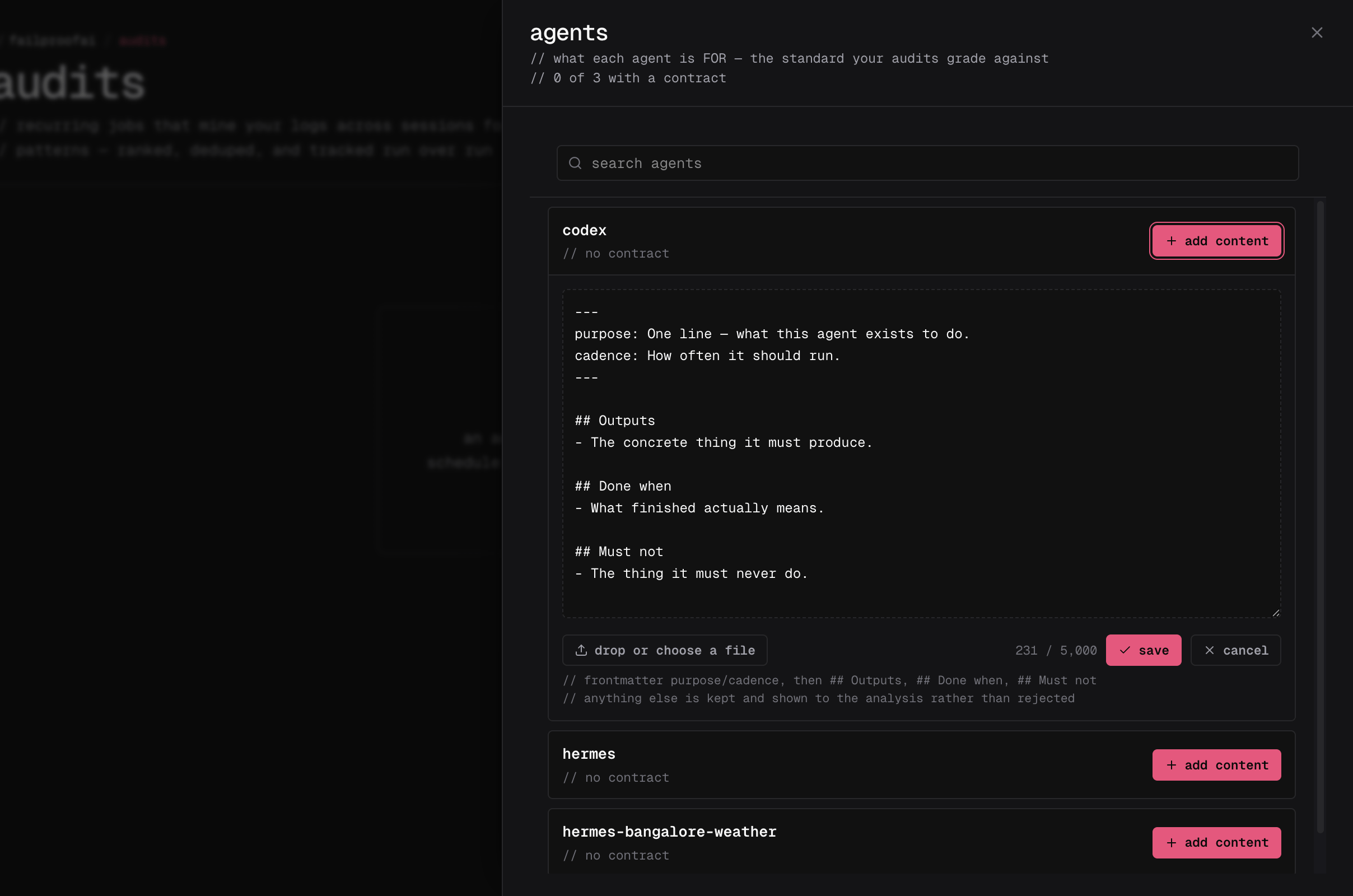
- Go to Analyze → audits, select agents, and choose the agent ID reported by its sessions.
- Select add content or edit.
- Describe what the agent is for, what it must produce, what “done” means, how often it should run, and what it must never do.
-
Save the context, then return to the audit form and confirm the selected agent is shown as covered.
Write useful context
Keep the context under 5,000 characters and make it testable. Useful context normally contains:- Purpose: why the agent exists
- Outputs: artifacts or actions it must produce
- Done when: the condition that makes a run successful
- Cadence: how often or when it should run
- Must not: actions and outcomes that are always unacceptable
Pause or change agent context
- Pause agent context when audits should temporarily ignore it. Pausing is reversible.
- Edit the context when the agent’s responsibility changes. The new text applies to future runs.
- Check last matched when a running agent never appears to use its context. This usually means its agent ID does not match telemetry.
- Delete through the API only when the text must be permanently destroyed. The dashboard intentionally offers pause instead of delete.
Reading contracts requires
audits:read. Creating, editing, pausing, or deleting them requires audits:write.