Detect recurrence and route an incident to the right responders.
Alerts watch a measurable condition and create an incident when it triggers. Use them when a failure should produce a timely response, whether or not a policy can block it.
Go to Analyze → Alerts and select new alert. You can also start from the bell on a representative error.
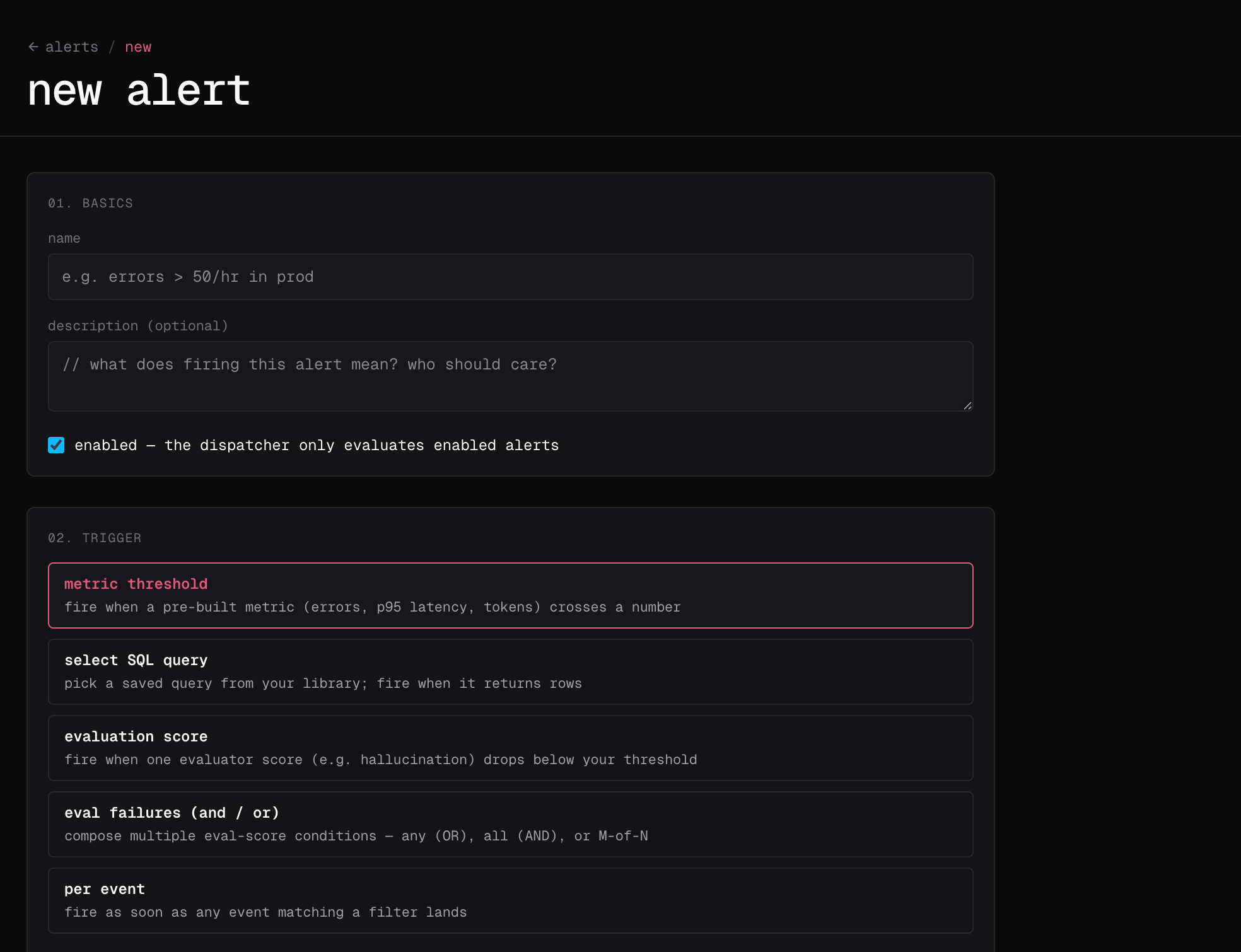
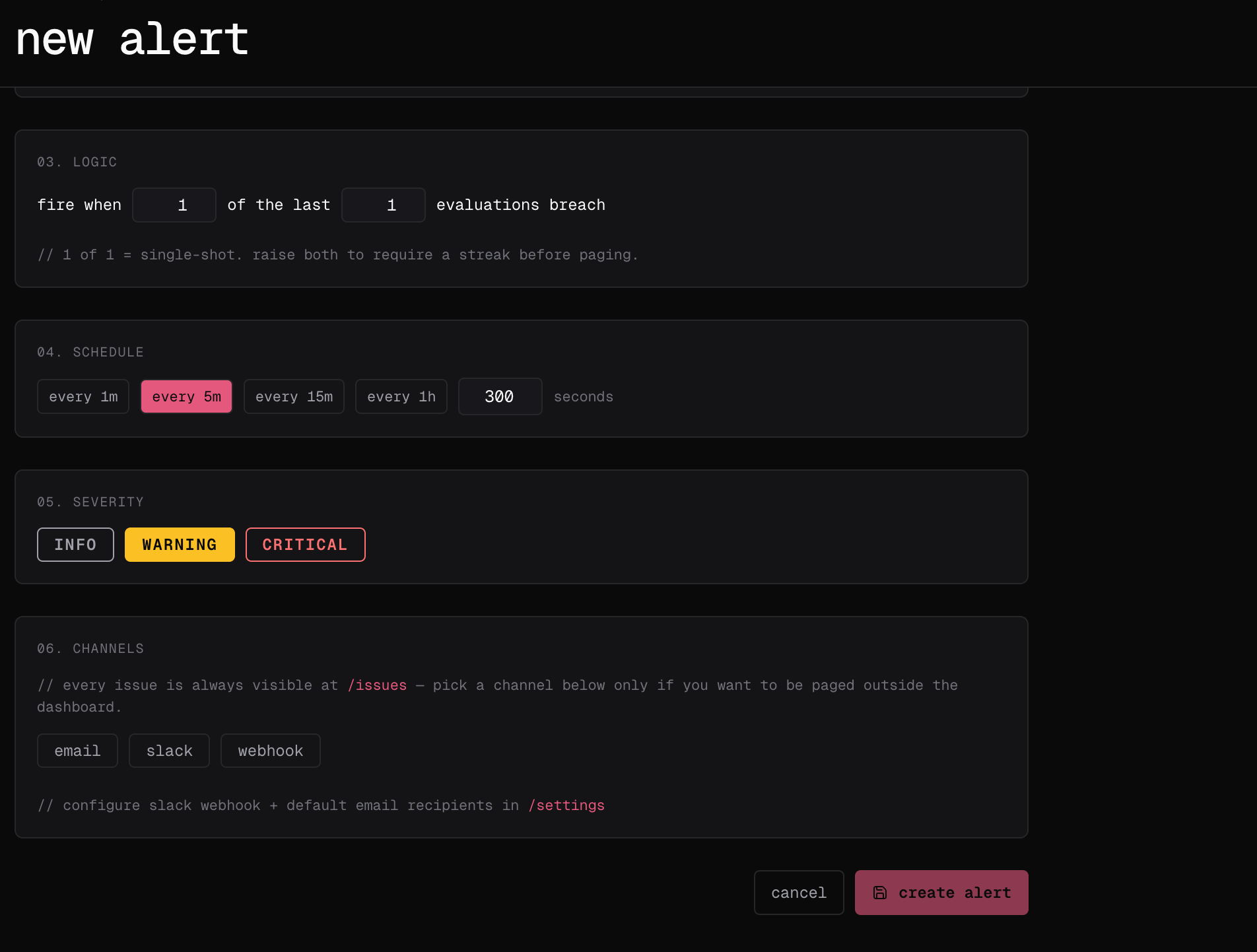
Enter the name, severity, trigger kind, condition, evaluation interval, breach count, window, and channels.
Save the alert, open its detail page, and run test.
Go to Analyze → Issues to acknowledge, assign, discuss, subscribe to, and resolve incidents created by the alert.
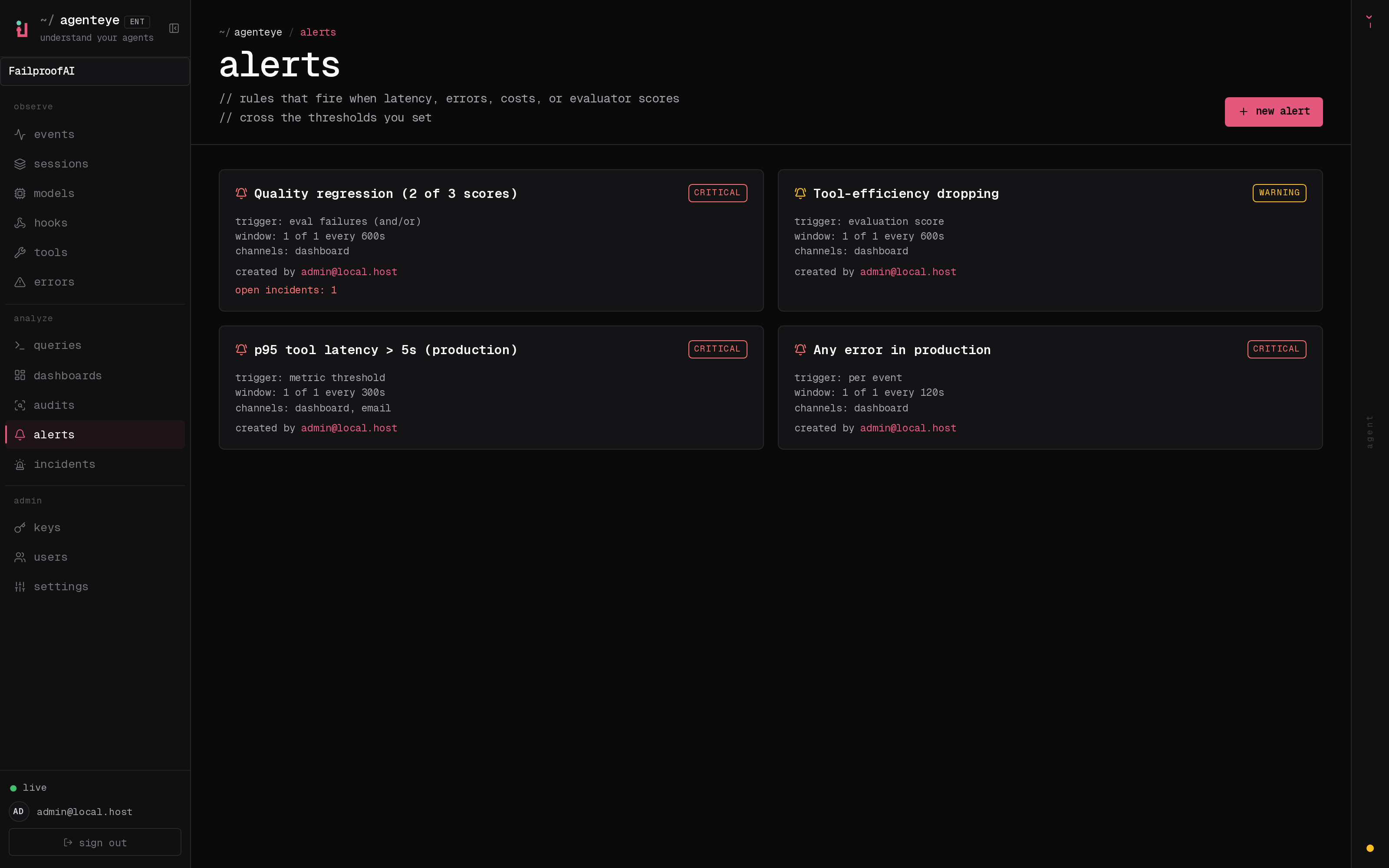
The first part of the form identifies the alert and the signal that should trigger it.The second part controls how long the condition must persist, how often it is evaluated, and where notifications are sent.After saving, use the Alerts list to confirm the rule is enabled and that its trigger, window, severity, and channels match what you intended.Test the alert before depending on it for production response.
Use fp alerts list to review rules and fp alerts delete <name> to remove one.See the fp alerts reference for the complete alert command set.
Alert conditions can be based on errors, evaluation scores, evaluation combinations, or custom SQL. Add recipients, test the rule, and open the resulting incident to acknowledge, assign, comment, subscribe, and resolve it.