

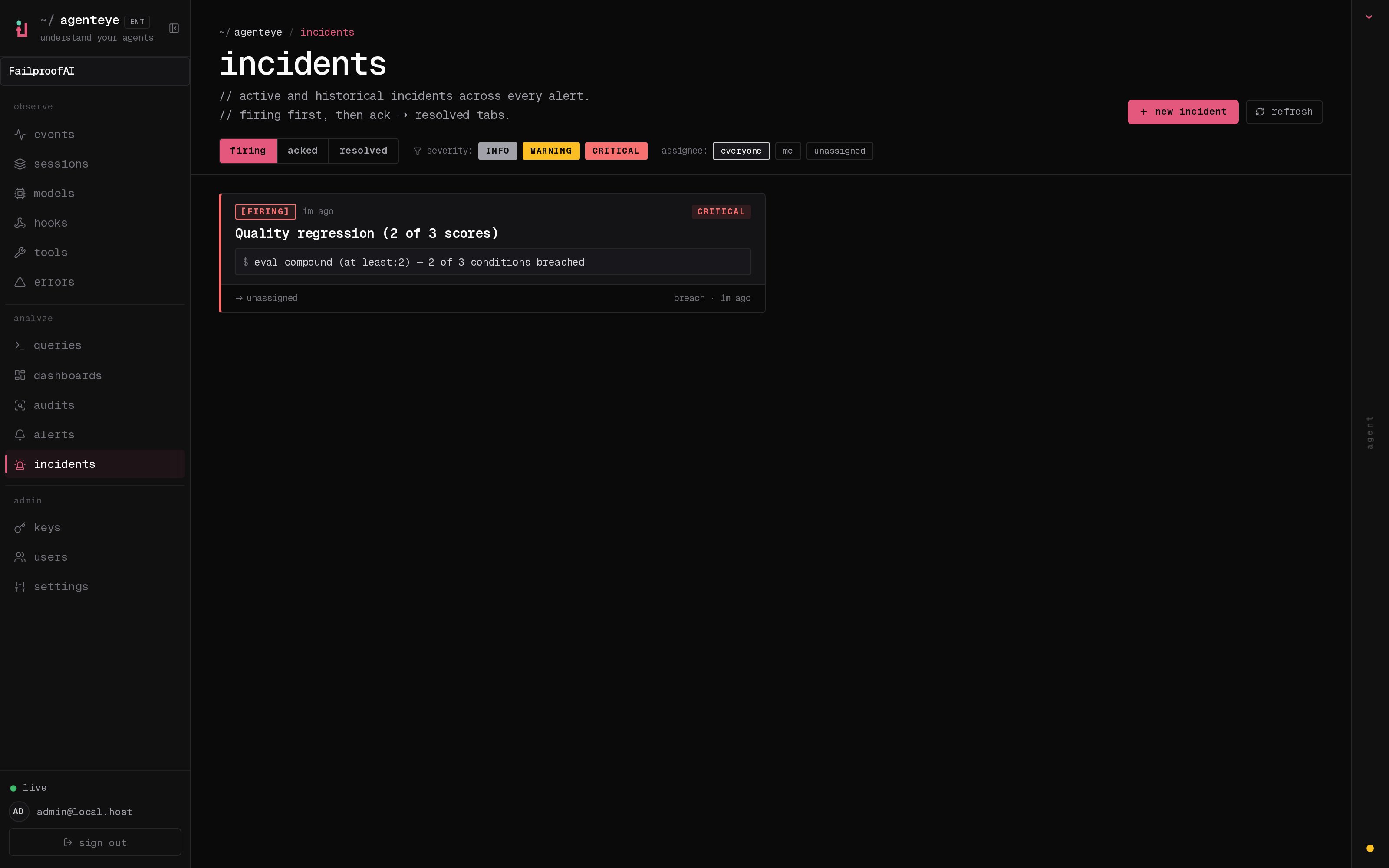
Know who has it, at a glance
No more “is anyone looking at this?” in a chat thread. A breach opens an incident automatically and drops it into a shared inbox, grouped by state. Acknowledge it and your name is on it, so the rest of the team knows it is handled. Acknowledgement is shared: several operators can ack the same incident and each is recorded on its own, so a full war room shows up by name instead of stepping on each other. Assign one owner for triage, and filter the inbox by severity or assignee to cut it down to what is yours.The whole story, in one timeline
When the incident is over, you already have the write-up. Open any incident and you get the breach evidence, its assignees and subscribers, a comment thread for coordinating in place, and an append-only activity timeline.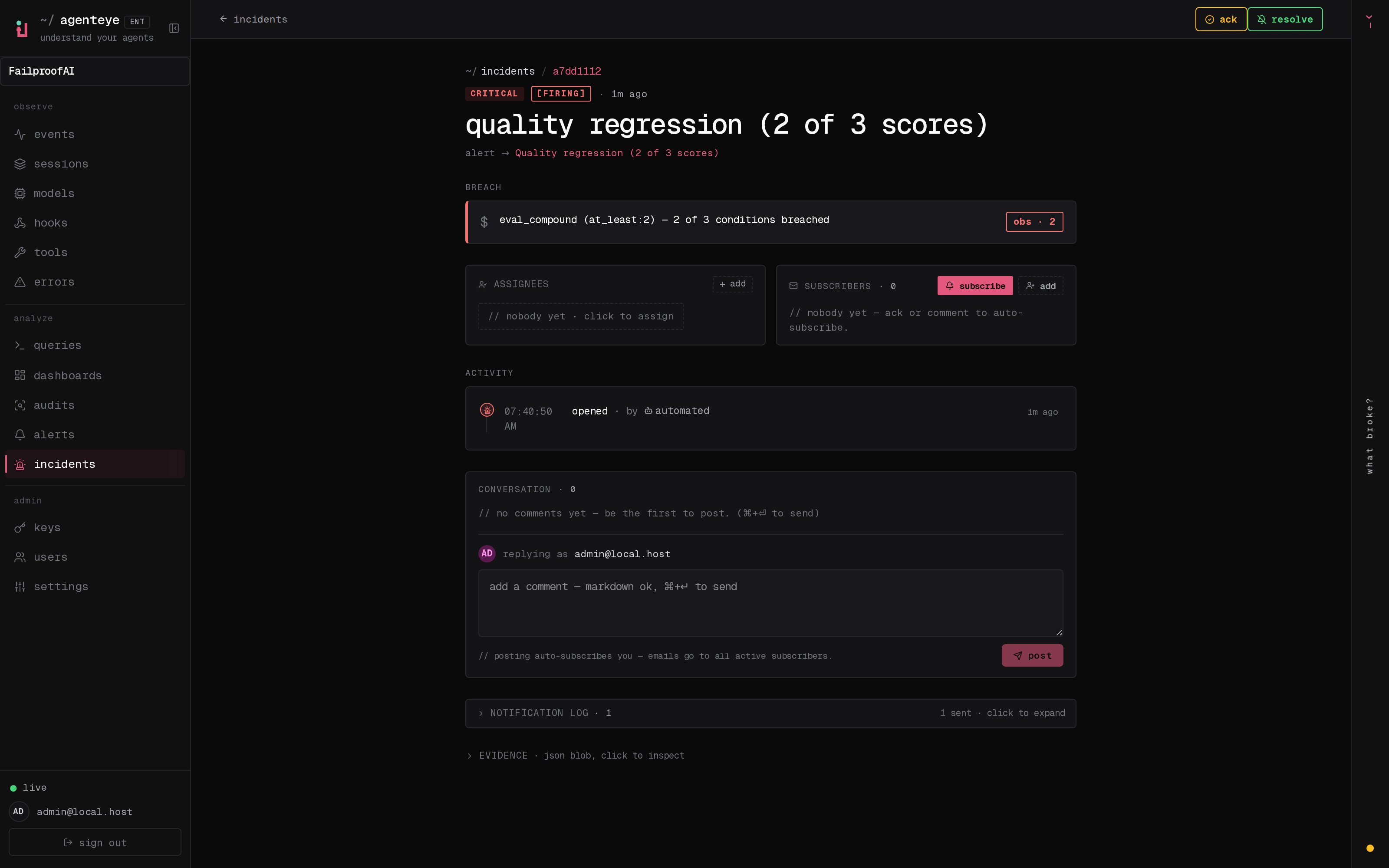
How an incident moves
- Open (firing): the breach opens the incident and pages your channels once. Repeated breaches fold into the same incident and refresh its evidence instead of paging you again and again.
- Acknowledged: an operator picks it up. It stays open, and later breaches update the evidence quietly.
- Resolved: an operator closes it out. Automatic resolution when the condition clears is planned but not yet enabled, so an incident stays open until a human resolves it, which keeps everyone honest about what has actually cleared. A fresh incident can open on the same alert later.
incidents:write.
Where to find it
Incidents live at/<org-slug>/incidents. Viewing needs incidents:read; opening a manual incident needs incidents:write; acknowledging, assigning, commenting, and resolving need incidents:ack. Older keys granted the retired alerts:ack keep working, since it is honored as incidents:ack, so your on-call rotation does not need re-issuing.
Related
- Alerts: the rules that open these incidents when a threshold breaches.
- Error tracking: see every failure in one place and promote one to an alert.
- Audits: the scheduled analyst that finds the failures no rule was watching.