

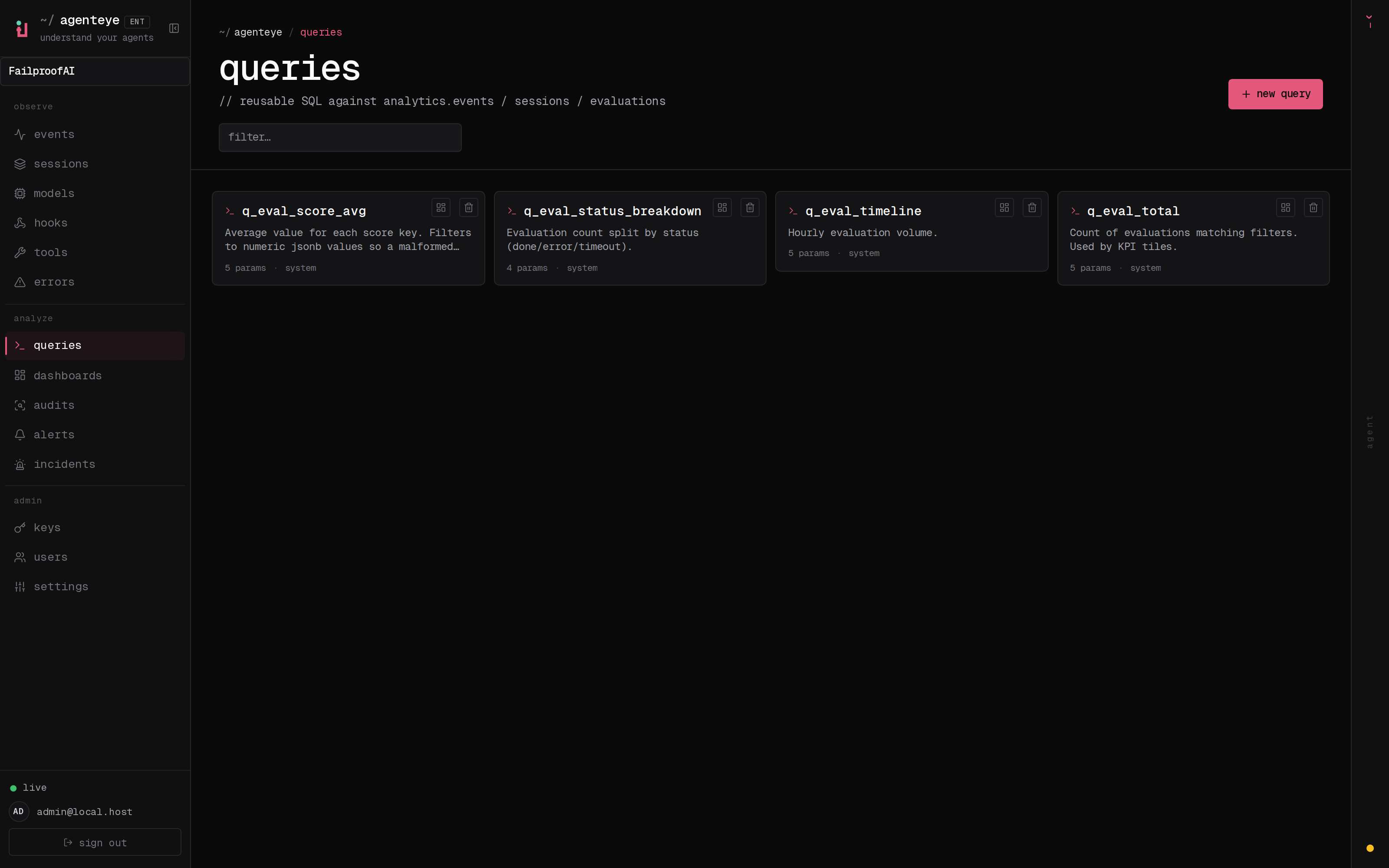
/<org-slug>/queries: built-in presets sitting alongside the queries your team has saved.
Start from a preset, not a blank page
You do not have to remember table names or write SQL from scratch. The library opens with built-in presets for the questions teams ask most, sitting right next to the queries your own team has saved and named. Pick one that is close to what you want and you are most of the way to an answer. Every saved query is org-scoped and shared, so the useful ones your teammates write become yours too. Name a query and give it a description once, and anyone in your org can find it, run it, or pin its results onto a dashboard later. Find it at/<org-slug>/queries.
Tweak it and run it in the SQL composer
Open any query and it lands in the SQL composer, where you can adjust it and see the answer immediately: no export, no round-trip, no waiting on someone else.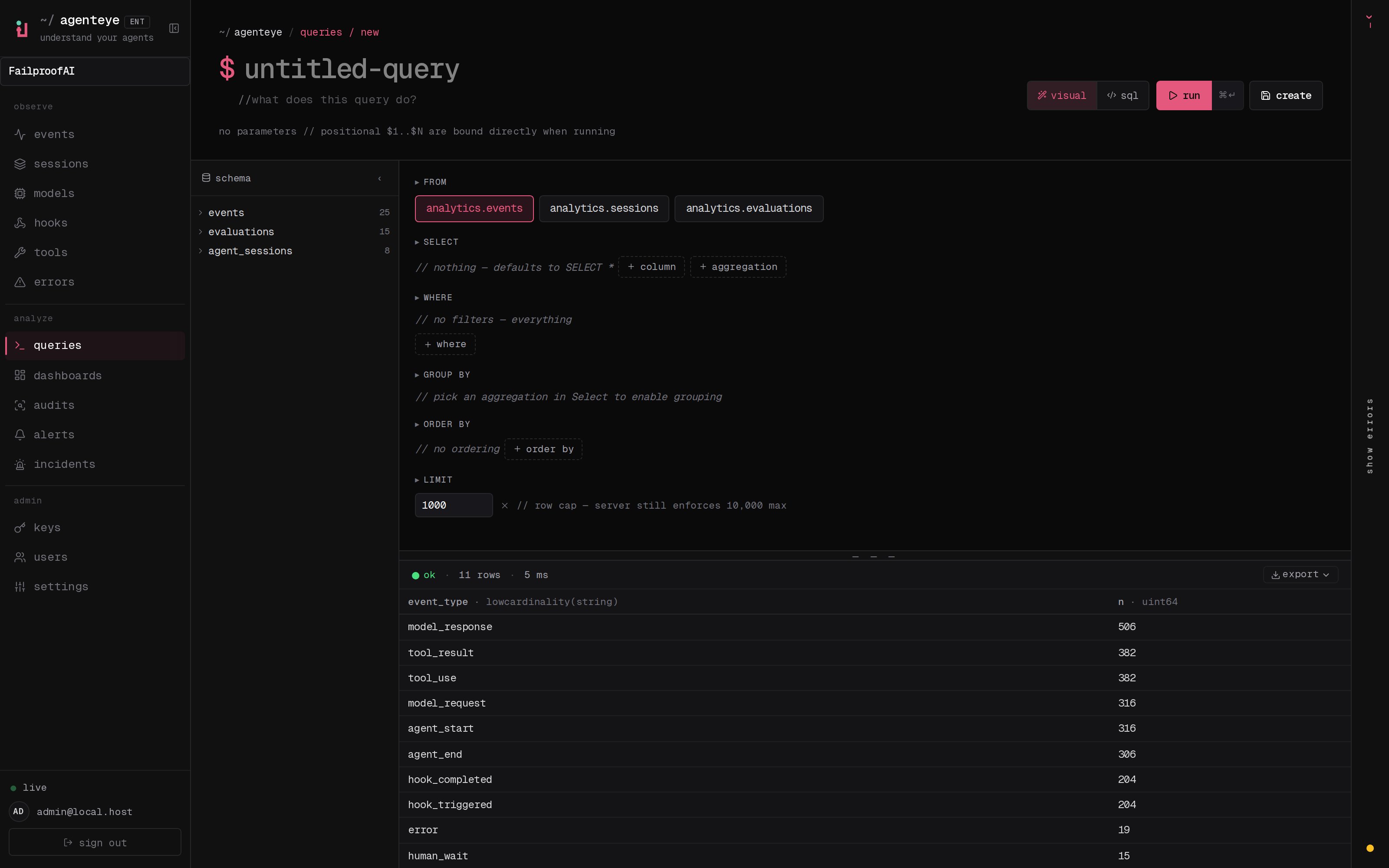
- A schema sidebar lays out the analytics tables and their columns, so you can shape a query without hunting for field names.
- A live result grid returns rows the moment you run, so you iterate in seconds rather than guessing and re-guessing.
- Read-only by design. Queries run against your event store and are validated on the server: only
SELECTandWITHstatements are allowed, with a statement timeout and a row cap. An exploratory query can never modify your data, and a runaway one gets stopped for you.
Run them from the terminal, or let the assistant write them
The same saved queries follow you wherever you work:- From the terminal. The
agenteyeCLI lists, runs, and saves the very same queries, so you can drop a result into a script, wire it into CI, or hand it to a coding agent.
- From the AI assistant. Not sure how to phrase the SQL? Ask the in-dashboard AI assistant in plain English and it will draft the query and save it to your library for you.
queries:run permission, kept separate from the permissions to create or delete queries, so you can grant read access without letting everyone rewrite the library.
Related
- Dashboards: pin query results into shared, org-wide charts.
- AI assistant: ask questions in plain English and get a query back.
- CLI and agents: run and save the same queries from your terminal.